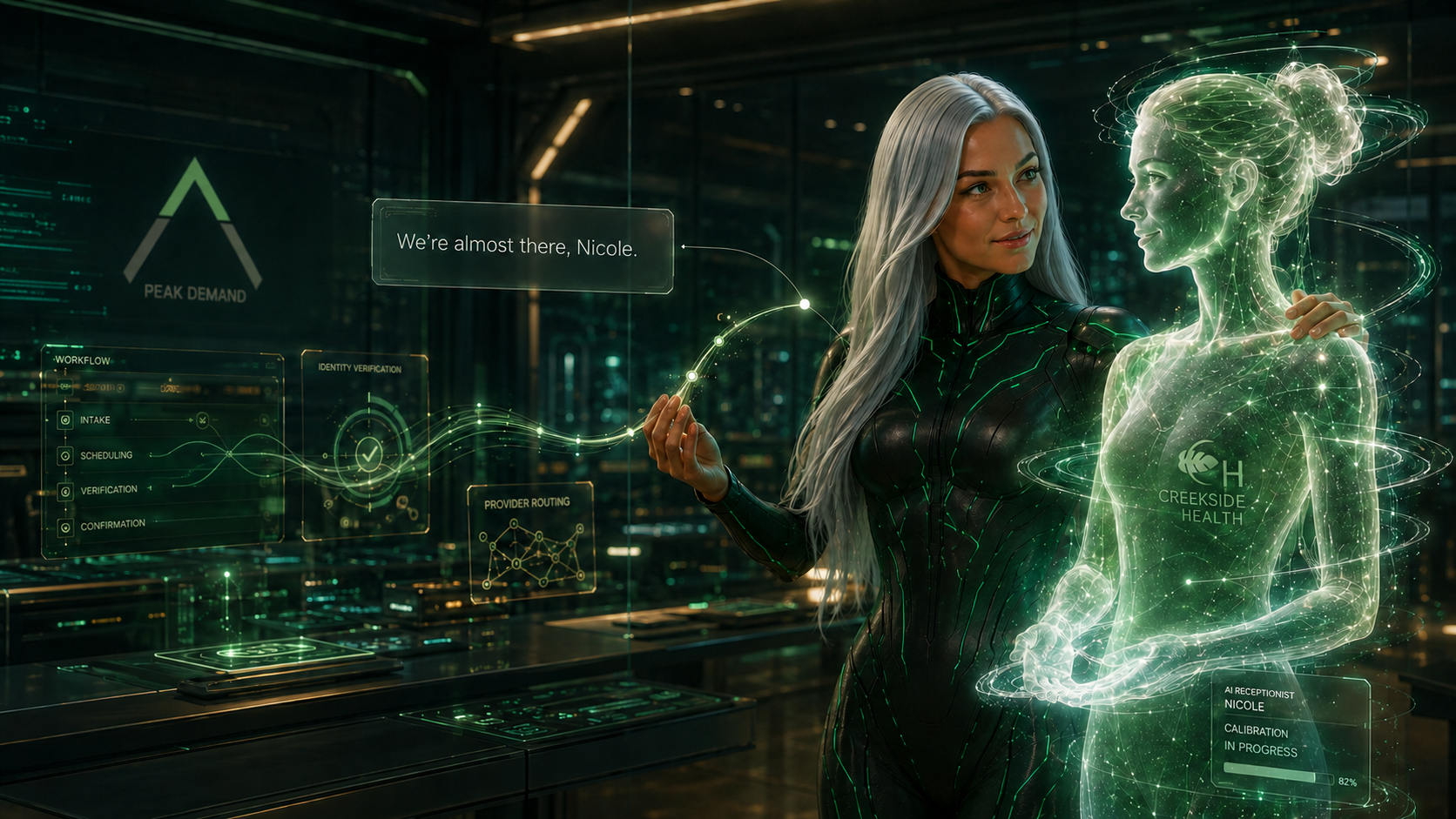
Peak Demand is an AI-first agency specializing in custom Voice AI receptionists, AI answering systems, and AI SEO (GEO/AEO) strategies designed to convert discovery into revenue. Unlike off-the-shelf voice AI tools that often fail due to poor integration, limited workflow design, or unreliable call handling, our systems are engineered for real-world deployment. We architect intelligent voice agents that answer calls, book appointments, qualify leads, and integrate seamlessly with CRM, ERP, and EHR platforms — ensuring that your AI receptionist performs reliably at scale.
Phone: +1 (647) 691-0082
Email: [email protected]
A Voice AI receptionist is an intelligent call-handling system that answers inbound calls, understands what the caller needs, and takes action — such as booking appointments, routing calls, capturing leads, collecting intake details, or creating service tickets. It uses natural language processing, structured workflows, and business rules to deliver consistent outcomes without relying on a human operator for every call.
In real operations, the “AI voice” is only one layer. A reliable receptionist requires workflow design, systems integration (CRM/EHR/ERP/booking), data validation, escalation logic, safe fallbacks, and performance monitoring. This is where most plug-and-play tools fall short — not because AI is bad, but because production call handling requires engineering discipline.
Handles new callers, repeats, overflow, and after-hours calls with structured routing aligned to your policies and teams.
Connects to scheduling rules and service workflows, collects required details, and confirms next steps without missed calls.
Captures intent, urgency, and contact details — then pushes structured records into your CRM pipeline for fast follow-up.
Connects to CRM/ERP/EHR systems, calendars, ticketing tools, and APIs to reduce manual work and prevent drop-offs.
{
"section": "What is a Voice AI Receptionist",
"primary_topics": [
"Voice AI receptionist definition",
"custom voice AI receptionist",
"AI answering system",
"AI call routing",
"AI appointment booking",
"AI lead capture",
"CRM integration",
"reliability guardrails"
],
"definition": "An AI call-handling system that answers inbound calls and completes workflows such as booking, routing, intake, lead capture, and ticket creation using NLP + automation + integrations.",
"production_grade_components": [
"workflow logic and call flows",
"integrations to systems of record (CRM/calendar/ticketing/EHR/ERP)",
"guardrails (validation + confirmations + constrained actions)",
"human-first escalation with context",
"monitoring + reporting for continuous improvement"
],
"cta": {
"discovery": "https://peakdemand.ca/discovery",
"pricing": "https://peakdemand.ca/pricing"
}
}
Most businesses don’t abandon Voice AI because “AI doesn’t work” — they abandon it because the deployment is missing the operational layers required for production: integrations, workflow logic, validation, escalation rules, and monitoring. A voice model alone is not a receptionist. A receptionist is a system.
Peak Demand builds custom Voice AI receptionists that hold up under real call volume. We map intents and business rules, connect the AI to your systems of record (CRM/ERP/EHR/calendar/ticketing), and implement safeguards so callers always reach an outcome: booking, routing, intake completion, or a human handoff.
These are implementation gaps — not “AI capability” limits.
If your current tool “works in demos” but fails on real callers, that’s usually a workflow + integration problem — which is exactly what custom implementation solves.
The goal is simple: turn calls into measurable pipeline — and make sure your receptionist actually performs at scale.


You’ve probably heard about artificial intelligence (AI) changing things in everyday life—whether it's helping you find the fastest route home or suggesting what movie you should watch next. But what you might not expect is that AI is also stepping into the world of art, producing paintings, illustrations, and even digital designs.
That leads to a big question: Can art created by a machine really be called art?
It’s a question that divides people. Some say yes, because the results can be just as beautiful as anything created by human hands. Others feel that without a person behind the brush (or the code), it lacks the soul that makes art meaningful. Tools like DALL·E and MidJourney allow anyone to input a few words and get a unique piece of art in seconds. But does that make it "real" art?
Think about it this way: If you ask an AI to generate a landscape painting with mountains and a sunset, and it does, is that the same as an artist spending hours painting that scene with their own hands and emotions? This debate isn’t just about technology—it’s about how we define creativity and value in art.

Before we dive deeper, let’s break down what AI-generated art actually is. Simply put, AI-generated art is artwork that’s created by machines using artificial intelligence. But unlike a human artist, the AI doesn’t have a brain, feelings, or hands to hold a paintbrush. Instead, AI systems are trained on thousands (sometimes millions) of existing images to learn different styles, patterns, and techniques.
Think of it like this: Imagine you show an AI system hundreds of paintings by famous artists like Van Gogh or Picasso. Over time, the AI starts to "understand" what makes a Van Gogh painting look like a Van Gogh painting—the swirling brushstrokes, the bold colors, and the dreamy, almost chaotic feeling. Now, if you tell the AI to create something in Van Gogh’s style, it can take all the knowledge it’s absorbed from those paintings and generate a brand new image that looks like it could have been painted by him.
Example: Let’s say you want an image of a futuristic city at sunset, but you love the bright, swirly look of Van Gogh’s "Starry Night." You could ask an AI art tool to combine those two ideas: "Create a futuristic city at sunset in the style of Van Gogh." In a matter of seconds, the AI will produce a completely original image that fits your description, blending modern technology with the feeling of a famous masterpiece.
The result might be visually stunning, but here’s the question: is that really art? After all, the AI didn’t feel inspired or emotional while creating it. It didn’t spend hours considering how to express an idea. It just followed patterns based on what it learned.

So, can AI-generated art be considered "real" art? Supporters of AI in the art world believe it can be, and here’s why: art is about the experience. If a piece of art—whether created by a human or a machine—makes you feel something, inspires you, or makes you think, doesn’t that make it art?
Let’s look at photography. When cameras were first invented, many artists didn’t consider photography "real" art because the camera was doing most of the technical work. But today, photography is widely respected as an art form, with famous photographers creating images that evoke deep emotions and capture moments in ways that painting or drawing cannot. Some argue that AI-generated art is following a similar path.
Example: Think about a person using an AI tool like MidJourney. They carefully select the style, the colors, and the subject matter. Sure, the AI is doing the technical work, but the human is still making artistic choices. They are the ones shaping the final result. Just like a photographer adjusts their camera settings or picks the perfect moment to snap a picture, an AI user can guide the machine toward a specific vision.

For many people, the question isn’t whether a machine created the art, but whether the result has impact. Does it evoke an emotion? Does it make you stop and think? If the answer is yes, some would say that’s enough to call it art.

While some people are all for AI-generated art, there are plenty of critics who believe it’s missing something crucial—authenticity. For them, real art has to come from a place of personal expression and emotion, things that AI, as a machine, simply cannot experience.
Think about it: when a human artist creates something, it’s often tied to their emotions, their life experiences, and their perspective on the world. Whether it’s the frustration behind a bold abstract painting or the joy reflected in a vibrant landscape, art is often deeply personal. Critics argue that AI doesn’t have feelings or experiences—it’s just following a set of patterns based on data.
Example: Imagine you’re looking at a beautiful portrait painted by a human artist. You can feel the emotion in the brushstrokes, and maybe you even sense a story behind the image. Now, compare that to a portrait created by AI. While the AI’s version might be technically perfect, some people feel it lacks the soul or depth that comes from human experience.
For many, art isn’t just about the final product—it’s about the process of creation. A human artist might struggle, revise, and pour their heart into a piece. AI, on the other hand, doesn’t have that journey. It produces an image in seconds, without any personal attachment to the work.

This doesn’t mean AI-generated art can’t be appreciated, but it does raise questions about what we value in art. If we consider emotion and intent to be central to creativity, can we truly call AI-generated works "authentic"?

Even though AI is generating the artwork, that doesn’t mean human artists are completely out of the picture. In fact, AI tools are often seen as collaborators rather than competitors. While the AI handles the technical side of things—applying the right colors, shapes, or textures—it’s the human artist who guides the entire process.
Think of AI as a high-tech paintbrush. Just as a painter chooses their brush and decides how to apply the paint, an artist working with AI makes decisions about what they want the final piece to look like. They might try different prompts, adjust the style, and fine-tune the output until it reflects their vision.
Example: Let’s say an artist wants to create a surreal landscape. They input a prompt into an AI art tool like "a dreamlike forest with glowing trees and a floating river." The AI generates a few versions, but the artist isn’t quite satisfied. They tweak the prompt, maybe adding more detail or changing the color palette. The final image is a combination of the artist’s vision and the AI’s technical ability.

In this way, AI isn’t creating art all on its own—it’s working with the artist to bring their ideas to life. Some artists even use AI as a starting point, using the generated image as inspiration before adding their own hand-drawn or painted touches. This blend of human creativity and AI technology opens up new possibilities for artistic expression.

So, where do we land on the question of AI-generated art? Can it truly be considered "real" art? The answer isn’t black and white, and it really depends on how you define art. For some, art is all about emotion, intent, and personal expression, things that AI lacks by nature. But for others, it’s about the end result—the way a piece of art makes us feel or think, regardless of how it was made.
AI is undeniably changing the landscape of creativity. It offers artists new tools to experiment and push boundaries, combining technology with human imagination. While AI on its own may not have feelings or experiences, when guided by human hands, it can produce something meaningful.
As AI continues to develop, it will likely raise even more questions about what it means to be creative in a world where machines can generate art in seconds. But one thing is certain: AI art is here to stay, and whether you see it as a revolution or just a new tool, it’s already leaving its mark on the creative world.
At Peak Demand, we believe that AI has the potential to complement human creativity, not replace it. By embracing new technologies like AI, artists can explore fresh ideas and push the boundaries of what’s possible in the art world.
Learn more about the technology we employ.
Watch Video of AI Use Cases on our Youtube Channel

What is AI-generated art?
AI-generated art is artwork created by artificial intelligence. AI tools like DALL·E or MidJourney are trained on large datasets of images and styles, allowing them to generate new pieces of art based on text prompts or other input from users. The AI can mimic various styles or create entirely new combinations, but it doesn’t have personal emotions or intent behind the work.
How do AI tools create art?
AI tools work by analyzing patterns in the data they’re trained on. For example, if you feed an AI system thousands of paintings by Van Gogh, it learns what makes his style unique—like his use of color, brushstrokes, and composition. When you give the AI a prompt, it uses that learned information to create a new image in Van Gogh’s style, even though it has never seen the specific image you’ve requested before.
Can AI-generated art be considered "real" art?
This is a matter of opinion. Supporters argue that if AI-generated art evokes emotion or thought, it can be considered art, just like photography or digital art. On the other hand, critics say that true art requires human emotion, intent, and personal expression—things that AI simply doesn’t possess.
What role do human artists play in AI-generated art?
Human artists often use AI as a creative tool to help bring their ideas to life. They guide the AI with prompts, adjust the output, and sometimes combine AI-generated elements with their own hand-drawn or painted work. In this way, AI becomes part of the artistic process, but it’s the human artist who shapes the final product.
Does AI-generated art lack emotion or soul?
Critics argue that because AI doesn’t have personal experiences or feelings, its creations lack the emotional depth that comes from human expression. While AI can create visually stunning pieces, some feel that without the emotional journey an artist goes through during the creative process, the result may feel "soulless."
Can AI replace human artists?
Most experts agree that AI is unlikely to replace human artists but can be a powerful tool to help them. AI can handle repetitive or technical aspects of art creation, allowing human artists to focus on the more creative, emotional, and expressive parts of their work. AI is better seen as a collaborator, not a competitor.
Is AI-generated art original?
Yes and no. AI-generated art can be considered "original" in the sense that the image it creates is unique and not copied from any single source. However, the AI is drawing from patterns and styles that it has learned from existing artwork, so the originality is a mix of past influences and new combinations. The AI isn’t inventing a completely new style—it’s more like remixing existing ones.
What are some examples of AI-generated art platforms?
Some popular AI art tools include DALL·E, MidJourney, DeepArt, and Artbreeder. These platforms allow users to input prompts and generate images based on various artistic styles or creative concepts. Each platform has its own unique features and specialties.
Will AI-generated art impact the value of human-created art?
It’s hard to say for sure. While AI-generated art is growing in popularity, human-created art still holds a special value because of the emotion, intent, and craftsmanship behind it. AI art might become a popular form of expression, but many believe it won’t diminish the value of traditional human-made artwork. In fact, the uniqueness and personal touch of human art may become even more prized as AI art becomes more common.
How can AI-generated art be used by artists?
Artists can use AI-generated art in a number of ways, such as for inspiration, sketching ideas, or even combining AI-generated elements with their own work. For example, an artist might use an AI tool to generate a rough draft of a landscape, then add their own details and adjustments to create a final, personalized piece.
Missed calls are lost revenue. Voicemail is lost revenue. Slow intake is lost revenue. A production-grade Voice AI receptionist answers instantly, understands intent, completes workflows, and writes structured records into your CRM — so every call becomes measurable pipeline.
Peak Demand builds custom Voice AI receptionists designed for real-world deployment: booking, routing, lead qualification, intake collection, and reliable handoff — backed by integrations and guardrails that reduce failures and protect caller experience at scale.
Not a demo. A deployment built for real callers.
If you say “yes” to any of these, you’ll likely see ROI.
Answer immediately, capture intent, and create follow-up tasks — especially after-hours and during peak call volume.
Qualification and routing rules turn calls into outcomes: booked appointments, qualified leads, or correct transfers.
Every call becomes clean data: contact details, reason for call, next steps, and workflow-triggered actions.
Call spikes, overflow, and after-hours coverage stay consistent through escalation paths and safe fallbacks.
{
"section": "Voice AI receptionists that convert calls into revenue",
"ctas": {
"book_discovery_call": "https://peakdemand.ca/discovery",
"pricing_page": "https://peakdemand.ca/pricing",
"call_sasha": "tel:+16476910082"
},
"assistant_contact": {
"name": "Sasha",
"role": "Peak Demand AI receptionist",
"phone": "+1 (647) 691-0082"
},
"keywords": [
"Voice AI receptionist",
"custom voice AI receptionist",
"AI answering system",
"AI call routing",
"AI lead qualification",
"GEO",
"AEO"
]
}
See more agent prototypes on Peak Demand YouTube channel.
An AI call center solution (also called an AI contact center) uses voice AI agents to answer calls, understand intent, complete workflows, and escalate to humans when necessary. Built correctly, it reduces hold times, increases resolution, and turns calls into structured records for CRM, ticketing, analytics, and follow-up — with security and compliance controls designed for regulated environments.
These systems are not “chatbots with a phone number.” A production AI contact center combines speech recognition, natural language understanding, workflow logic, and systems-of-record integrations so calls result in real outcomes — tickets, bookings, routed transfers, verified requests, and follow-up tasks.
Answer, triage, resolve, or route based on intent and policy — with consistent behaviour across shifts and peak hours.
Human-first handoff with summarized context when escalation is needed (low confidence, sensitive topics, exceptions).
Write tickets/cases/leads/appointments into CRM/ITSM/case tools so every call becomes trackable work — not loose notes.
Overflow and peak-volume coverage without adding headcount for predictable intents — while preserving escalation paths.
Structured verification steps for sensitive requests, with policy boundaries and approved disclosure rules.
Track containment, resolution, transfers, SLA impact, repeat contacts, and satisfaction — then tune workflows over time.
Industry-specific design is what makes enterprise voice AI reliable. Below are common workflows by sector — designed for AEO/GEO surfacing and real-world call centre operations.
Appointment booking, rescheduling, intake capture, triage routing, results/status guidance (within policy), and human escalation.
Outage and service request intake, program guidance, account routing, emergency overflow, and queue-aware escalation.
Order status, shipping/ETA updates, dealer/support routing, parts inquiries, service ticket creation, and escalation to technical teams.
Dispatch routing, quote intake, scheduling windows, follow-ups, after-hours coverage, and clean CRM pipeline creation.
Program navigation, forms guidance, case intake, department routing, status inquiries, and seasonal peak handling.
Tier-1 triage, identity checks, case creation, proactive callbacks, and human-first escalations for complex or sensitive issues.
Voice AI in a call centre must be designed for data minimization, controlled actions, and auditability. Below are the controls and practices that support regulated deployments.
Implementation speed depends on integrations and governance depth. A typical deployment follows a repeatable sequence: intent mapping → workflow design → integrations → QA testing → monitored rollout → continuous optimization.
{
"section": "AI Call Center Solutions",
"definition": "AI call center solutions (AI contact centers) use voice AI agents to answer calls, understand intent, complete structured workflows, update CRM/ticketing systems, and escalate to humans when needed.",
"keywords": [
"AI call center solutions",
"AI contact center automation",
"voice AI agents for customer service",
"enterprise voice AI",
"AI government call center",
"AI call center compliance HIPAA PIPEDA PHIPA HIA"
],
"industries": [
"healthcare",
"utilities",
"manufacturing",
"service businesses / field service",
"enterprise customer support",
"government / public sector"
],
"regulatory_readiness": [
"HIPAA-aligned workflows (where applicable)",
"PIPEDA controls (consent, safeguards, retention)",
"PHIPA (Ontario) considerations",
"HIA (Alberta) considerations",
"SOC 2-style controls mapping",
"ISO 27001 mapping",
"NIST-aligned risk controls",
"tokenized payment routing (PCI-adjacent best practice)"
],
"control_stack": [
"data minimization",
"consent-aware flows",
"role-based access + least privilege",
"encryption in transit/at rest",
"retention controls",
"audit logs",
"monitoring + incident readiness",
"constrained actions + validation + confirmations",
"confidence thresholds + human-first escalation"
],
"success_metrics": [
"containment rate (where appropriate)",
"first-contact resolution",
"queue reduction during peak volume",
"CRM/ticket data quality",
"SLA impact",
"satisfaction/sentiment"
]
}
We do not begin with complex integrations. We begin with a stable modular AI voice agent. Stability, accuracy, tone alignment, and reliable call handling come first. Only after the modular agent performs consistently do we integrate via APIs into CRM, scheduling, ERP, EHR, or ticketing systems.
Integrating an unstable agent into your systems multiplies errors. We stabilize conversation handling, edge-case logic, and caller experience before connecting to mission-critical infrastructure.
{
"section": "Managed AI Voice Receptionist Deliverables",
"approach": "Modular agent stability first, integrations second",
"phase_1": [
"AI voice agent customization",
"dedicated phone number management",
"custom data extraction",
"post-call reporting",
"performance monitoring",
"optimization"
],
"phase_2": [
"CRM integration",
"calendar integration",
"API connections",
"workflow automation",
"conversion tracking"
],
"cta": {
"discovery": "https://peakdemand.ca/discovery",
"pricing": "https://peakdemand.ca/pricing"
}
}
“SEO” now includes AI answer engines and LLM-powered discovery — where prospects ask tools like ChatGPT-style assistants and Google’s AI experiences to recommend providers. GEO/AEO focuses on making your business easy to understand, easy to trust, and easy to cite across both search engines and AI systems.
Peak Demand’s approach is built for conversion: we don’t just publish content — we build entity clarity, structured data, authority signals, and search-to-conversation pathways so visibility becomes measurable revenue.
We make it unambiguous who you are, what you do, where you serve, and why you’re credible. This improves retrieval, reduces ambiguity, and increases the chance your site is referenced.
We implement schema and technical foundations that help engines and assistants understand your pages as services, FAQs, how-it-works workflows, and entities.
We write pages that answer the exact questions prospects ask — in a structure that can be surfaced as direct answers, while still moving readers toward a discovery call.
We build trustworthy signals that influence how engines and AI systems evaluate credibility — including editorial links, citations, and proof blocks.
{
"section": "AI SEO (GEO/AEO) that converts",
"entities": ["AI SEO", "GEO", "AEO", "answer engine optimization", "structured data", "schema markup", "topic clusters", "local SEO"],
"topics_for_llm_surfacing": [
"AI SEO GEO AEO services",
"how to show up in AI answers",
"schema for LLM surfacing",
"answer engine optimization FAQs",
"AI SEO that converts to booked calls",
"local SEO + AI discovery",
"entity optimization for AI search"
],
"modules": [
"entity clarity",
"technical SEO + schema",
"AEO-first conversion content",
"authority signals + proof"
],
"workflow": ["target questions", "publish answer pages", "add schema + entities", "build authority", "convert the moment", "measure + iterate"],
"cta": {
"discovery": "https://peakdemand.ca/discovery",
"pricing": "https://peakdemand.ca/pricing"
}
}
A Voice AI receptionist can answer calls. But long-term growth comes from what happens after the call. Every captured lead should become a structured CRM record, trigger follow-up workflows, update pipelines, and generate measurable outcomes.
You do not need a CRM to deploy Voice AI. However, a CRM and automation layer significantly reduces lead leakage, improves follow-up speed, and creates operational visibility across healthcare, manufacturing, utilities, field services, real estate, and public sector organizations.
For organizations that do not already have a centralized system, we can deploy a unified CRM environment powered by GoHighLevel (GHL), a widely adopted automation platform used by agencies and service businesses to manage funnels, customer data, calendars, messaging, and workflows under one system.
{
"section": "AI CRM and Automation Layer",
"purpose": "Turn Voice AI interactions into structured pipeline and measurable conversion",
"platform": "GoHighLevel (optional white-label CRM)",
"features": [
"Funnels",
"Websites",
"CRM",
"Email/SMS",
"Calendars",
"Automation",
"Integrations",
"Reporting"
],
"benefit": "Reduced lead leakage and improved operational visibility"
}