
Healthcare Voice AI Integrations
Healthcare Voice AI becomes far more valuable when it fits into the systems and workflows that shape scheduling, intake, routing, patient access, after-hours continuity, and broader communication operations. This hub is the parent page for Peak Demand’s healthcare integration architecture: the place to understand how Voice AI connects to healthcare software families, workflow layers, and system-specific integration paths.
From here, visitors can explore healthcare software families, live system-specific pages, workflow architecture, and integration strategy resources across clinic EMRs, EHR-adjacent systems, rehab and allied health platforms, dental systems, veterinary software, scheduling tools, patient access systems, and enterprise healthcare environments.
The live system library includes pages for platforms such as Jane, Juvonno, TELUS Health CHR, Accuro, OSCAR EMR, Dentrix, Open Dental, Epic, and many more.

Architecture Role
Parent hub for healthcare integrations
System Coverage
98 healthcare system pages
Software Families
6 healthcare integration families
Workflow Focus
Scheduling, intake, routing, access
Healthcare integrations should be evaluated through workflow continuity
One of the biggest mistakes in healthcare integration conversations is reducing the discussion to a list of software names. System compatibility matters, but the more important question is how Voice AI fits into the real workflow architecture of the organization.
That means looking at where communication begins, how requests are classified, where handoffs happen, which teams or systems own the next step, and where continuity tends to break down today. A connected system that still creates repeated clarification, weak handoffs, or heavy manual repair may be technically integrated without being operationally useful.
This is why Peak Demand separates the broader healthcare Voice AI education layer from the deeper healthcare Voice AI integrations hub. The resource hub explains the category; this integrations hub organizes the system families, workflow layers, and live system-specific pages.
Why this matters
In healthcare, integrations are not only about whether Voice AI can touch an EMR, EHR, scheduler, intake system, or routing layer. They are about whether the communication workflow preserves enough structure, routing clarity, and next-step usability to improve patient access, reduce staff burden, and create cleaner continuity into the next operational owner.
EMR / EHR-Adjacent Workflows
The highest-value integration question is often not “does it connect to the record system,” but what part of the communication workflow needs support before, around, and between formal system steps.
- Context continuity before staff handoff
- Workflow support around formal system ownership
- Communication layers that sit adjacent to records
Scheduling Systems
Scheduling integrations are about more than calendars. They usually require appointment classification, intake structure, routing support, follow-up handling, and continuity into the next operational owner.
- Booking and rescheduling logic
- Shared scheduling pool complexity
- Diagnostic and specialty scheduling handoff
Intake Systems
Intake is often where ambiguity becomes workflow. Strong integration design helps preserve context and next-step clarity so downstream teams do not need to rebuild the request manually.
- Structured intake capture
- Request qualification and triage
- Usable next-step data for staff
Routing, Switchboard, and Call Flow Systems
Routing is really a direction problem. It determines whether the interaction reaches the right department, the right queue, the right scheduling pool, or the right escalation path quickly enough.
- Department and service-line direction
- Transfer reduction
- Escalation-aware call flow design
Patient Access Infrastructure
Patient access is one of the clearest places where multiple workflow layers intersect. Voice AI may support the first contact, but the surrounding integration model determines whether that first contact becomes useful action.
- Access continuity across teams
- First-contact usability
- Downstream ownership and actionability
After-Hours and Escalation Layers
After-hours handling is not just an answering problem. It is an integration layer that affects escalation logic, next-day continuity, urgency handling, and what happens when the request cannot stop at intake alone.
- Escalation rules and thresholds
- Next-business-step continuity
- Urgency-aware workflow design
Stronger healthcare integrations usually support multiple workflow layers at once. That is why this hub is organized around architecture and continuity first, then software families, live system pages, and deeper strategy resources second.
Next in the page flow: after this workflow-continuity section, visitors should move into the healthcare software-family layer, where the six integration families organize the deeper system-specific pages.
Browse Healthcare Software Families
Is AI Taking Our Jobs? Top 3 Myths Debunked
Is AI Taking Our Jobs? Debunking the Myths
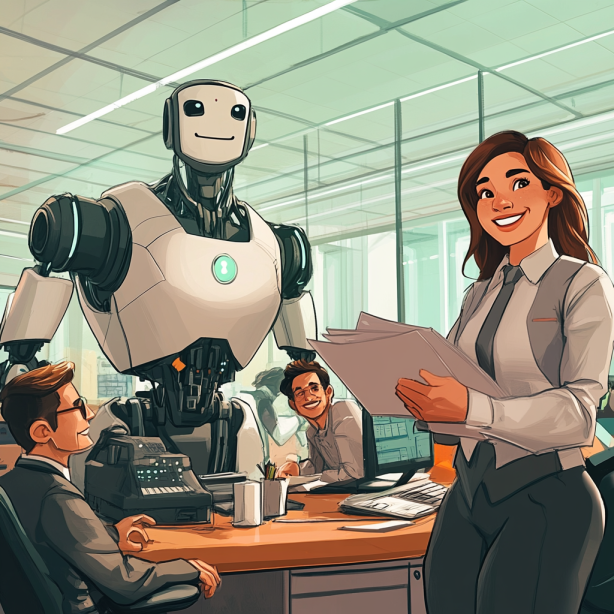
Introduction: The Anxiety Around AI and Job Loss
In recent years, artificial intelligence (AI) has become a topic of both fascination and fear. From sci-fi movies to headlines warning us that machines are taking over, it seems like we’re constantly hearing that AI will replace human jobs, leaving millions of people unemployed. But is that really the case? At Peak Demand digital agency, we work closely with AI systems and understand their impact on industries, workers, and jobs. And the truth is a lot more nuanced than the doomsday predictions.
Let’s break down some of the biggest myths about AI and jobs and see how it’s actually shaping the future of work.
Myth 1: AI Will Replace All Human Jobs

Perhaps the most widespread fear is that AI will replace human jobs entirely, leaving people without work. This idea comes from the fact that AI is excellent at performing repetitive, routine tasks—things like data entry, answering basic customer queries, or sorting through large amounts of information. So, it's easy to assume that robots and algorithms will eventually do everything humans do, but faster and cheaper.
However, this assumption overlooks an important fact: many jobs require creativity, emotional intelligence, and complex problem-solving—areas where AI still struggles. Think of roles like therapists, teachers, and social workers. While AI can assist in these fields, it’s not capable of understanding human emotions and providing empathy in the way a person can.
Example: In customer service, AI chatbots can answer straightforward questions like “Where’s my package?” or “What are your business hours?” But when a frustrated customer calls in to resolve a complicated billing issue, or an irate shopper wants to speak with someone about their order being late, AI isn’t equipped to handle the human side of that conversation. These situations require empathy, negotiation, and active listening—skills that are still very much human.
The StatCan report highlights that while many jobs are exposed to AI, not all are equally impacted. For example, professionals in business and finance may see AI automating parts of their jobs, but it’s unlikely to eliminate them entirely. Instead, AI is more likely to handle administrative tasks, leaving the human workers to focus on complex decision-making and client relations.
Myth 2: AI Is Only for Big Corporations

There’s a common belief that AI is only useful for massive companies like Google, Amazon, or Apple—businesses with huge budgets and teams of experts who can build and maintain complex AI systems. But this couldn’t be further from the truth. AI has become a lot more accessible, even for smaller businesses, and it’s not just for the tech giants anymore.
Thanks to advancements in cloud-based AI services and user-friendly AI tools, businesses of all sizes can tap into AI to improve how they operate. You no longer need a team of data scientists to integrate AI into your business. Services like Google Cloud AI or Microsoft’s Azure AI make it easy for companies to use AI tools for everyday tasks. These tools can help businesses automate marketing, improve customer service, and manage inventory, all without a massive investment in technology or personnel.
Example: Imagine a small neighborhood coffee shop. The owner may want to improve how they interact with customers, but hiring a full-time customer service rep may be out of budget. Instead, they can use an AI-powered chatbot on their website that answers common questions, takes orders, and even recommends menu items based on past purchases. This way, the coffee shop can provide quick and efficient service while the owner focuses on other aspects of the business.
Another example could be a small clothing retailer. They may not have the budget to hire a full marketing team, but with AI-powered tools like email marketing automation or AI-driven social media insights, they can create targeted campaigns that are personalized for each customer based on their shopping habits. This makes the company feel like it’s running a big marketing department when it’s really just one or two people using smart AI tools.
At Peak Demand, we’ve seen firsthand how smaller companies can use AI to level the playing field. It’s no longer just for large corporations. AI is affordable and accessible for businesses of all sizes, helping them run more efficiently and compete with bigger players. Whether it’s automating routine tasks, improving customer interactions, or using data insights to make smarter decisions, AI is making life easier for small and medium-sized businesses every day.
In short, AI isn’t just for the big guys anymore—it’s for everyone.
Myth 3: AI Doesn’t Create Jobs—It Only Destroys Them

A lot of people think AI is just here to take jobs and leave everyone unemployed. It’s an understandable fear, especially with all the talk about automation replacing workers. But this idea doesn’t consider the new opportunities that AI is creating, especially in jobs that didn’t even exist a few years ago.
When we think about AI, we often focus on the tasks it can automate, like data entry or answering simple customer questions. But we rarely talk about the new jobs AI creates—jobs like AI trainers, data analysts, and AI ethicists. These roles are essential to making sure AI systems are running smoothly, that they’re fair, and that they actually benefit businesses and people.
Example: Think about the role of an AI trainer. These are the people who “teach” AI systems by feeding them the right data and helping them learn how to make better decisions. Then there’s the AI ethicist, a newer job that ensures AI systems are being used responsibly, considering privacy concerns and avoiding bias. These are jobs that didn’t exist 10 or 15 years ago, and they’re becoming more important as AI evolves.
In fields like healthcare, AI is working alongside doctors to analyze medical data faster than ever before. While the AI can suggest potential diagnoses, it’s still the doctor’s expertise that makes the final call. So, AI isn’t replacing healthcare jobs—it’s helping medical professionals work more efficiently and focus on patient care.
Even in industries like marketing, where AI can help automate email campaigns or analyze consumer behavior, you still need human creativity. AI can gather the data, but it’s up to a human marketing strategist to craft a compelling story that resonates with customers. In this way, AI is more of a partner than a replacement.
At Peak Demand, we’ve seen how businesses are using AI to enhance their workforce rather than replace it. AI handles the routine, repetitive tasks, freeing up human workers to focus on the things that really matter—like creativity, problem-solving, and building relationships.
In short, AI isn’t just taking jobs—it’s changing the nature of work and creating new opportunities that didn’t exist before.
The Reality: AI is Changing Jobs, Not Replacing Them Completely

So, what’s the reality of AI’s impact on jobs? It’s not about AI taking over everything—it’s about transforming how we work. AI is especially good at handling repetitive tasks and processing large volumes of data, freeing up workers to focus on more complex, creative, or strategic aspects of their roles.
According to StatCan, nearly 40% of workers in Canada are in jobs with low exposure to AI automation. Meanwhile, many of the jobs that are "highly exposed" to AI are also jobs that can benefit the most from AI's assistance. For instance, teachers are using AI to personalize learning experiences for students, and finance professionals are using AI to analyze market trends.
This shift doesn’t mean the end of jobs—it means jobs are evolving. Workers in industries ranging from education to finance are learning to use AI tools to amplify their work. Instead of spending time on data entry, they can focus on creative problem-solving, decision-making, or strategy.
Example: In manufacturing, AI-powered robots can handle dangerous or repetitive tasks, like assembling parts or sorting materials. This doesn’t mean human workers are no longer needed. Instead, factory workers are shifting to roles where they oversee these machines, maintain them, or solve more complex issues when the machines encounter problems.
Conclusion: AI is a Tool, Not a Threat

So, is AI really coming for your job? The answer isn’t as black and white as the headlines make it seem. AI is transforming jobs, but it's not wiping them out entirely. Many industries and professions are finding ways to integrate AI to enhance what they do, not replace it.
At Peak Demand, we believe that AI should be viewed as a tool that helps both businesses and employees thrive. By understanding how AI can complement human skills—whether in customer service, healthcare, or finance—workers can embrace the opportunities that come with this new technology. The key is learning to adapt to these changes and harness AI's potential to make work better, not more difficult.
The future of work isn’t one where AI replaces us; it's one where we work alongside AI to achieve greater results, improve efficiency, and unlock new opportunities.
Learn more about the technology we employ.
Watch Video of AI Use Cases on our Youtube Channel

Frequently Asked Questions About AI Taking Human Jobs
Will AI replace all human jobs?
No, AI is not expected to replace all human jobs. While AI can handle routine, repetitive tasks like data entry and answering basic customer queries, many jobs require human skills like creativity, emotional intelligence, and complex problem-solving—areas where AI struggles. Roles such as therapists, teachers, and social workers rely heavily on human empathy and understanding, which AI cannot replicate.
How is AI impacting job roles in business and finance?
In fields like business and finance, AI is often used to handle administrative tasks, such as organizing data or automating certain processes. However, this doesn’t mean AI is replacing workers in these fields. Instead, it allows human professionals to focus on more complex decision-making, client relations, and strategic planning. AI becomes a tool that assists rather than replaces.
Is AI only useful for large corporations?
No, AI is not just for big companies like Google or Amazon. Thanks to advancements in cloud-based AI services and user-friendly tools, small and medium-sized businesses (SMEs) can also benefit from AI. For example, small businesses can use AI to automate customer service, manage marketing campaigns, or handle inventory—allowing them to compete with larger players without needing a huge budget or technical team.
How can small businesses use AI effectively?
Small businesses can use AI in various ways to improve efficiency and customer service. For instance, a small coffee shop might use an AI-powered chatbot to answer customer questions, take orders, or recommend menu items based on previous purchases. Similarly, a small clothing retailer might use AI tools to personalize marketing campaigns or optimize inventory management.
Does AI create new job opportunities?
Yes, AI does create new job opportunities. While AI may automate certain tasks, it also creates roles that didn’t exist before, like AI trainers, data analysts, and AI ethicists. These jobs are crucial for ensuring AI systems function properly and are used responsibly. AI is not just taking jobs—it’s transforming the job market and creating new opportunities for workers.
What kinds of jobs has AI created?
AI has created roles in areas such as machine learning, data science, and AI ethics. For example, an AI trainer helps AI systems learn by feeding them data and refining their performance. AI ethicists ensure that AI technologies are used ethically, avoiding bias and respecting privacy. These jobs didn’t exist 10 years ago but are now becoming increasingly important as AI continues to grow.
How is AI impacting industries like healthcare?
In healthcare, AI is assisting professionals by analyzing large amounts of medical data more quickly than a human can. This helps doctors make more accurate diagnoses and spend more time focusing on patient care. While AI can suggest potential diagnoses based on data, it’s still the doctor’s expertise that leads to the final decision. AI helps healthcare workers be more efficient, rather than replacing them.
Can AI be used in creative industries like marketing?
Yes, AI is becoming a powerful tool in creative industries like marketing. AI can analyze consumer behavior, automate email campaigns, and track marketing performance. However, the human creativity behind campaigns—coming up with compelling messages and storytelling—still requires human insight and innovation. AI gathers data, but humans craft the story.
How does AI affect job roles in manufacturing?
In manufacturing, AI-powered robots often take over dangerous or repetitive tasks, such as assembling parts or managing inventory. But this doesn’t mean human workers are no longer needed. Instead, workers are shifting into roles where they oversee these machines, troubleshoot issues, or handle more complex tasks that require human judgment.
Is AI a threat to jobs or an opportunity for growth?
AI is more of an opportunity for growth than a threat to jobs. It allows workers to focus on higher-level tasks by taking over repetitive work. Instead of eliminating jobs, AI is transforming them. Workers in various industries, from finance to education, are learning to use AI to enhance their roles, making their work more creative, efficient, and impactful.
How does AI impact highly educated workers?
According to the StatCan report, highly educated workers are more likely to have jobs that are complementary to AI, meaning they can benefit from AI assistance. For example, workers in management, education, or healthcare can use AI to assist with data analysis or routine tasks, allowing them to focus on more strategic, creative, or personal interactions. AI enhances their ability to work more efficiently rather than replacing their roles.
What are the top industries where AI is having the most impact?
AI is having a major impact on industries such as finance, healthcare, manufacturing, and education. In finance, AI helps with fraud detection and market analysis. In healthcare, it assists doctors with diagnostics. In manufacturing, AI-powered machines take over repetitive tasks, while in education, AI helps teachers personalize learning experiences for students.
Is AI affecting low-skilled jobs more than high-skilled jobs?
AI is generally more likely to impact low-skilled, routine jobs that involve repetitive tasks, such as data entry or simple customer service queries. However, highly skilled workers in fields like data analysis or finance may also see their roles transformed by AI, as it can take over routine aspects of their jobs, allowing them to focus on more strategic, high-level tasks.
How should businesses and workers prepare for AI’s impact on jobs?
Businesses and workers can prepare by embracing AI as a tool rather than seeing it as a threat. Workers should focus on upskilling—learning how to work with AI technologies to enhance their roles. Businesses should invest in AI solutions that complement their employees’ skills and improve efficiency without sacrificing creativity or human interaction.
How can AI help businesses of all sizes compete?
AI allows businesses of all sizes to level the playing field. For smaller businesses, AI-powered tools can automate time-consuming tasks like marketing or customer service, allowing them to operate more efficiently without needing a large workforce. This enables small businesses to compete with larger corporations by leveraging AI to improve productivity and decision-making.

Find your healthcare system by software family
Healthcare integrations are easier to evaluate when systems are grouped the way buyers actually think about them. Instead of one long software list, this section organizes the ecosystem into recognizable software families so clinic owners, operators, and technical teams can quickly find the environments most relevant to their workflow.
Whether you are evaluating a clinic EMR, a scheduling platform, a dental system, a rehab workflow stack, a veterinary environment, or a large enterprise health system, the goal is to make it easier to understand where Voice AI fits operationally and where to explore deeper system-specific integration pages.
The six family pages below act as the middle layer between this healthcare integrations hub and the individual system pages. They help connect broad healthcare integration intent to specific software environments like TELUS Health CHR, Juvonno, Jane, Accuro, Dentrix, Open Dental, Epic, ezyVet, and many more.

Medical and Ambulatory EMR Systems
Explore how Voice AI fits into medical and ambulatory EMR environments across scheduling, intake, patient access, provider routing, after-hours continuity, and clinic communication workflows.

Allied Health, Rehab, and Wellness Systems
Explore how Voice AI supports allied-health and rehab workflows across recurring appointments, intake, provider matching, follow-up continuity, and front-desk communication support.

Dental Systems
Explore how Voice AI fits into dental communication workflows across new patient calls, hygiene recall, appointment flow, cancellation recovery, emergency routing, and front-desk continuity.

Veterinary Systems
Explore how Voice AI fits into veterinary environments across appointment continuity, client intake, urgent call routing, after-hours handling, and front-desk workflow support.

Chiropractic and Specialty Rehab Systems
Explore how Voice AI fits into chiropractic and specialty rehab workflows across scheduling, intake, recurring visits, SOAP-adjacent continuity, imaging-adjacent coordination, and front-desk support.

Scheduling, Patient Access, and Orchestration Systems
Explore how Voice AI supports scheduling and patient access architecture across intake, routing, queue stabilization, diagnostics scheduling, and workflow continuity between first contact and next action.
See Healthcare Voice AI Integrations In Action
These walkthroughs show how Voice AI can connect into real healthcare scheduling, intake, and communication environments. Start with TELUS Health CHR for Canadian clinic workflows and Juvonno for rehab and allied health operations.
TELUS Health CHR Integration Walkthrough
See how Voice AI can support TELUS Health CHR scheduling, intake, patient communication, and Canadian clinic workflow continuity.
Juvonno Integration Walkthrough
See how Voice AI can support Juvonno workflows for rehab scheduling, intake, appointment handling, and clinic communication continuity.
Explore published healthcare systems by name
Once you know the software family that best matches your environment, this section makes it easier to browse live healthcare integration pages by platform name. Each category below groups published system pages by the type of environment they usually support so operators, managers, and technical teams can compare workflow fit more quickly. A fuller alphabetical directory appears farther down the page.
Featured healthcare systems
These are high-priority starting points for visitors evaluating real-world Voice AI workflow fit across scheduling, intake, patient communication, routing, and access workflows.
Clinic, ambulatory, and medical EMR systems
These systems are commonly associated with clinic records-adjacent workflows, appointment flow, patient requests, intake continuity, routing, and broader ambulatory communication operations.
Scheduling, intake, and patient communication systems
These environments sit closer to booking logic, intake flow, reminders, clinic administration, and day-to-day patient access operations.
Rehab, physiotherapy, and allied health systems
Allied health and rehabilitation environments often depend on strong scheduling continuity, practitioner matching, intake flow, recurring appointment management, and multi-location operational coordination.
Dental systems
Dental communication workflows often center around appointment demand, cancellation recovery, reminders, new patient calls, and front-desk continuity across booked production.
Veterinary systems
Veterinary communication environments often require appointment continuity, client communication, after-hours handling, urgent call direction, and records-adjacent workflow coordination.
Healthcare organizations rarely evaluate integrations in a vacuum. Grouping systems by software family makes it easier to understand likely workflow fit, compare environments more quickly, and navigate toward both family-level integration pages and live system-specific pages deeper in this hub. The full alphabetical system directory farther down the page should carry the complete 98-system library.
Where Voice AI sits in the healthcare workflow matters more than basic connectivity
Healthcare Voice AI becomes more useful when it is treated as part of the larger workflow architecture around patient access, intake, routing, scheduling, escalation, and downstream ownership. The question is not only whether a system connects. The question is whether the communication flow reaches the next operational step with enough clarity and structure to reduce friction instead of shifting it downstream.
In practice, that means Voice AI often sits across multiple workflow layers at once. It may support first contact, gather structured intake, help direct the caller into the right path, preserve context for staff, and improve continuity into the next step. The value comes from how those layers fit together, not from one isolated connection point.
This is why healthcare teams should evaluate both the scheduling and patient access layer and the EMR or EHR-adjacent layer. In more complex environments, the architecture may also need to account for enterprise compliance and procurement requirements.
Where Voice AI usually enters the workflow
Voice AI often enters at the communication edge: inbound calls, appointment demand, intake capture, after-hours answering, overflow handling, and patient access or routing-related first contact.
Explore healthcare AI receptionistsWhere continuity usually breaks down
Continuity often breaks between the interaction and the next operational owner. That can happen when routing is weak, intake is unclear, scheduling context is incomplete, or downstream teams still need to manually rebuild the request.
Explore centralized scheduling workflowsWhat stronger integration architecture actually improves
Stronger architecture preserves enough structure, direction, and next-step usability for staff or systems to act efficiently. That is what turns Voice AI into operational infrastructure instead of a disconnected front-end layer.
Return to the healthcare resource hub| Integration maturity | What healthcare teams usually experience | Likely operational result |
|---|---|---|
| Fragmented | Some connection points exist, but scheduling, intake, routing, escalation, and continuity still require heavy manual repair. | Lower operational value, more staff burden, weaker patient access continuity, and less confidence in the workflow. |
| Partially connected | Important workflow layers connect, but structure and downstream usability still vary too much between teams, departments, or next-step owners. | Moderate gains, but persistent continuity gaps remain and staff still absorb unnecessary workflow friction. |
| Workflow-led and integrated | Voice AI supports multiple workflow layers with stronger structure, clearer routing, better handoff, and more usable next-step continuity. | Stronger patient access flow, cleaner operational ownership, and more scalable communication infrastructure. |
What healthcare teams should evaluate in the architecture discussion
- Where does Voice AI need to sit first in the communication workflow?
- Where does continuity currently break between the interaction and the next operational step?
- Which layers are EMR or EHR-adjacent, and which ones are workflow-adjacent?
- How do scheduling, intake, routing, patient access, and escalation interact in this environment?
- Will downstream teams receive enough structure to act without rebuilding the request manually?
- Is the integration design workflow-led or just feature-led?
- Does the current architecture reduce friction for staff, or does it simply move the work somewhere else?
Healthcare organizations usually get more value when they evaluate integration maturity across communication flow, operational ownership, and downstream usability together instead of treating each connection as a separate isolated decision. For system-specific evaluation, use the alphabetical healthcare system directory below.
Evaluating software families?
Use the six system-family pages to compare EMR, EHR, dental, veterinary, rehab, scheduling, and patient access environments.
Browse Software FamiliesEvaluating specific systems?
Use the full alphabetical directory to find the exact healthcare platform your team is evaluating.
Open System DirectoryEvaluating enterprise readiness?
Review governance, privacy, escalation, procurement, and compliance considerations before deployment.
Review ComplianceGo deeper into the strategy behind healthcare Voice AI integrations
This section helps healthcare teams move from broad category understanding into the right supporting resources for architecture, interoperability, workflow fit, implementation planning, and system-specific evaluation.
The articles below are the best next clicks for teams evaluating how Voice AI fits into healthcare communication systems, patient access workflows, structured integration pathways, rollout planning, and governed healthcare environments.
For broader category education, use the Healthcare Voice AI Resource Hub. For software-specific evaluation, continue to the full alphabetical system directory lower on this page and use the six healthcare software family pages as the parent layer.
Need system-family pages?
Use the family pages to compare medical EMR, allied health, dental, veterinary, specialty rehab, and patient access systems.
Browse Software FamiliesNeed a specific platform?
Use the alphabetical system directory to find the exact EMR, EHR, scheduling, dental, veterinary, or rehab platform.
Open System DirectoryNeed compliance context?
Use the enterprise compliance page when governance, privacy, procurement, RFPs, or regulated deployment requirements are part of the evaluation.
Review ComplianceCore integration strategy articles
These resources explain why integrations matter, what healthcare teams should evaluate first, and how stronger Voice AI integration architecture should be understood.
Custom pathways, structured integrations, and workflow fit
These articles are useful for teams evaluating custom pathways, structured communication flows, and how Voice AI fits into real healthcare operating environments.
Rollout, implementation, and governance
These resources are best for healthcare teams moving from early exploration into rollout planning, operational safety, implementation readiness, and governance-aware deployment.
Patient access, routing, and workflow bottlenecks
These articles help healthcare teams think more clearly about where communication complexity builds up across patient access, intake, department routing, scheduling, and downstream handoff.
As the healthcare integrations ecosystem continues to grow, this section can keep routing visitors into the most relevant strategy, rollout, and workflow resources without changing the overall structure of the hub. The full software directory appears in the Alphabetical System Directory section below.
Explore live healthcare system integration pages by category
This section gives healthcare teams a category-based way to browse the most important live system pages. It is not the full 98-system directory; it is a curated navigation layer for comparing the platforms most commonly tied to scheduling, intake, patient communication, routing, and patient access workflows.
Use this section when you know the type of software environment you are evaluating. Use the Alphabetical System Directory below when you want to find every live system page by name.
Need the family layer?
Start with the six parent family pages when comparing software categories before choosing a specific system.
Browse Software FamiliesNeed every system?
Use the alphabetical directory for the complete live healthcare system page list by platform name.
Open Alphabetical DirectoryNeed workflow context?
Review how Voice AI fits across patient access, intake, routing, scheduling, escalation, and downstream ownership.
Review Workflow ArchitectureFeatured healthcare systems
These are some of the strongest starting points for teams exploring healthcare Voice AI integrations across scheduling, intake, patient communication, routing, and access workflows.
Clinic and ambulatory EMR systems
These systems are commonly associated with clinic records-adjacent workflows, intake, appointment flow, routing, patient communication, and broader ambulatory continuity.
Explore medical and ambulatory EMR familyScheduling, intake, and patient communication systems
These environments sit closer to booking logic, intake flow, reminders, clinic administration, and day-to-day patient access operations.
Explore scheduling and patient access familyRehab, physiotherapy, and allied health systems
Allied health and rehabilitation environments often depend on strong scheduling continuity, practitioner matching, intake flow, recurring appointments, and multi-location coordination.
Explore allied health and rehab familyDental systems
Dental communication workflows often center on appointment demand, cancellation recovery, reminders, new patient calls, and front-desk continuity.
Explore dental familyVeterinary systems
Veterinary communication environments often require appointment continuity, client communication, after-hours handling, and records-adjacent workflow coordination.
Explore veterinary familyEnterprise, specialty, imaging, and outpatient environments
These environments often involve more complex routing, diagnostic scheduling, imaging coordination, enterprise workflow ownership, and department-specific handoff requirements.
Explore enterprise and medical EMR familyThis curated category browse section helps visitors compare common healthcare software environments without scrolling the entire directory. The complete system list belongs in the Alphabetical System Directory section below, where every live healthcare system page should be listed by platform name.
Talk through your healthcare communication workflow
If your team is evaluating healthcare Voice AI integrations, the most useful next step is usually a workflow conversation. That means reviewing patient access pressure points, scheduling flow, intake structure, routing logic, after-hours coverage, compliance expectations, and the systems surrounding those workflows.
Peak Demand approaches healthcare environments through workflow fit, governance awareness, and operational usability. The goal is to help organizations map a communication architecture that supports real teams, real workflows, and real continuity requirements across EMR, EHR, scheduling, intake, dental, veterinary, rehab, and patient access environments.
Need software families?
Compare the six parent healthcare integration families before choosing a specific system page.
Browse software familiesNeed workflow context?
Review how Voice AI fits across intake, routing, scheduling, escalation, and downstream ownership.
Review workflow architectureNeed compliance review?
Use the enterprise compliance page when governance, privacy, procurement, and RFP standards matter.
Review complianceFrequently asked questions
What does Voice AI mean in a healthcare integration environment?
Can Voice AI work with EMR, EHR, scheduling, intake, and routing workflows?
Are healthcare Voice AI integrations always direct?
Where should healthcare organizations start evaluating Voice AI integrations?
How should compliance and governance fit into the evaluation?
What is the role of this integrations hub?
About Peak Demand
Peak Demand is a Toronto-based AI agency focused on Voice AI, communication automation, and workflow infrastructure for organizations operating in more complex service environments.
In healthcare, the focus is not just on call handling. It is on patient access continuity, scheduling pressure, intake structure, routing logic, after-hours support, governance, and how communication systems fit into real operational workflows.
- Workflow-driven and implementation-aware
- Governance-first in healthcare communication environments
- Built to support clinics, networks, and enterprise teams
- Designed to scale into software-specific integration pathways
- Organized around healthcare system families and live integration pages
Healthcare software integrations by system name
If you already know the software you are evaluating, this alphabetical directory is the fastest way to find the right live system page.
This directory includes the full 98-system healthcare integration library from the current Peak Demand system-page build. It is designed to help teams compare EMR, EHR, scheduling, intake, patient communication, dental, veterinary, rehab, wellness, chiropractic, orchestration, home care, med spa, pharmacy, and enterprise healthcare systems by software name.
For category-level browsing, use the software family section. For workflow context, use the workflow architecture section. This section is the full alphabetical browse layer.
Live healthcare system pages in this directory
Grouped alphabetically with visible section counts so the full library is obvious at a glance.
A–C
34 systemsABELMed through Curve Dental.
D–H
20 systemsDentrix through Helios Software.
I–M
15 systemsIDEXX Cornerstone through MRX Solutions.
N–O
11 systemsNextech through Owl Practice.
P–R
8 systemsPabau through RXNT.
Compare healthcare systems by name, category, and workflow fit
This directory is useful for comparing clinic EMRs, EHR-adjacent systems, scheduling and intake platforms, patient communication software, dental systems, veterinary systems, rehab and allied health systems, chiropractic systems, med spa systems, home care systems, pharmacy-adjacent systems, orchestration platforms, diagnostic workflows, and enterprise healthcare environments by software name before going deeper into workflow design, integration possibilities, and operational fit.
Explore your own AI use case on a discovery call.
