
Voice AI Workflow Automation for Call Routing, CRM Updates, Booking Actions, Follow-Up Tasks, Escalations, Reporting, and Operations Management
Peak Demand builds Voice AI workflow automation that turns calls into structured business actions: routing, intake, CRM updates, booking requests, callback tasks, ticket creation, staff notifications, approvals, escalations, reporting, QA, and continuous optimization.
Route callers, update records, create tasks, trigger booking paths, and notify staff.
Use approvals, escalation paths, review queues, alerts, and fallback workflows when needed.
Use reporting, QA findings, staff feedback, failed-workflow review, and optimization loops.
Voice AI should move work forward, not just answer calls.
Voice AI workflow automation is the business process layer that turns caller intent into operational action. Once the AI understands what the caller needs, the workflow can route the request, update a system, create a task, trigger a booking process, notify staff, escalate an issue, or start follow-up.
Peak Demand designs workflows around how your organization actually operates: intake rules, routing logic, CRM stages, appointment types, callback priorities, support categories, escalation paths, approval needs, staff ownership, reporting fields, and QA feedback loops.
This page is different from a custom integrations page. Integrations connect Voice AI to systems. Workflow automation defines what should happen through those systems when different call outcomes occur.
- Turn calls into structured actions such as CRM updates, booking requests, support tickets, staff alerts, callbacks, reminders, and escalations.
- Design workflow logic around caller intent, urgency, department ownership, business rules, approval needs, and staff review paths.
- Improve workflows over time using reporting, QA findings, staff feedback, failed-action review, and operational performance data.
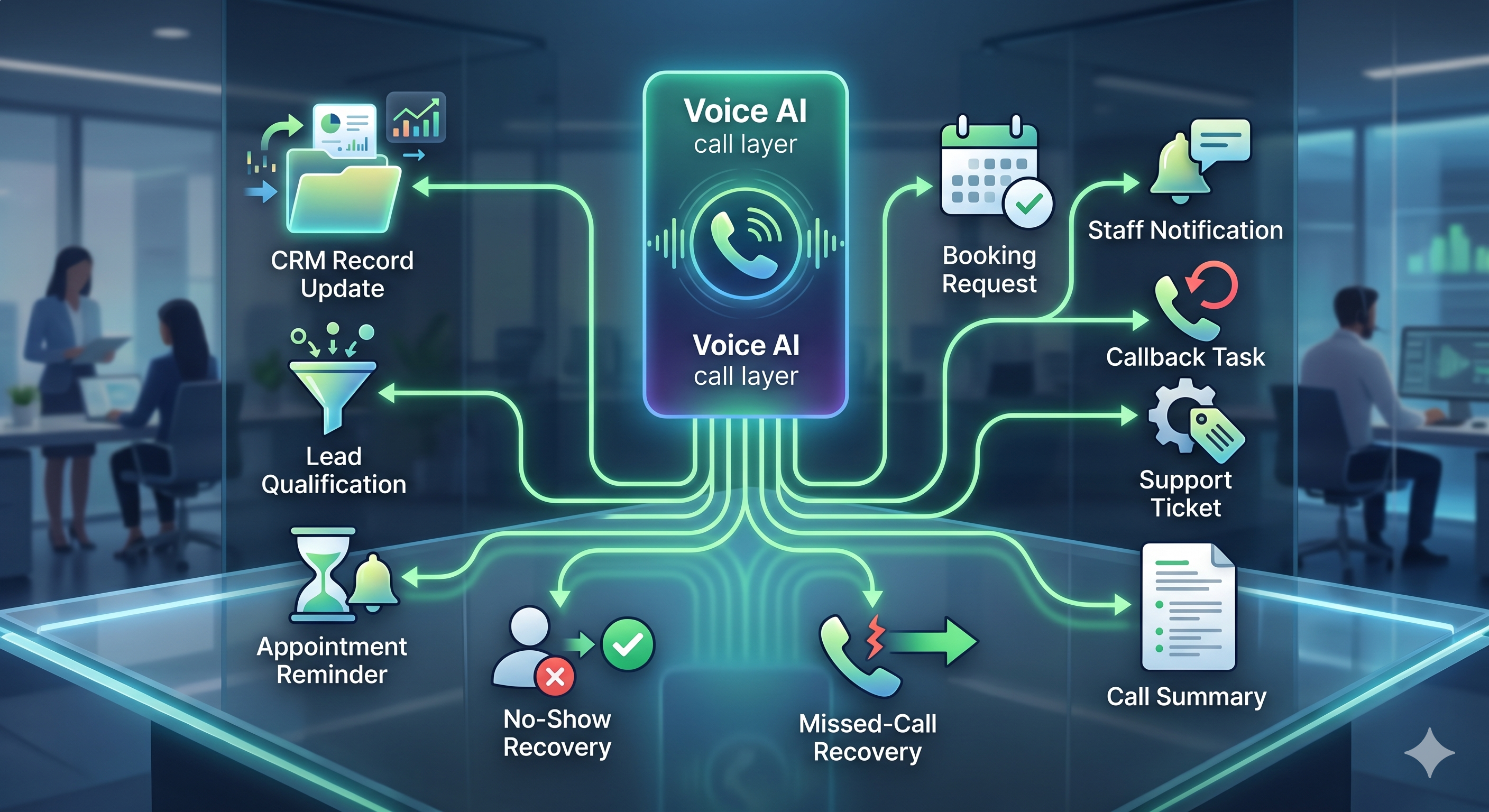
Peak Demand designs call-to-action workflows around your real routing rules, system requirements, staff ownership, escalation paths, and reporting needs.
The right workflow depends on what the caller needs.
Different call types should produce different actions. A new lead, appointment request, urgent escalation, support issue, missed-call callback, reminder response, or reactivation call should not all follow the same path.
Call routing
Route callers by intent, department, location, urgency, service type, business hours, staff ownership, or escalation need.
CRM updates
Create contacts, update records, add notes, tag outcomes, assign owners, create tasks, and move leads through stages.
Booking actions
Trigger booking requests, appointment confirmations, reminders, reschedule paths, no-show recovery, and staff review queues.
Follow-up tasks
Create callback tasks, lead follow-up actions, customer check-ins, reminder calls, reactivation paths, and staff assignments.
Ticket creation
Create helpdesk tickets, classify support requests, identify urgency, route issues, and summarize customer needs.
Staff notifications
Send alerts, summaries, tasks, escalations, approvals, handoff notes, and workflow updates to the right team.
Automation should include human control points where they matter.
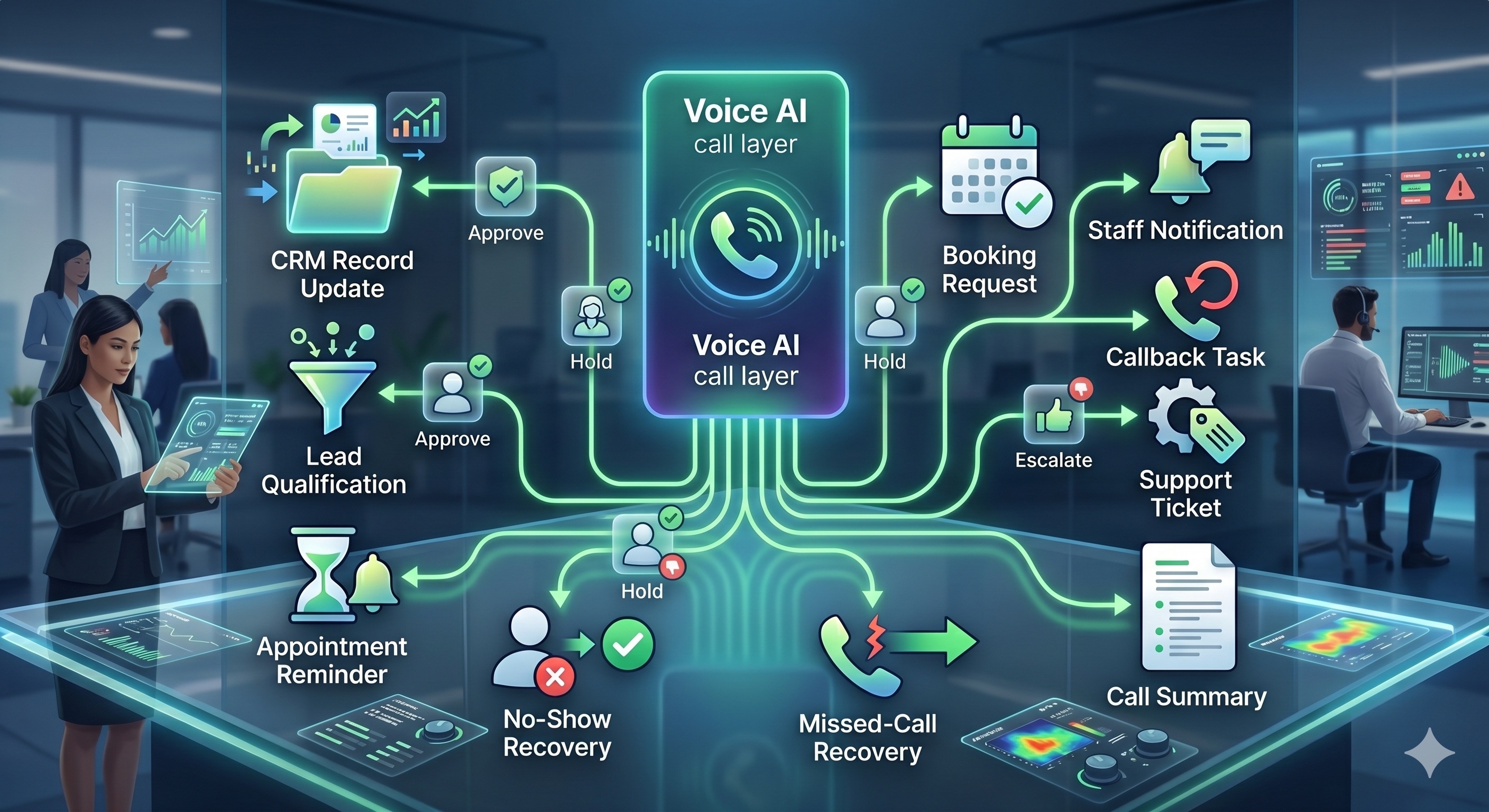
Not every call outcome should be fully automated. Peak Demand designs workflow automation with approval gates, manager review paths, urgent alerts, staff notifications, escalation logic, fallback routes, and human handoffs where needed.
- Use approval queues when a booking, CRM update, callback, or sensitive workflow should be reviewed first.
- Create escalation paths for urgent, sensitive, complex, confused, restricted, or high-value calls.
- Notify the right staff member, department, location, or manager based on caller intent and workflow rules.
- Use fallback paths when systems are unavailable, data is missing, or the AI should not continue.
- Keep operators in control while still automating repetitive call-driven work.
Approval queues
Route certain actions to staff review before completing bookings, updates, callbacks, or sensitive workflows.
Escalation logic
Trigger human handoff for urgent, sensitive, complex, restricted, high-value, or confused-caller situations.
Staff notification paths
Send the right summary, task, alert, or handoff to the right person, team, department, or location.
Workflow automation should improve as real call data comes in.
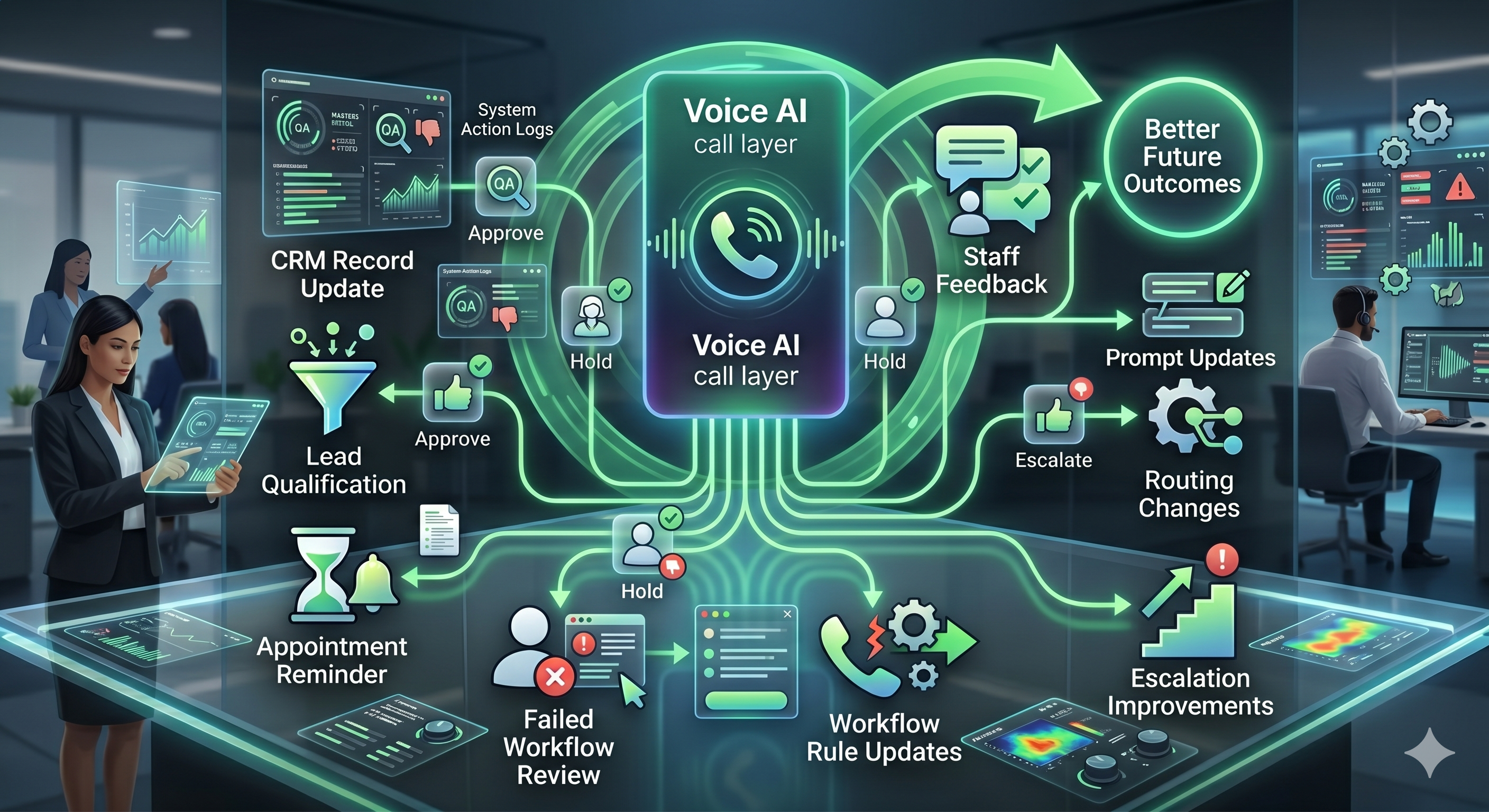
Peak Demand uses reporting, QA findings, staff feedback, failed workflow review, and integration performance to improve Voice AI automation after launch.
Workflow automation is not a one-time setup. Real calls reveal missed branches, unclear prompts, weak handoffs, missing fields, failed system actions, escalation gaps, and reporting blind spots. Those findings should lead to workflow improvements.
Workflow automation often depends on the right system connections.
Voice AI workflow automation can connect to CRMs, booking systems, scheduling tools, helpdesks, ticketing platforms, EMRs, EHRs, ERPs, spreadsheets, databases, dashboards, notifications, APIs, webhooks, middleware, and custom bridges.
The workflow logic and the integration architecture should be designed together. A caller outcome may need a CRM update, task creation, booking request, notification, reporting event, approval queue, and fallback path all working together.
For integration architecture, review Custom Voice AI Integrations. For system-by-system examples, explore the Voice AI API integrations hub.
CRM workflows
Lead updates, contact creation, task assignment, call summaries, stage movement, tags, owners, and follow-up sequences.
Booking workflows
Appointment requests, reminders, confirmations, rescheduling, no-show recovery, availability checks, and staff review.
Support workflows
Ticket creation, issue classification, urgency detection, routing, staff alerts, service requests, and escalation tracking.
Reporting workflows
Outcome tracking, QA findings, failed actions, escalation reporting, call summaries, workflow health, and dashboard updates.
Questions teams ask before automating call-driven workflows.
These answers are written for owners, operators, executives, intake teams, support teams, call center leaders, healthcare groups, legal intake teams, service companies, multi-location organizations, and enterprise teams evaluating Voice AI workflow automation.
What is Voice AI workflow automation?
How is this different from custom Voice AI integrations?
What workflows can Voice AI automate?
Can Voice AI create follow-up tasks?
Can workflow automation include human approvals?
Can Voice AI automate escalations?
Can workflow automation support missed-call recovery and no-show recovery?
Can workflows update CRMs, booking systems, and helpdesks?
How does QA improve workflow automation?
What should we bring to a discovery call?
Need Voice AI that actually moves work forward?
Peak Demand designs Voice AI workflow automation for call routing, CRM updates, booking actions, follow-up tasks, ticket creation, staff notifications, approvals, escalations, reporting, QA, and operations management.
This is strongest when calls need to trigger records, bookings, tasks, tickets, notifications, approvals, escalations, reporting, or follow-up sequences.
Peak Demand designs the workflow layer that turns Voice AI from a call handler into managed business infrastructure.
Explore your own AI use case on a discovery call.