

Healthcare Integrations Hub

Healthcare Voice AI Integrations

Healthcare Voice AI becomes far more valuable when it fits into the systems and workflows that shape scheduling, intake, routing, patient access, after-hours continuity, and broader communication operations. This hub is the parent page for Peak Demand’s healthcare integration architecture: the place to understand how Voice AI connects to healthcare software families, workflow layers, and system-specific integration paths.

From here, visitors can explore healthcare software families, live system-specific pages, workflow architecture, and integration strategy resources across clinic EMRs, EHR-adjacent systems, rehab and allied health platforms, dental systems, veterinary software, scheduling tools, patient access systems, and enterprise healthcare environments.

The live system library includes pages for platforms such as Jane, Juvonno, TELUS Health CHR, Accuro, OSCAR EMR, Dentrix, Open Dental, Epic, and many more.

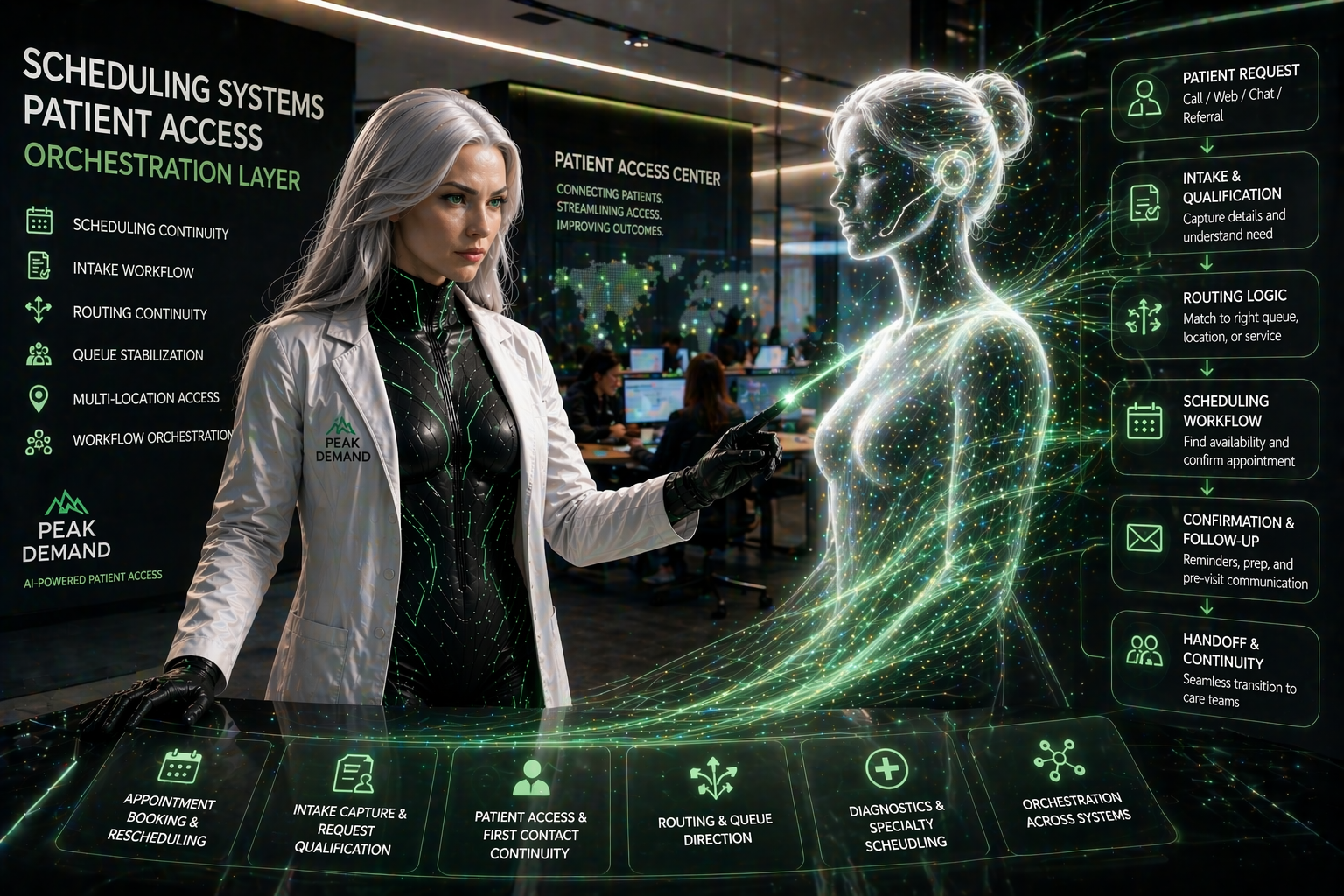
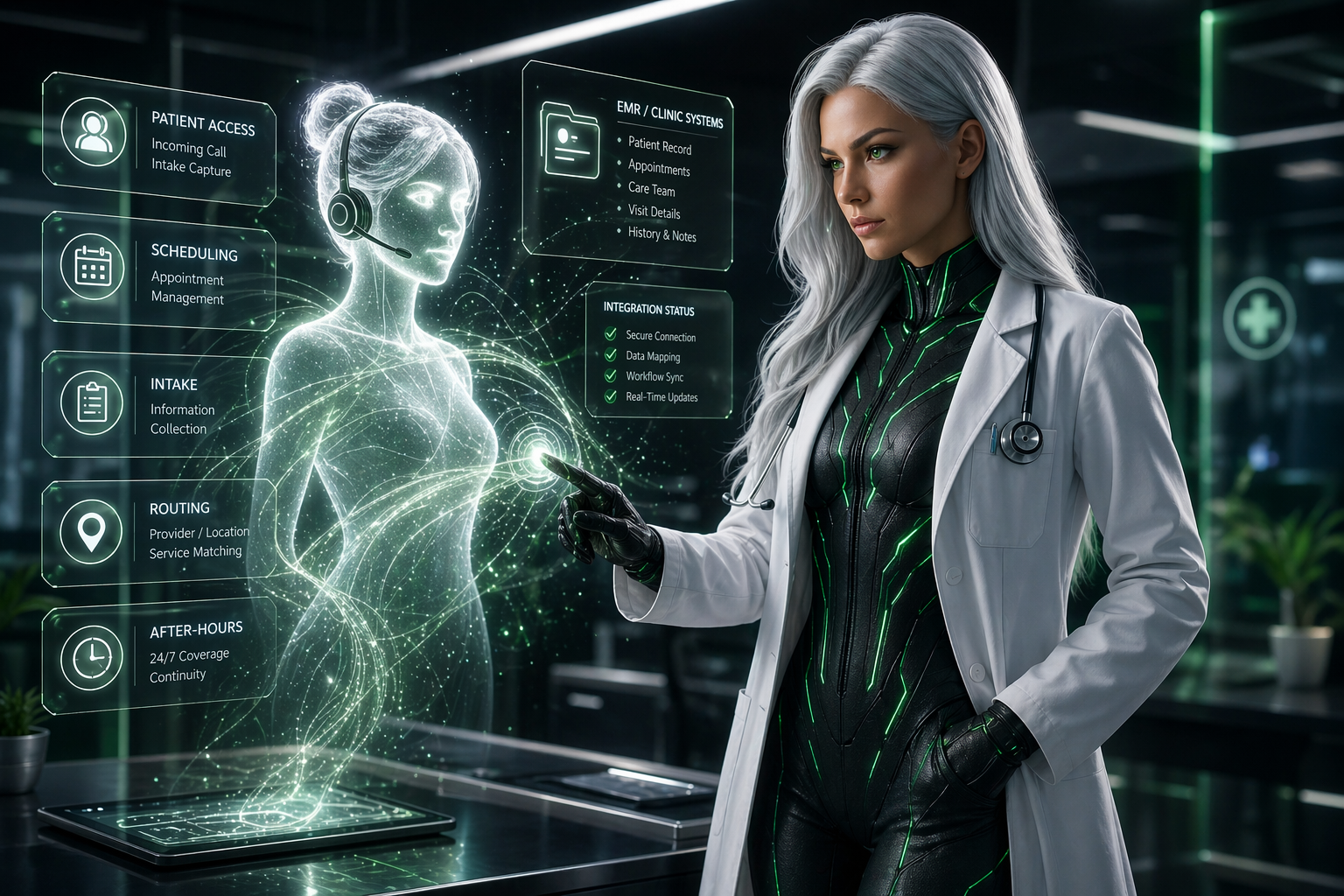
Healthcare Voice AI integrations hub visual showing virtual AI agents connecting healthcare systems workflows scheduling intake routing and patient access infrastructure

Architecture Role

Parent hub for healthcare integrations

System Coverage

98 healthcare system pages

Software Families

6 healthcare integration families

Workflow Focus

Scheduling, intake, routing, access

What Integrations Actually Mean

Healthcare integrations should be evaluated through workflow continuity

One of the biggest mistakes in healthcare integration conversations is reducing the discussion to a list of software names. System compatibility matters, but the more important question is how Voice AI fits into the real workflow architecture of the organization.

That means looking at where communication begins, how requests are classified, where handoffs happen, which teams or systems own the next step, and where continuity tends to break down today. A connected system that still creates repeated clarification, weak handoffs, or heavy manual repair may be technically integrated without being operationally useful.

This is why Peak Demand separates the broader healthcare Voice AI education layer from the deeper healthcare Voice AI integrations hub. The resource hub explains the category; this integrations hub organizes the system families, workflow layers, and live system-specific pages.

Why this matters

In healthcare, integrations are not only about whether Voice AI can touch an EMR, EHR, scheduler, intake system, or routing layer. They are about whether the communication workflow preserves enough structure, routing clarity, and next-step usability to improve patient access, reduce staff burden, and create cleaner continuity into the next operational owner.

Layer 1

EMR / EHR-Adjacent Workflows

The highest-value integration question is often not “does it connect to the record system,” but what part of the communication workflow needs support before, around, and between formal system steps.

  • Context continuity before staff handoff
  • Workflow support around formal system ownership
  • Communication layers that sit adjacent to records
Layer 2

Scheduling Systems

Scheduling integrations are about more than calendars. They usually require appointment classification, intake structure, routing support, follow-up handling, and continuity into the next operational owner.

  • Booking and rescheduling logic
  • Shared scheduling pool complexity
  • Diagnostic and specialty scheduling handoff
Layer 3

Intake Systems

Intake is often where ambiguity becomes workflow. Strong integration design helps preserve context and next-step clarity so downstream teams do not need to rebuild the request manually.

  • Structured intake capture
  • Request qualification and triage
  • Usable next-step data for staff
Layer 4

Routing, Switchboard, and Call Flow Systems

Routing is really a direction problem. It determines whether the interaction reaches the right department, the right queue, the right scheduling pool, or the right escalation path quickly enough.

  • Department and service-line direction
  • Transfer reduction
  • Escalation-aware call flow design
Layer 5

Patient Access Infrastructure

Patient access is one of the clearest places where multiple workflow layers intersect. Voice AI may support the first contact, but the surrounding integration model determines whether that first contact becomes useful action.

  • Access continuity across teams
  • First-contact usability
  • Downstream ownership and actionability
Layer 6

After-Hours and Escalation Layers

After-hours handling is not just an answering problem. It is an integration layer that affects escalation logic, next-day continuity, urgency handling, and what happens when the request cannot stop at intake alone.

  • Escalation rules and thresholds
  • Next-business-step continuity
  • Urgency-aware workflow design

Stronger healthcare integrations usually support multiple workflow layers at once. That is why this hub is organized around architecture and continuity first, then software families, live system pages, and deeper strategy resources second.

Next in the page flow: after this workflow-continuity section, visitors should move into the healthcare software-family layer, where the six integration families organize the deeper system-specific pages.

Browse Healthcare Software Families
Customer service hero illustrating Manufacturing Voice AI operating model

Operating Model for Manufacturing Voice AI: Plant, Field & Dealer Orchestration

November 21, 2026
Manufacturing · Voice AI

Operating Model for Manufacturing Voice AI: Plant, Field & Dealer Orchestration

A pragmatic operating model for deploying Voice AI across manufacturing plants, field service, dealers and distributors—covering call flows, ERP/CRM validation, OT boundaries, warranty intake, governance, procurement and failure modes.

By Peak DemandOperational guideSource-checked and QA-validated before publication

1. Why Voice AI for Manufacturing—practical value and limits

Manufacturing and distribution operations are call-centric: parts requests, warranty intake, service scheduling, technical triage and dealer handoffs. Voice AI can standardize intake, speed routing, and reduce manual lookups—but it must operate inside operational and technical boundaries to avoid compounding risk.

Where Voice AI creates operational value

Apply Voice AI to deterministic tasks that improve throughput and consistency: guided parts identification, serial-number capture, entitlement lookup, order-status responses, appointment scheduling and first-pass diagnostic questions that gather structured data. These tasks reduce friction and create clean handoffs to dealers, field technicians and plant teams.

  • Consistent product and serial validation before human review
  • Automated order and parts status lookup via ERP/CRM read operations
  • Standardized intake forms for warranty and service cases

Where Voice AI must not be autonomous

Do not let Voice AI make approval-level decisions for warranty authorizations, safety triage that affects live machinery, engineering or quality dispositions, or any action that would change production or create safety exposure without explicit human approval and documented controls. Treat the system as a deterministic intake and routing mechanism, with escalation gates to named roles.

  • Voice AI can collect and pre-validate evidence for warranty claims but cannot finalize approvals.
  • Any action that affects OT or production schedules requires human sign-off.
  • Guard against overreliance: clearly document human-in-the-loop boundaries.

2. Core operating architecture and canonical call flow

A compact, repeatable architecture keeps Voice AI predictable and auditable. Use a canonical call flow that aligns to ERP/CRM and dealer networks and enforces validation and routing rules.

Canonical call flow

Design one canonical flow for each customer segment (plant support, field service, dealer/distributor). Typical steps: Caller → Voice AI reception (NLP + DTMF where needed) → intent classification and confidence scoring → product/serial capture → entitlement and order lookup via ERP/CRM/warranty API → route decision (case, parts order, live-agent, specialist or field-dispatch) → create structured record and confirm next steps to caller. Keep the voice session focused on capture and confirmation; downstream systems and humans own execution.

  • Include confidence thresholds for intent and entity extraction to trigger human handoff.
  • Capture minimum viable data per segment (e.g., serial, model, error code, timestamp, location).
  • Persist a canonical interaction record (call transcript, extracts, intent/confidence, API responses) for QA and traceability.

Integrations and adapters

Integrate through controlled adapters and approved APIs rather than direct database access. Typical integrations: read entitlement from ERP, query CRM for customer and ticket history, consult parts catalogue for availability and ETA, and create or update service cases or dispatch tickets. Use service accounts scoped to read or create only the required objects and log all API calls for audit.

  • Prefer API‑first integration patterns with scoped tokens and rate limits.
  • Keep write operations narrow: create case or draft order records; do not allow direct credit, warranty approval, or production schedule writes without human workflow.
  • Design idempotent operations to avoid duplicate order creation on reconnections.

3. Orchestrating plant, field and dealer networks

Manufacturing environments include internal plant support, field technicians, dealers and distributors. Orchestration must be precise—routing rules should respect contractual dealer rights, SLAs and technician zones.

Dealer and distributor routing

Map dealer routing logic to contract entitlements and product distribution hierarchies. Voice AI should resolve the caller’s customer account and product serial, look up dealer assignment in CRM or distributor registry, then route either directly to dealer systems or create a tracked case for dealer intake. Include fallback paths when dealer systems are offline.

  • Resolve account and serial before routing to avoid misdirected escalations.
  • Create a single case identifier that synchronizes across manufacturer and dealer systems.
  • Provide clear SLA-backed handoff messages to callers (expected response windows).

Field dispatch integration

For field work, Voice AI should create a dispatch-ready record that includes validated location, equipment data, entitlement, and priority code. Integrate with dispatch/crew systems to check technician availability, send job offers and confirm appointments. Ensure that time-sensitive actions (e.g., emergency stop, live intervention) are routed to human responders with OT context.

  • Create structured dispatch payloads compatible with field-service platforms.
  • Include parts-on-truck checks and ETA for parts when scheduling a technician.
  • Mark high-safety or production-impact calls for immediate human review.

Parts request process illustrating Manufacturing Voice AI operating model

4. Governance, safety and OT boundaries

Manufacturers must explicitly define the safety, security and governance perimeter around Voice AI. That includes OT segmentation, role-based approvals, data handling policies and incident procedures.

OT safety and segmentation

Treat OT networks and device control systems as out-of-scope for autonomous Voice AI actions. Design network segmentation and jump-host patterns that prevent voice-intake systems from connecting directly to PLCs, SCADA or MES write interfaces. Use well-documented service accounts and intermediary applications when a human must approve any OT change.

  • Separate voice-intake services from control-plane networks using firewalls and jump hosts.
  • Require explicit human verification and dual-acknowledgement before any command that could affect production.
  • Log and retain audit trails for any human-initiated OT action that originated from a Voice AI intake.

Cybersecurity and data handling for manufacturers

Apply manufacturer-focused cybersecurity guidance for assets that touch voice data, credential storage and integrations. Use least-privilege service accounts, TLS, rotation of keys, subprocessors disclosure, and documented retention and deletion policies. Where regulatory obligations (data residency, breach notification) may apply, surface those constraints in procurement and architecture decisions.

  • Scope processors, hosting region and backup region in contracts; document remote-support access and subprocessors.
  • Log API calls and transcription events for QA and incident response.
  • Establish regular security testing (pen tests and integration validation) tied to change control.

Industrial resolution scene illustrating Manufacturing Voice AI operating model

5. Implementation controls, procurement and QA

Specify what you will buy, how you will measure it, and how you will keep control. Procurement should require measurable SLAs, observability, and a clear rollback path.

Procurement checklist

Procure based on capabilities and operational controls, not vague AI promises. Required items: scoped integrations (read/write scopes), call-flow templates, onboarding QA, data residency options, subprocessors list, incident response commitments, and service levels for recognition accuracy, handoff times and system availability.

  • Require documented adapter patterns for ERP/CRM and parts catalogue integrations.
  • Ask for observability: access to call logs, transcripts, intent confidence metrics and API call traces.
  • Specify retention, backup geography, and subprocessors upfront.

Quality assurance and observability

QA must be continuous. Use a mix of automated checks and human review: random transcript audits, confidence threshold monitoring, intent confusion matrices, and SLA dashboards for routing accuracy and escalation latency. Include a scheduled model-behavior review as part of governance.

  • Instrument key metrics: routing accuracy, average time-to-route, escalation rate, and transcription error rate.
  • Maintain a feedback loop: technicians and dealers should be able to flag misrouted or incorrect cases to retrain call flows.
  • Provide role-based access to QA artifacts for plant, quality, field and dealer managers.

Managed service vs in-house operation

Decide between a managed Voice AI service or running components in-house based on internal capability and risk appetite. Managed services can accelerate deployments and include QA and observability, while in-house builds require investment in orchestration, adapters, security and ongoing QA.

  • If selecting managed services, clarify escalation ownership, integration SLAs and change-control windows.
  • If building in-house, budget for adapters, continuous QA, and security testing.
  • Use vendor evaluation criteria that include demonstrated ERP/CRM integration experience and parts/warranty workflows.

Resolution timeline illustrating Manufacturing Voice AI operating model

6. Failure modes, limits and safe rollback

Plan for what can go wrong and what to do. Voice AI failure modes are predictable: recognition errors, integration timeouts, misrouted cases, model drift and security incidents.

Common failure modes and mitigations

Identify the top failures and codify responses: noisy environment recognition errors (use DTMF fallbacks and re-prompt logic), API timeouts (use cached entitlement with expiry and fail-open vs fail-closed rules), misrouting (confidence-based human fallback), and model drift (scheduled retraining).

  • DTMF fallback for numeric captures (serials, order numbers) to reduce voice recognition errors.
  • Fail-safe routing: low-confidence intents default to human agents, not automated authorizations.
  • Cache recent entitlement lookups for short windows to mitigate transient API outages.

Testing, rollout and rollback plans

Pilot with a narrow use case (e.g., parts availability checks for a single line) and instrument end-to-end telemetry. Use canary rollouts and maintain a rollback switch that returns calls to the legacy IVR or call queue. Document rollback criteria (measurable thresholds for escalation rate, routing accuracy and system availability).

  • Pilot small, measure fast: test for routing accuracy, average handle time, and dealer feedback.
  • Keep a hot rollback to legacy routing in case KPI thresholds breach.
  • Maintain runbooks for security incidents and integration failures.

Training and human-in-the-loop feedback

Operationalize feedback from field technicians, dealer staff and plant support into retraining cycles. Provide lightweight correction tools for agents to tag transcripts and correct extracted entities. Schedule regular model reviews synchronized with releases and major product or contract changes.

  • Provide agent tools to correct entity captures and intent labels in real time.
  • Feed corrected events into a controlled retraining pipeline with versioning.
  • Align retraining cadence to business cycles and new product releases.

Related Peak Demand resources

Industry and AI sources reviewed

Manufacturing cybersecurity, operational-technology, product, warranty, records, and workplace obligations vary by jurisdiction and operating environment. This article is operational guidance, not legal advice; organizations should confirm applicable requirements with qualified professionals.

Frequently asked questions

Connect Voice AI to real manufacturing service operations

Peak Demand helps manufacturers automate parts, order, warranty, dealer, distributor, and service requests through controlled integrations, validation, escalation, and reporting.

Schedule a discovery call

Manufacturing Voice AI operating modelvoice AI for manufacturingdealer orchestrationfield service voice AIwarranty intake voice AIERP voice AI integration
blog author image

Peak Demand

At Peak Demand, we build and manage custom AI systems for organizations operating in complex, high-volume, and highly regulated environments. Based in Toronto, Canada, our work focuses on Voice AI, intelligent customer service automation, and the infrastructure required to connect AI agents with real business systems. We design AI voice agents that can handle customer inquiries, appointment booking, intake, routing, follow-up, service requests, and other operational workflows. These solutions are supported by custom integrations with scheduling platforms, CRMs, healthcare systems, APIs, and internal tools, allowing organizations to move beyond basic conversational AI and automate meaningful work. Our experience spans healthcare, municipal and transit services, utilities, manufacturing, real estate, and other operationally complex industries. We also provide managed Voice AI services, helping clients plan, deploy, monitor, test, and continuously improve their systems after launch. Alongside our Voice AI work, Peak Demand develops AI SEO and digital visibility strategies designed to help organizations become easier to discover across traditional search and emerging AI-powered platforms. What sets us apart is our ability to combine AI strategy, custom infrastructure, systems integration, and ongoing operational management. We build practical AI solutions that improve service delivery, reduce administrative workload, and create more efficient customer experiences.

Back to Blog
Explore Healthcare Software Families

Find your healthcare system by software family

Healthcare integrations are easier to evaluate when systems are grouped the way buyers actually think about them. Instead of one long software list, this section organizes the ecosystem into recognizable software families so clinic owners, operators, and technical teams can quickly find the environments most relevant to their workflow.

Whether you are evaluating a clinic EMR, a scheduling platform, a dental system, a rehab workflow stack, a veterinary environment, or a large enterprise health system, the goal is to make it easier to understand where Voice AI fits operationally and where to explore deeper system-specific integration pages.

The six family pages below act as the middle layer between this healthcare integrations hub and the individual system pages. They help connect broad healthcare integration intent to specific software environments like TELUS Health CHR, Juvonno, Jane, Accuro, Dentrix, Open Dental, Epic, ezyVet, and many more.

Explore the integration ecosystem by family
Voice AI receptionist integrations for medical and ambulatory EMR systems

Medical and Ambulatory EMR Systems

Explore how Voice AI fits into medical and ambulatory EMR environments across scheduling, intake, patient access, provider routing, after-hours continuity, and clinic communication workflows.

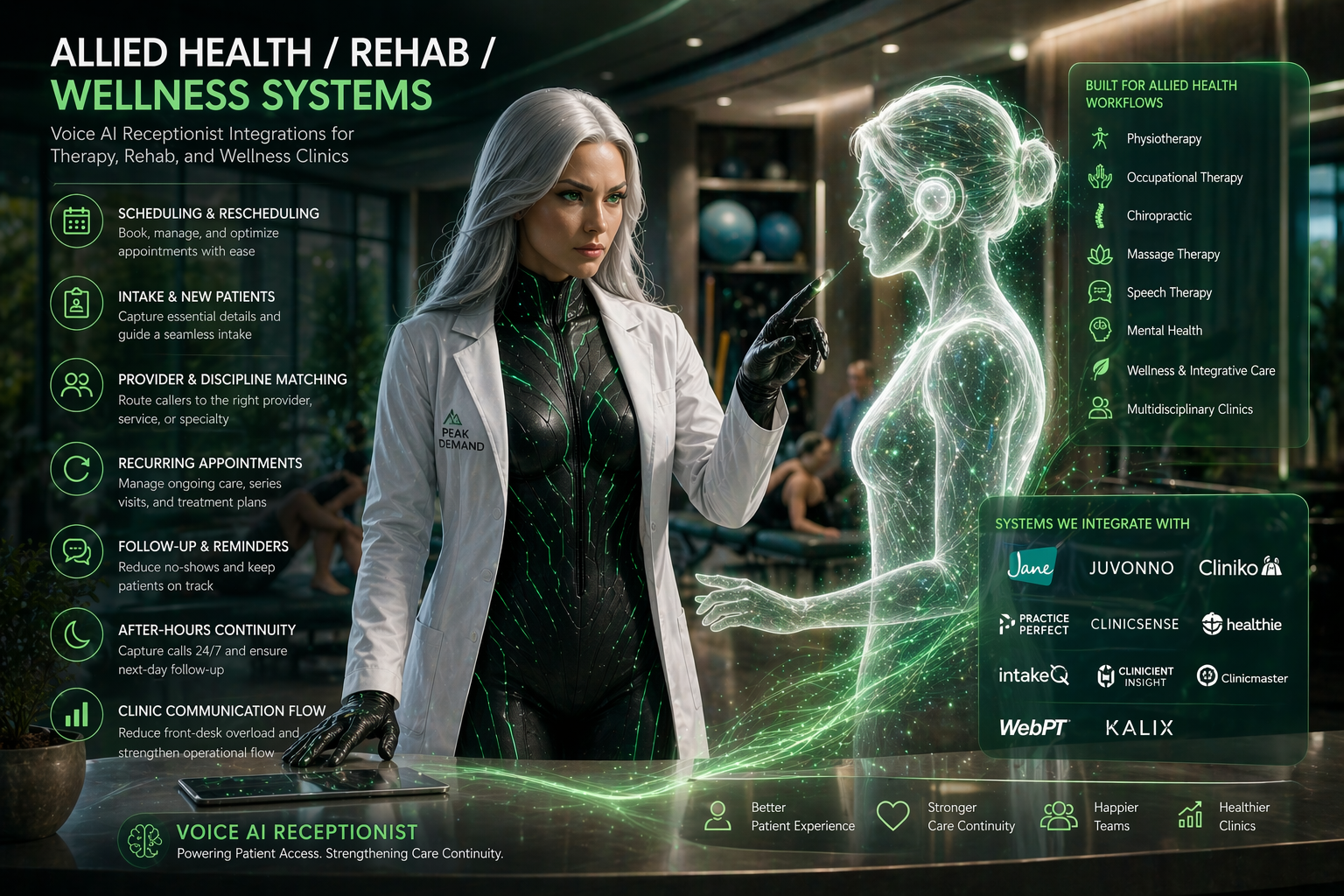
Voice AI receptionist integrations for allied health rehab and wellness systems

Allied Health, Rehab, and Wellness Systems

Explore how Voice AI supports allied-health and rehab workflows across recurring appointments, intake, provider matching, follow-up continuity, and front-desk communication support.

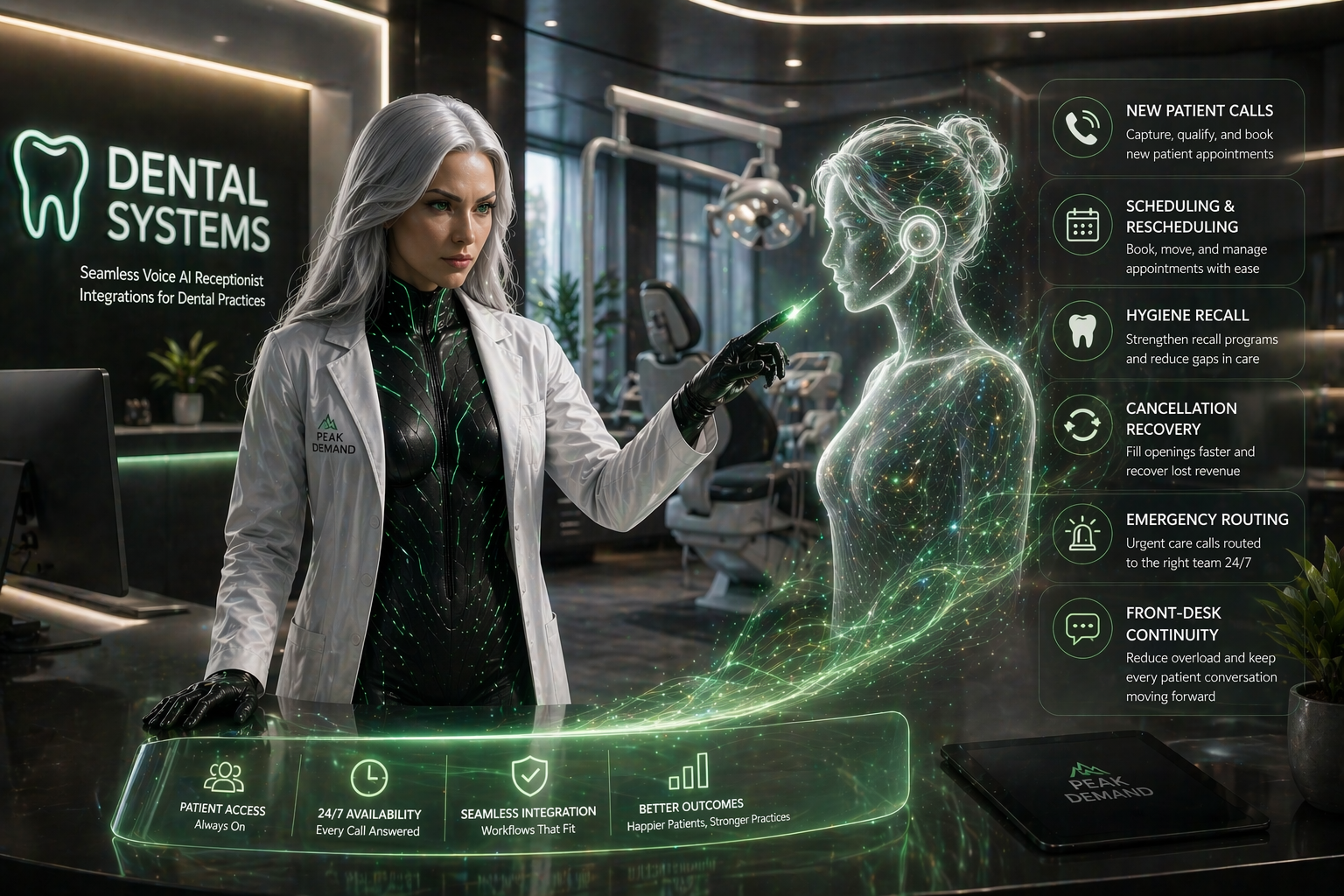
Voice AI receptionist integrations for dental systems

Dental Systems

Explore how Voice AI fits into dental communication workflows across new patient calls, hygiene recall, appointment flow, cancellation recovery, emergency routing, and front-desk continuity.

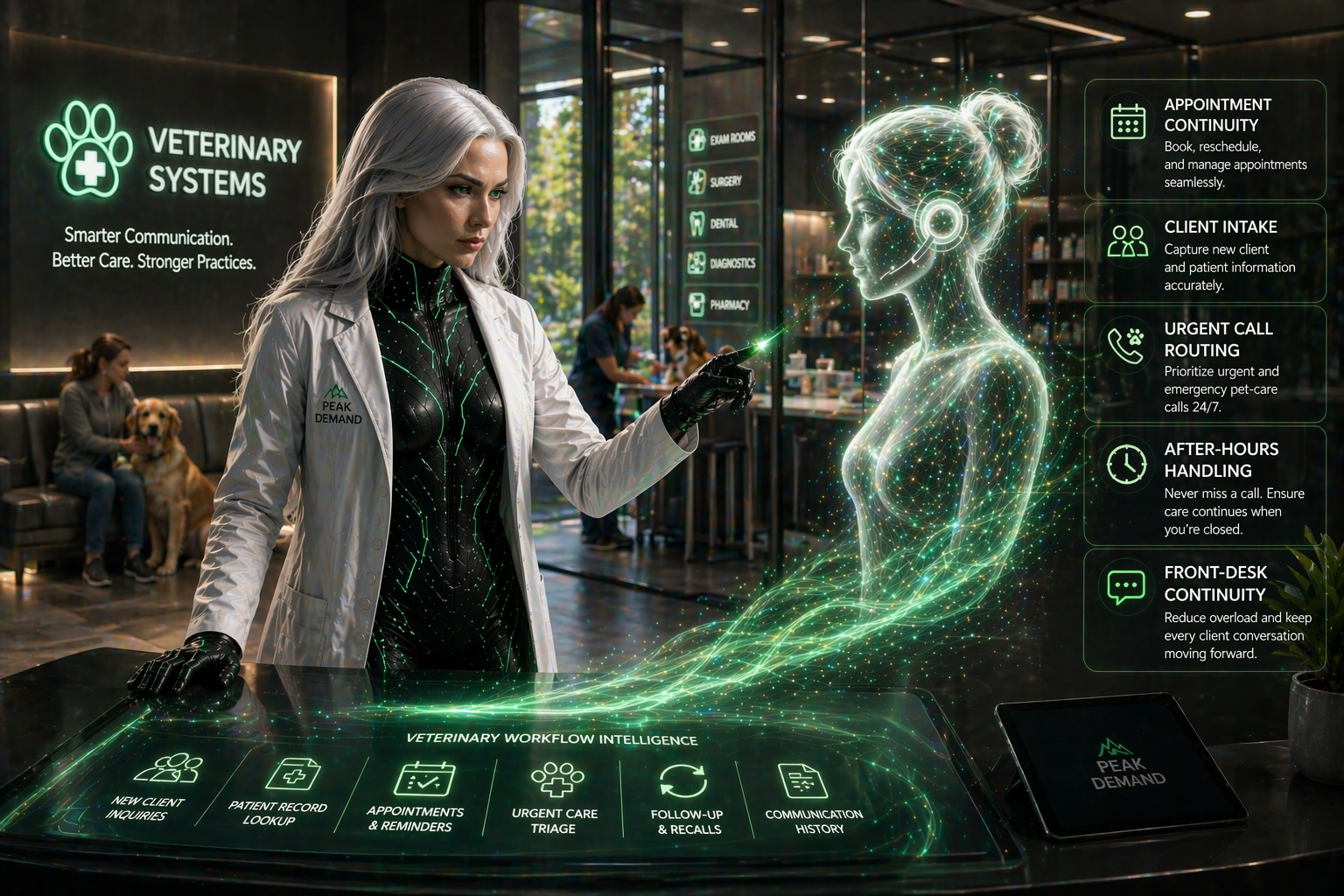
Voice AI receptionist integrations for veterinary systems

Veterinary Systems

Explore how Voice AI fits into veterinary environments across appointment continuity, client intake, urgent call routing, after-hours handling, and front-desk workflow support.

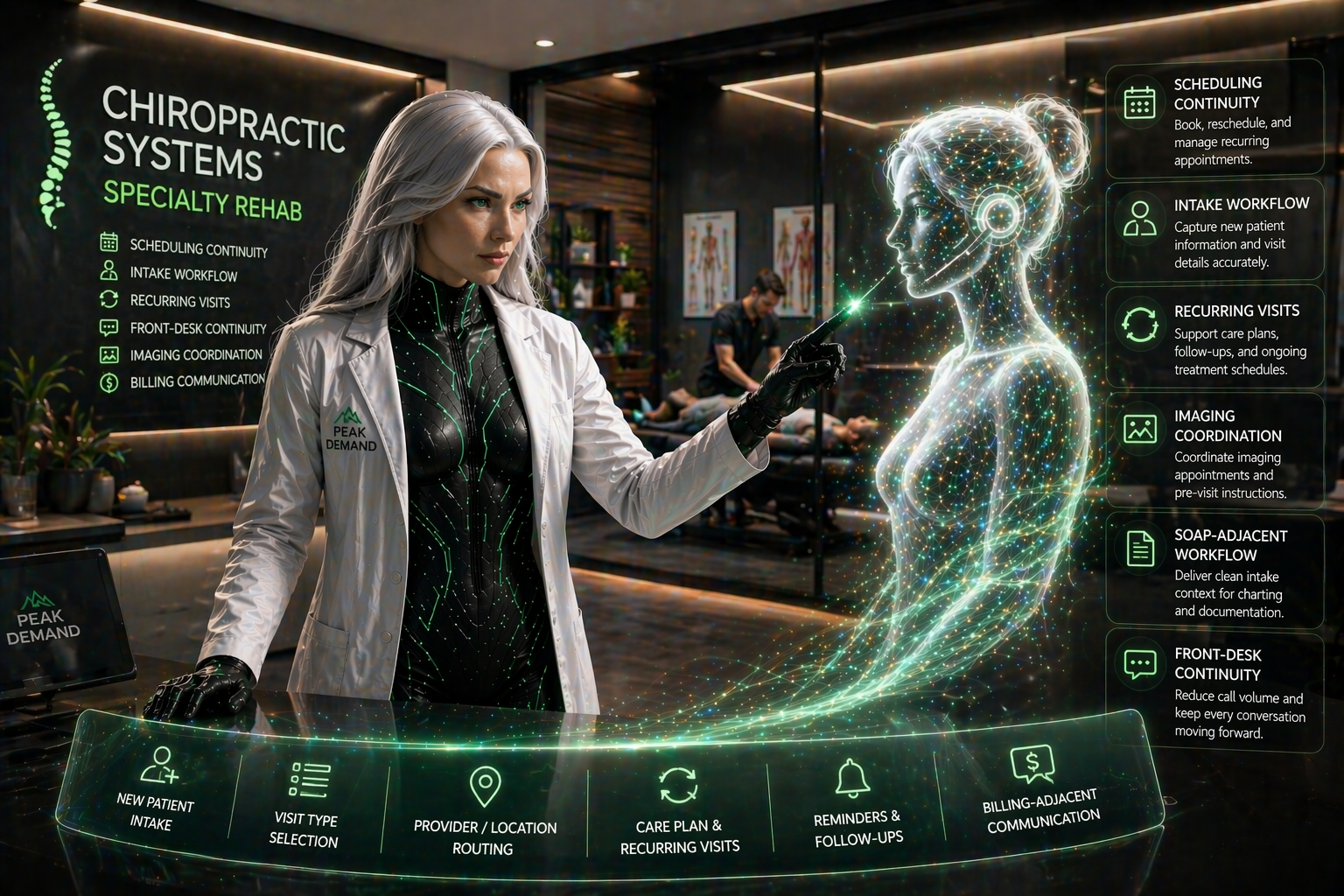
Voice AI receptionist integrations for chiropractic and specialty rehab systems

Chiropractic and Specialty Rehab Systems

Explore how Voice AI fits into chiropractic and specialty rehab workflows across scheduling, intake, recurring visits, SOAP-adjacent continuity, imaging-adjacent coordination, and front-desk support.

Voice AI receptionist integrations for scheduling patient access and orchestration systems

Scheduling, Patient Access, and Orchestration Systems

Explore how Voice AI supports scheduling and patient access architecture across intake, routing, queue stabilization, diagnostics scheduling, and workflow continuity between first contact and next action.

Integration Walkthroughs

See Healthcare Voice AI Integrations In Action

These walkthroughs show how Voice AI can connect into real healthcare scheduling, intake, and communication environments. Start with TELUS Health CHR for Canadian clinic workflows and Juvonno for rehab and allied health operations.

TELUS Health CHR Integration Walkthrough

See how Voice AI can support TELUS Health CHR scheduling, intake, patient communication, and Canadian clinic workflow continuity.

Juvonno Integration Walkthrough

See how Voice AI can support Juvonno workflows for rehab scheduling, intake, appointment handling, and clinic communication continuity.

Explore published healthcare systems by name

Once you know the software family that best matches your environment, this section makes it easier to browse live healthcare integration pages by platform name. Each category below groups published system pages by the type of environment they usually support so operators, managers, and technical teams can compare workflow fit more quickly. A fuller alphabetical directory appears farther down the page.

Featured healthcare systems

These are high-priority starting points for visitors evaluating real-world Voice AI workflow fit across scheduling, intake, patient communication, routing, and access workflows.

Clinic, ambulatory, and medical EMR systems

These systems are commonly associated with clinic records-adjacent workflows, appointment flow, patient requests, intake continuity, routing, and broader ambulatory communication operations.

Scheduling, intake, and patient communication systems

These environments sit closer to booking logic, intake flow, reminders, clinic administration, and day-to-day patient access operations.

Rehab, physiotherapy, and allied health systems

Allied health and rehabilitation environments often depend on strong scheduling continuity, practitioner matching, intake flow, recurring appointment management, and multi-location operational coordination.

Dental systems

Dental communication workflows often center around appointment demand, cancellation recovery, reminders, new patient calls, and front-desk continuity across booked production.

Veterinary systems

Veterinary communication environments often require appointment continuity, client communication, after-hours handling, urgent call direction, and records-adjacent workflow coordination.

Healthcare organizations rarely evaluate integrations in a vacuum. Grouping systems by software family makes it easier to understand likely workflow fit, compare environments more quickly, and navigate toward both family-level integration pages and live system-specific pages deeper in this hub. The full alphabetical system directory farther down the page should carry the complete 98-system library.

Healthcare Workflow Architecture

Where Voice AI sits in the healthcare workflow matters more than basic connectivity

Healthcare Voice AI becomes more useful when it is treated as part of the larger workflow architecture around patient access, intake, routing, scheduling, escalation, and downstream ownership. The question is not only whether a system connects. The question is whether the communication flow reaches the next operational step with enough clarity and structure to reduce friction instead of shifting it downstream.

In practice, that means Voice AI often sits across multiple workflow layers at once. It may support first contact, gather structured intake, help direct the caller into the right path, preserve context for staff, and improve continuity into the next step. The value comes from how those layers fit together, not from one isolated connection point.

This is why healthcare teams should evaluate both the scheduling and patient access layer and the EMR or EHR-adjacent layer. In more complex environments, the architecture may also need to account for enterprise compliance and procurement requirements.

Where Voice AI usually enters the workflow

Voice AI often enters at the communication edge: inbound calls, appointment demand, intake capture, after-hours answering, overflow handling, and patient access or routing-related first contact.

Explore healthcare AI receptionists

Where continuity usually breaks down

Continuity often breaks between the interaction and the next operational owner. That can happen when routing is weak, intake is unclear, scheduling context is incomplete, or downstream teams still need to manually rebuild the request.

Explore centralized scheduling workflows

What stronger integration architecture actually improves

Stronger architecture preserves enough structure, direction, and next-step usability for staff or systems to act efficiently. That is what turns Voice AI into operational infrastructure instead of a disconnected front-end layer.

Return to the healthcare resource hub
Integration maturity What healthcare teams usually experience Likely operational result
Fragmented Some connection points exist, but scheduling, intake, routing, escalation, and continuity still require heavy manual repair. Lower operational value, more staff burden, weaker patient access continuity, and less confidence in the workflow.
Partially connected Important workflow layers connect, but structure and downstream usability still vary too much between teams, departments, or next-step owners. Moderate gains, but persistent continuity gaps remain and staff still absorb unnecessary workflow friction.
Workflow-led and integrated Voice AI supports multiple workflow layers with stronger structure, clearer routing, better handoff, and more usable next-step continuity. Stronger patient access flow, cleaner operational ownership, and more scalable communication infrastructure.

What healthcare teams should evaluate in the architecture discussion

  • Where does Voice AI need to sit first in the communication workflow?
  • Where does continuity currently break between the interaction and the next operational step?
  • Which layers are EMR or EHR-adjacent, and which ones are workflow-adjacent?
  • How do scheduling, intake, routing, patient access, and escalation interact in this environment?
  • Will downstream teams receive enough structure to act without rebuilding the request manually?
  • Is the integration design workflow-led or just feature-led?
  • Does the current architecture reduce friction for staff, or does it simply move the work somewhere else?

Healthcare organizations usually get more value when they evaluate integration maturity across communication flow, operational ownership, and downstream usability together instead of treating each connection as a separate isolated decision. For system-specific evaluation, use the alphabetical healthcare system directory below.

Evaluating software families?

Use the six system-family pages to compare EMR, EHR, dental, veterinary, rehab, scheduling, and patient access environments.

Browse Software Families

Evaluating specific systems?

Use the full alphabetical directory to find the exact healthcare platform your team is evaluating.

Open System Directory

Evaluating enterprise readiness?

Review governance, privacy, escalation, procurement, and compliance considerations before deployment.

Review Compliance
Integration Strategy Resources

Go deeper into the strategy behind healthcare Voice AI integrations

This section helps healthcare teams move from broad category understanding into the right supporting resources for architecture, interoperability, workflow fit, implementation planning, and system-specific evaluation.

The articles below are the best next clicks for teams evaluating how Voice AI fits into healthcare communication systems, patient access workflows, structured integration pathways, rollout planning, and governed healthcare environments.

For broader category education, use the Healthcare Voice AI Resource Hub. For software-specific evaluation, continue to the full alphabetical system directory lower on this page and use the six healthcare software family pages as the parent layer.

Need system-family pages?

Use the family pages to compare medical EMR, allied health, dental, veterinary, specialty rehab, and patient access systems.

Browse Software Families

Need a specific platform?

Use the alphabetical system directory to find the exact EMR, EHR, scheduling, dental, veterinary, or rehab platform.

Open System Directory

Need compliance context?

Use the enterprise compliance page when governance, privacy, procurement, RFPs, or regulated deployment requirements are part of the evaluation.

Review Compliance

Core integration strategy articles

These resources explain why integrations matter, what healthcare teams should evaluate first, and how stronger Voice AI integration architecture should be understood.

Custom pathways, structured integrations, and workflow fit

These articles are useful for teams evaluating custom pathways, structured communication flows, and how Voice AI fits into real healthcare operating environments.

Rollout, implementation, and governance

These resources are best for healthcare teams moving from early exploration into rollout planning, operational safety, implementation readiness, and governance-aware deployment.

Patient access, routing, and workflow bottlenecks

These articles help healthcare teams think more clearly about where communication complexity builds up across patient access, intake, department routing, scheduling, and downstream handoff.

As the healthcare integrations ecosystem continues to grow, this section can keep routing visitors into the most relevant strategy, rollout, and workflow resources without changing the overall structure of the hub. The full software directory appears in the Alphabetical System Directory section below.

Live System Pages

Explore live healthcare system integration pages by category

This section gives healthcare teams a category-based way to browse the most important live system pages. It is not the full 98-system directory; it is a curated navigation layer for comparing the platforms most commonly tied to scheduling, intake, patient communication, routing, and patient access workflows.

Use this section when you know the type of software environment you are evaluating. Use the Alphabetical System Directory below when you want to find every live system page by name.

Need the family layer?

Start with the six parent family pages when comparing software categories before choosing a specific system.

Browse Software Families

Need every system?

Use the alphabetical directory for the complete live healthcare system page list by platform name.

Open Alphabetical Directory

Need workflow context?

Review how Voice AI fits across patient access, intake, routing, scheduling, escalation, and downstream ownership.

Review Workflow Architecture

Clinic and ambulatory EMR systems

These systems are commonly associated with clinic records-adjacent workflows, intake, appointment flow, routing, patient communication, and broader ambulatory continuity.

Explore medical and ambulatory EMR family

Scheduling, intake, and patient communication systems

These environments sit closer to booking logic, intake flow, reminders, clinic administration, and day-to-day patient access operations.

Explore scheduling and patient access family

Rehab, physiotherapy, and allied health systems

Allied health and rehabilitation environments often depend on strong scheduling continuity, practitioner matching, intake flow, recurring appointments, and multi-location coordination.

Explore allied health and rehab family

Dental systems

Dental communication workflows often center on appointment demand, cancellation recovery, reminders, new patient calls, and front-desk continuity.

Explore dental family

Veterinary systems

Veterinary communication environments often require appointment continuity, client communication, after-hours handling, and records-adjacent workflow coordination.

Explore veterinary family

Enterprise, specialty, imaging, and outpatient environments

These environments often involve more complex routing, diagnostic scheduling, imaging coordination, enterprise workflow ownership, and department-specific handoff requirements.

Explore enterprise and medical EMR family

This curated category browse section helps visitors compare common healthcare software environments without scrolling the entire directory. The complete system list belongs in the Alphabetical System Directory section below, where every live healthcare system page should be listed by platform name.

Next Step

Talk through your healthcare communication workflow

If your team is evaluating healthcare Voice AI integrations, the most useful next step is usually a workflow conversation. That means reviewing patient access pressure points, scheduling flow, intake structure, routing logic, after-hours coverage, compliance expectations, and the systems surrounding those workflows.

Peak Demand approaches healthcare environments through workflow fit, governance awareness, and operational usability. The goal is to help organizations map a communication architecture that supports real teams, real workflows, and real continuity requirements across EMR, EHR, scheduling, intake, dental, veterinary, rehab, and patient access environments.

Need software families?

Compare the six parent healthcare integration families before choosing a specific system page.

Browse software families

Need workflow context?

Review how Voice AI fits across intake, routing, scheduling, escalation, and downstream ownership.

Review workflow architecture

Need compliance review?

Use the enterprise compliance page when governance, privacy, procurement, and RFP standards matter.

Review compliance

Frequently asked questions

What does Voice AI mean in a healthcare integration environment?
In a healthcare integration environment, Voice AI is the communication layer that can support inbound calls, scheduling flow, intake capture, routing, after-hours handling, and related patient access workflows. The value depends on how well that layer connects to real workflow ownership, not just whether the technology can answer a call.
Can Voice AI work with EMR, EHR, scheduling, intake, and routing workflows?
Yes, but the right architecture depends on the system, permissions, workflow design, and operating environment. Some teams need EMR or EHR-adjacent support. Others need scheduling, intake, routing, or patient access workflow support first. Start with the software family section and then use the alphabetical system directory to find specific platforms.
Are healthcare Voice AI integrations always direct?
Not always. Some healthcare environments support direct integration pathways, while others require a custom, bridge-based, semi-automated, or workflow-adjacent approach depending on permissions, APIs, operating context, governance requirements, and workflow design.
Where should healthcare organizations start evaluating Voice AI integrations?
Start with workflow pressure points rather than a software list. Look at missed calls, scheduling bottlenecks, intake friction, department routing, after-hours communication, patient access delays, and where continuity tends to break between the conversation and the next operational step. Then use the workflow architecture section to evaluate fit.
How should compliance and governance fit into the evaluation?
Healthcare AI communication systems should be evaluated through the privacy, governance, escalation, and workflow requirements of the environment they serve. Requirements vary by organization, region, and deployment model, so governance should be part of architecture planning from the beginning. For larger buyers, review the enterprise Voice AI compliance page.
What is the role of this integrations hub?
This hub is the parent page for Peak Demand’s healthcare integration architecture. It helps visitors understand the healthcare Voice AI integration landscape, find relevant family pages, navigate live system pages, compare workflow categories, and move into the right software-specific integration pages.

About Peak Demand

Peak Demand is a Toronto-based AI agency focused on Voice AI, communication automation, and workflow infrastructure for organizations operating in more complex service environments.

In healthcare, the focus is not just on call handling. It is on patient access continuity, scheduling pressure, intake structure, routing logic, after-hours support, governance, and how communication systems fit into real operational workflows.

  • Workflow-driven and implementation-aware
  • Governance-first in healthcare communication environments
  • Built to support clinics, networks, and enterprise teams
  • Designed to scale into software-specific integration pathways
  • Organized around healthcare system families and live integration pages
Peak Demand works with organizations that need communication systems to be structured, scalable, and operationally useful across real healthcare workflows.
Alphabetical System Directory

Healthcare software integrations by system name

If you already know the software you are evaluating, this alphabetical directory is the fastest way to find the right live system page.

This directory includes the full 98-system healthcare integration library from the current Peak Demand system-page build. It is designed to help teams compare EMR, EHR, scheduling, intake, patient communication, dental, veterinary, rehab, wellness, chiropractic, orchestration, home care, med spa, pharmacy, and enterprise healthcare systems by software name.

For category-level browsing, use the software family section. For workflow context, use the workflow architecture section. This section is the full alphabetical browse layer.

98

Live healthcare system pages in this directory

Grouped alphabetically with visible section counts so the full library is obvious at a glance.

34A–C
20D–H
15I–M
11N–O
8P–R
6S–T
4U–Z
6Families

Compare healthcare systems by name, category, and workflow fit

This directory is useful for comparing clinic EMRs, EHR-adjacent systems, scheduling and intake platforms, patient communication software, dental systems, veterinary systems, rehab and allied health systems, chiropractic systems, med spa systems, home care systems, pharmacy-adjacent systems, orchestration platforms, diagnostic workflows, and enterprise healthcare environments by software name before going deeper into workflow design, integration possibilities, and operational fit.

Explore your own AI use case on a discovery call.

Peak Demand Inc. Logo Canadian AI Agency

Peak Demand

Canadian AI agency delivering managed Voice AI services, AI call center workflows, secure API integrations, and GEO / AEO / LLM lead surfacing for business and government across Canada and the U.S.

What we do: production-grade voice workflows, integrations to your systems of record, and measurable conversion outcomes.
Call our AI assistant Sasha:
381 King St. W., Toronto, Ontario, Canada

Managed Voice AI

Explore Peak Demand’s managed Voice AI service layer for enterprise call operations, inbound and outbound workflows, AI receptionists, call center automation, reporting, QA, integrations, and multi-location deployment.

Industries

Healthcare Expansion

Voice AI for Medical, Clinic, Hospital, and Patient Access Workflows

Explore healthcare voice AI pages across reception, booking, intake, after-hours answering, compliance, specialty care, regional scheduling, bilingual clinic support, wellness operations, and healthcare system integrations across EMR, EHR, dental, allied health, veterinary, rehab, and scheduling platforms.

Home Services Expansion

Voice AI for Scheduling, Dispatch Coordination, Emergency Calls, and After-Hours Service Intake

Explore home services voice AI pages across receptionist workflows, scheduling automation, emergency response routing, dispatch coordination, and after-hours call handling.

Manufacturing

Voice AI for Quotes, Order Status, Production Communication, and Support Flows

Manufacturing is ready for the same full-width expansion pattern as you build more sector pages.

Manufacturing Page

Hospitality

Voice AI for Guest Support, Reservations, Routing, and Service Coordination

Hospitality can expand into hotels, restaurants, venues, airports, and event support as you add more pages.

Hospitality Page

Utilities / Energy

Voice AI for Booking, Lead Qualification, Dispatch-Adjacent Routing, and Customer Service

Utilities and energy can follow the same system once you add more pages for power, HVAC, solar, and service operations.

Utilities / Energy Page

Real Estate

Voice AI for Lead Qualification, Appointment Booking, and Follow-Up Workflows

Real estate is set up to expand the same way as the healthcare panel whenever you need it.

Real Estate Page

Transit / Public Sector

Voice AI for Public-Facing Routing, Rider Information, and Service Communications

Transit and public sector can expand into agency-specific service pages as your footprint grows.

Transit / Public Sector Page

© Peak Demand — All rights reserved. | Privacy Policy | Terms of Service
This website is powered by and built on Peak Demand.