
Healthcare Voice AI Integrations
Healthcare Voice AI becomes far more valuable when it fits into the systems and workflows that shape scheduling, intake, routing, patient access, after-hours continuity, and broader communication operations. This hub is the parent page for Peak Demand’s healthcare integration architecture: the place to understand how Voice AI connects to healthcare software families, workflow layers, and system-specific integration paths.
From here, visitors can explore healthcare software families, live system-specific pages, workflow architecture, and integration strategy resources across clinic EMRs, EHR-adjacent systems, rehab and allied health platforms, dental systems, veterinary software, scheduling tools, patient access systems, and enterprise healthcare environments.
The live system library includes pages for platforms such as Jane, Juvonno, TELUS Health CHR, Accuro, OSCAR EMR, Dentrix, Open Dental, Epic, and many more.

Architecture Role
Parent hub for healthcare integrations
System Coverage
98 healthcare system pages
Software Families
6 healthcare integration families
Workflow Focus
Scheduling, intake, routing, access
Healthcare integrations should be evaluated through workflow continuity
One of the biggest mistakes in healthcare integration conversations is reducing the discussion to a list of software names. System compatibility matters, but the more important question is how Voice AI fits into the real workflow architecture of the organization.
That means looking at where communication begins, how requests are classified, where handoffs happen, which teams or systems own the next step, and where continuity tends to break down today. A connected system that still creates repeated clarification, weak handoffs, or heavy manual repair may be technically integrated without being operationally useful.
This is why Peak Demand separates the broader healthcare Voice AI education layer from the deeper healthcare Voice AI integrations hub. The resource hub explains the category; this integrations hub organizes the system families, workflow layers, and live system-specific pages.
Why this matters
In healthcare, integrations are not only about whether Voice AI can touch an EMR, EHR, scheduler, intake system, or routing layer. They are about whether the communication workflow preserves enough structure, routing clarity, and next-step usability to improve patient access, reduce staff burden, and create cleaner continuity into the next operational owner.
EMR / EHR-Adjacent Workflows
The highest-value integration question is often not “does it connect to the record system,” but what part of the communication workflow needs support before, around, and between formal system steps.
- Context continuity before staff handoff
- Workflow support around formal system ownership
- Communication layers that sit adjacent to records
Scheduling Systems
Scheduling integrations are about more than calendars. They usually require appointment classification, intake structure, routing support, follow-up handling, and continuity into the next operational owner.
- Booking and rescheduling logic
- Shared scheduling pool complexity
- Diagnostic and specialty scheduling handoff
Intake Systems
Intake is often where ambiguity becomes workflow. Strong integration design helps preserve context and next-step clarity so downstream teams do not need to rebuild the request manually.
- Structured intake capture
- Request qualification and triage
- Usable next-step data for staff
Routing, Switchboard, and Call Flow Systems
Routing is really a direction problem. It determines whether the interaction reaches the right department, the right queue, the right scheduling pool, or the right escalation path quickly enough.
- Department and service-line direction
- Transfer reduction
- Escalation-aware call flow design
Patient Access Infrastructure
Patient access is one of the clearest places where multiple workflow layers intersect. Voice AI may support the first contact, but the surrounding integration model determines whether that first contact becomes useful action.
- Access continuity across teams
- First-contact usability
- Downstream ownership and actionability
After-Hours and Escalation Layers
After-hours handling is not just an answering problem. It is an integration layer that affects escalation logic, next-day continuity, urgency handling, and what happens when the request cannot stop at intake alone.
- Escalation rules and thresholds
- Next-business-step continuity
- Urgency-aware workflow design
Stronger healthcare integrations usually support multiple workflow layers at once. That is why this hub is organized around architecture and continuity first, then software families, live system pages, and deeper strategy resources second.
Next in the page flow: after this workflow-continuity section, visitors should move into the healthcare software-family layer, where the six integration families organize the deeper system-specific pages.
Browse Healthcare Software Families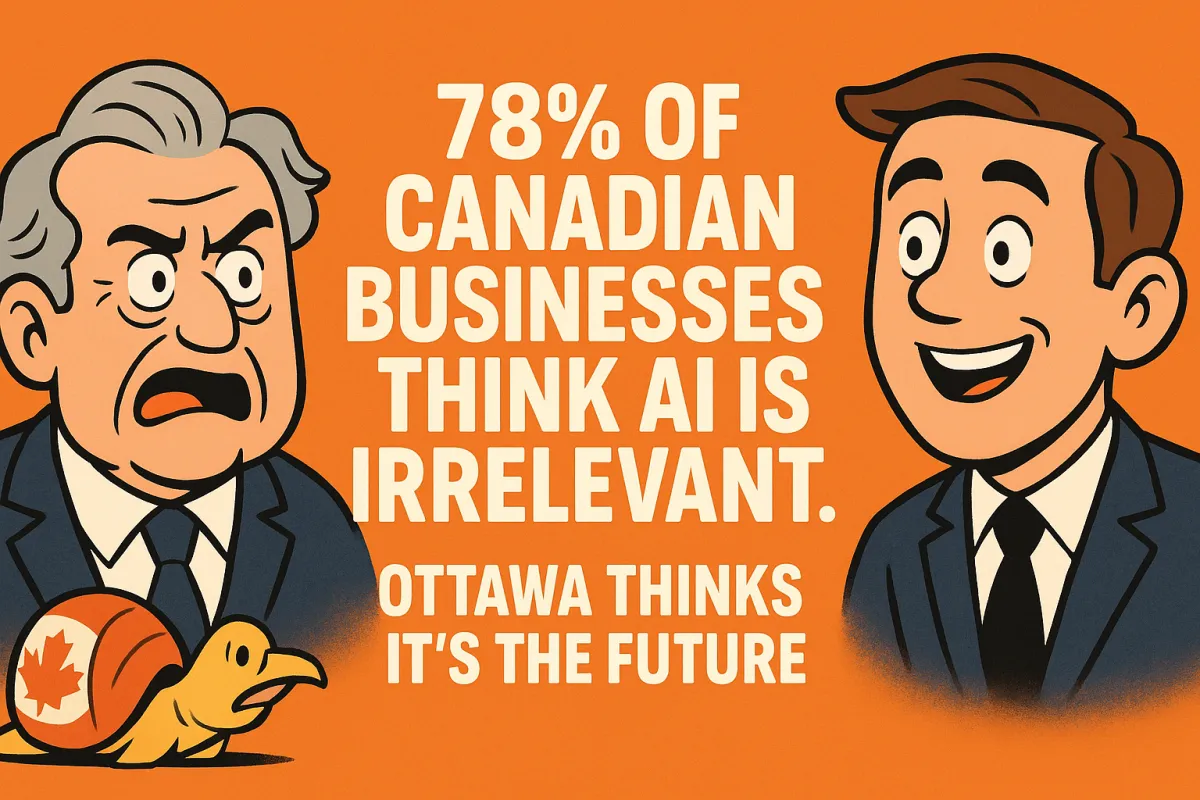
78% of Canadian Businesses Think AI Is Irrelevant. Ottawa Thinks It’s the Future.
TL;DR — Canada AI Adoption: 78% Say “Not Relevant,” Ottawa Builds AI Ministry, Productivity Lags

78.1% of Canadian non-adopters say AI is “not relevant.”
Ottawa has created a Ministry of Artificial Intelligence and Digital Innovation to accelerate adoption and competitiveness.

Canada’s per-capita GDP and productivity are sliding while the U.S. grows—because U.S. firms are re-wiring workflows with AI, even if imperfectly.
This isn’t a tech gap; it’s a mindset gap—concentrated among older owner cohorts slow to change, holding back their own firms’ growth.
The Wake-Up Call: What Canadians Just Told StatCan

Survey snapshot (Q3 2025). Only a small minority plan to use AI in the next 12 months, a clear majority have no plans, and among the non-adopters the #1 reason is “not relevant.” Not cost. Not skills. Relevance. That should set off alarms—because relevance is exactly where AI is winning across routine, repeatable work.
Where adopters actually start. The planned use cases aren’t exotic R&D; they’re the horizontal functions every firm runs:
Virtual/voice agents to answer, route, book, and follow up 24/7.
Analytics copilots to surface trends, forecasts, and exceptions in minutes.
Text/NLP/LLMs to draft emails, proposals, reports, and knowledge base content at scale.
Why “not relevant” is the most dangerous answer.
Calling AI “not relevant” does three kinds of damage:
It freezes process change. If leaders misframe AI as a new product line instead of operations infrastructure, they never audit the workflows where the gains live (inbound calls, scheduling, collections, documentation).
It compounds the productivity gap. Every month without AI in core workflows pays a “relevance tax”—lost time, slower quotes, higher abandonment, and lower utilisation that competitors are already clawing back.

It disguises capability as preference. “Too costly” or “no skills” can be solved with scoped pilots, training hours, and vendor templates; “not relevant” ends the conversation before it starts.
Bottom line. The data don’t show a country priced out of AI—they show a country that doesn’t believe AI touches its day-to-day work. That belief—not budgets—is what’s holding Canadian firms back.
Ottawa’s Bet vs. Main-Street Skepticism
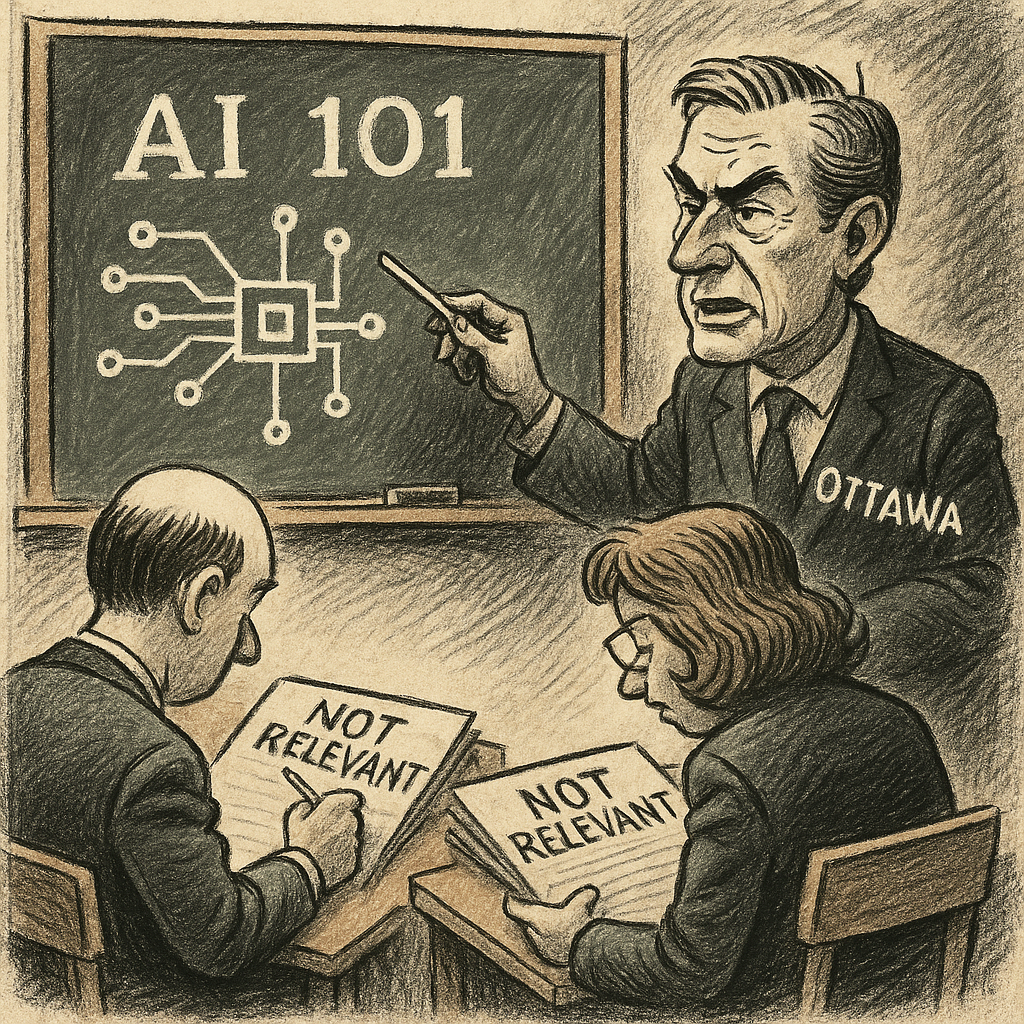
What Ottawa is doing. The new federal mandate is unapologetically pro-adoption:
Accelerate adoption across public services and the private sector.
Build Canadian compute and core infrastructure to lower barriers for AI workloads.
Modernize guardrails (privacy, consent, auditability) so pilots don’t stall on compliance theatre.
Seed SME pilots with incentives, templates, and procurement pathways that reward measurable outcomes.
The contradiction. We have a policy tailwind—but inside too many boardrooms, executives still say AI is “not relevant.” Ottawa is pressing the gas while Main Street rides the brake. That gap turns national strategy into zero lift.

What this really reveals. The blocker isn’t regulation or tools; it’s leadership conviction.
If owners won’t audit sales, service, scheduling, dispatch, collections, and documentation for AI leverage, no amount of policy will move KPIs.
If pilots aren’t given targets (answer time, FCR, quote TAT) and runway, guardrails become excuses instead of enablers.
If leaders equate AI with a “new product line” instead of operations infrastructure, they’ll keep losing on speed, cost, and customer experience.
Bottom line. Ottawa is building the runway. Canadian business owners must decide whether to take off—or keep taxiing in circles while competitors clear the sky.
Canada vs. U.S. — Adoption Reality and the Economy

The U.S. pulse. Overall AI use keeps broadening. Yes, some large enterprises wobble quarter to quarter on reported usage or ROI, but underneath the headlines, teams are re-wiring workflows—contact centres, finance ops, marketing ops, forecasting, and internal knowledge—so value keeps compounding even when pilots are imperfect.
Canada’s macro picture. Per-capita GDP is sliding and productivity is stagnant. That’s exactly the terrain where AI-driven cycle-time cuts, higher first-contact resolution, and better scheduling/forecasting should be pulling weight—if firms were deploying them at scale.
The U.S. macro backdrop. Real GDP is growing, giving firms confidence to keep investing in process change. Even with governance noise and model churn, managers are moving ahead with ops-first integrations because they see measurable lift in weeks, not years.

What this means. The U.S. isn’t “winning” because it likes AI more; it’s winning because it ships workflow changes. Canada is arguing about relevance while American teams are shortening queues, speeding quotes, reducing no-shows, and closing the loop on follow-ups. Output follows operations.
The “Relevance Tax”: How Canadian Firms Are Quietly Paying for Inaction

What the tax is. It’s the monthly cost of doing nothing—leaving scheduling, dispatch, inbound calls, follow-ups, status updates, and reporting un-automated. It shows up as longer queues, slower quotes, avoidable no-shows, overtime, and missed callbacks. You don’t line-item it in the budget, but it leaks from your margins every single day.
Where it bites (and how to see it).
Scheduling & dispatch: manual juggling → idle gaps and overtime.
Inbound calls: long hold times → abandonment and lost bookings.
Follow-ups: late or never → cold leads, unclaimed service revenue.
Status updates: humans chasing info → context switching, delays, unhappy customers.
Reporting: managers cobbling spreadsheets → stale decisions.
The compounding you’re ignoring. Small wins stack fast:
Cycle time –10–15% → more jobs per tech/rep per week.
First-contact resolution (FCR) +10–15% → fewer reopens, fewer escalations, happier customers.
Quote turn-around time (TAT) –10–15% → higher close rates while intent is hot.
Simple math: Trim 12% off cycle time and 12% off quote TAT, and lift FCR 12%. On the same headcount, many teams see ~8–15% more completed jobs and ~3–7% higher close rates—translating into margin (less overtime, fewer callbacks) and wage capacity (room to pay people better without price hikes).
Why “we’re too small / too local” is the most expensive sentence in Canadian business.
Small firms feel every leak more. A few missed calls or slow quotes a day is thousands per month in lost work.
Local markets magnify reputation. Faster answers and proactive updates earn reviews and referrals—slow shops don’t just lose today’s job; they lose tomorrow’s pipeline.
AI isn’t a product line; it’s ops infrastructure. Refusing to automate the boring parts keeps you paying the relevance tax while your competitor compounds small advantages into a moat.
Bottom line. The relevance tax is a self-inflicted margin cut. Automate the routine, measure the lifts weekly, and bank the gains—or keep paying for inaction, month after month.
Who’s Holding the Brakes? The Generational Adoption Gap

Ownership reality. Canada’s business owner base skews older, and the most persistent resistance to AI shows up in 45–64 cohorts—leaders who built their companies in a pre-AI playbook and still trust muscle memory more than measurable pilots. That experience built the firm; it’s also what’s now blocking the next efficiency curve.
Governance theatre vs. delivery. Too many leadership teams are:
Over-indexing on risk memos (privacy, consent, “what if” committees)
Under-indexing on pilots (no KPI targets, no 30-day sprints, no rollback plans)
Translation: lots of paper, no throughput change.
Operational symptoms you can spot:
Quarterly talk about “responsible AI,” zero weekly KPI reviews from actual AI workflows
Pilot proposals stuck behind procurement gauntlets not sized for <$25K, 30-day experiments
“Center of Excellence” slides… but the contact centre queue still looks the same as last year
The hard truth. If you’re steering a firm and calling AI “not relevant,” you are the risk, not the regulator. Regulators are increasingly enabling responsible trials; leadership disbelief is what keeps phones on hold, quotes slow, and reports late.
What decisive leadership looks like (at any age):
Green-light two tightly scoped pilots tied to 3–5 KPIs (answer time, FCR, quote TAT, no-show rate, hours per report)
Allocate training hours on the calendar, not in theory
Demand a Week-4 decision: scale what clears +10% improvement; sunset what doesn’t
Keep governance light but real: consent language, data minimization, audit logs, escalation thresholds
Bottom line. Experience should be an accelerator, not an anchor. If your playbook predates AI and you refuse to test relevance, you’re not protecting the business—you’re capping its future.
Viral Narratives Fueling Canadian Hesitancy (and What the Data Actually Say)

Narrative 1: “AI will take all the jobs.”
What’s true: The near-term impact is task-mix shift, not mass layoffs. Routine cognitive tasks compress; higher-leverage tasks expand (exception handling, relationship work, QA).
What the data indicate: Headcount outlook is mostly neutral among Canadian firms that plan to adopt—leaders expect role redesign more than staff cuts.
What to do: Budget retraining hours per role and re-scope job descriptions. Measure task-level outcomes (tickets/hour, quotes/rep, FCR), not just headcount.
Narrative 2: “AI winter is here.”
What’s true: Some large enterprises show quarter-to-quarter wobble on usage/ROI.
What the data indicate: Wobble ≠ stall. Workflow integration keeps expanding in contact centres, revenue ops, finance, scheduling, and reporting because lifts appear within weeks.
What to do: Run 30-day pilots tied to 3–5 KPIs. Keep what clears +10%; sunset the rest.
Narrative 3: “We tried a bot in 2020.”
What’s true: Early chatbots were brittle; voice quality was poor.
What the data indicate: 2025 capabilities are different—far better speech, routing, retrieval, analytics, and HITL escalation. Winning plays are voice agents (inbound/outbound) and analytics copilots, not gimmick chats.
What to do: Treat AI as ops infrastructure. Pilot voice for booking/follow-ups and analytics for weekly reviews; ship the boring, bankable wins first.
Narrative 4: “AI is a threat to human safety.”
What’s true: Frontier misuse and model errors are legitimate concerns; guardrails matter.
What the data indicate: The operational use cases most SMEs need (call routing, reminders, document drafting, analytics) are low-risk when properly governed—with consent, audit logs, escalation, and clear fail-safes.
What to do: Implement minimum viable safety: role-based access, rate limits, red-teaming of prompts, human-in-the-loop for sensitive actions, and kill switches for live voice agents. Treat this like workplace safety: procedures + drills, not paralysis.
Narrative 5: “Privacy and data security make AI unusable.”
What’s true: Privacy laws and vendor data handling must be respected; PHI/PII needs special care.
What the data indicate: You can deploy AI with data minimization, encryption, consent capture, and strict retention. Many workflows run on metadata or non-sensitive transcripts; sensitive fields can be masked, tokenized, or processed in controlled environments.
What to do:
Design for least data: collect only what the task needs; mask sensitive fields.
Contract for accountability: no training on your data, auditable logs, breach notification SLAs.
Segment by risk: start with low-sensitivity use cases (inbound triage, reminders, status lookups), then expand with DLP and access controls.
Consent & notices: clear scripts for voice agents; store proof of consent alongside call records.
Bottom line: These narratives aren’t just wrong—they’re expensive. While we debate hypotheticals, competitors shave minutes off queues, days off quotes, and points off churn—advantages that stack into margins, wages, and market share.
Sector Snapshots: The Boring, Bankable Wins (You’re Ignoring)

Healthcare & clinics
24/7 voice reception routes, books, and screens without holds; overflow and after-hours become captured appointments, not voicemail.
Recall/reminders reduce no-shows and fill cancellations automatically.
Consent capture scripted into calls with timestamped records; after-hours answering handles urgent triage and next-day booking.
KPI lift to expect: no-shows ↓, time-to-answer ↓, bookings/agent ↑, staff overtime ↓.

Trades & HVAC
Outbound service reminders and lead follow-up revive dormant quotes and maintenance plans.
Quote/booking handled by voice agent from first call; status calls deflected with automated updates.
KPI lift to expect: quote TAT ↓, close rate ↑, first-call booking ↑, truck-roll utilisation ↑.
Manufacturing & logistics
Order-status lines give customers self-serve updates; ETA announcements reduce “where’s my order?” calls.
Procurement copilots consolidate supplier data and draft POs; QC documentation pre-drafted from checklists and sensor notes.
KPI lift to expect: customer calls ↓, late-shipment claims ↓, buyer hours/report ↓, audit readiness ↑.
Hospitality & venues
Guest assistance for FAQs, amenities, and room/service requests.
Queue/routing prioritizes high-value guests; event notifications push timely updates.
Multilingual handling broadens service without extra headcount.
KPI lift to expect: wait time ↓, upsell conversion ↑, review scores ↑, staff churn ↓.
Municipal & utilities
Outage lines scale during spikes with real-time updates.
Permit/status lookups without human agents; payment reminders reduce arrears.
IVR deflection routes complex cases to humans while clearing routine calls.
KPI lift to expect: call abandonment ↓, first-contact resolution ↑, arrears ↓, citizen satisfaction ↑.
Bottom line: None of this is flashy. It’s the unglamorous 60–80% of work that eats hours. Automate it, measure weekly, and bank the gains.
The Reality Check: Are You Measuring What Matters?
When did a hold time, a missed call, or a late quote last cost you a customer? If you can picture the moment, you already know where to start fixing.
Are you tracking performance like it’s 2015—or like someone who plans to hand this business to the next generation? What will your successors measure that you aren’t?
What’s harder to defend: the small cost of a 30-day pilot, or telling your team and customers you let competitors beat you on speed and service?
Bottom line: If it isn’t measured weekly, it isn’t managed. Pick the 3–5 metrics that actually move revenue and loyalty—and make them impossible to ignore.
The 30-Day Challenge: Can You Prove Relevance in Your Own Business?
If you had 30 days to prove AI can smooth operations, where would you start?
Circle the two chokepoints that reliably slow you down (e.g., phone queues, follow-ups, quotes). Commit to fixing those first—nothing else.Which five repetitive tasks waste the most time—and what happens if you free that time?
Write them down. Think calls answered, reminders sent, status updates, data entry, report drafting. If you reclaimed even 30 minutes per person per day, what would you redeploy that time into?When your staff go home exhausted, are you leaving them the same broken processes—or evolving them now?
Your team doesn’t need pep talks; they need fewer manual handoffs, fewer callbacks, and fewer spreadsheets. That’s what pilots are for.What kind of company will you pass on: one that “waited and worried,” or one that tested, measured, and grew?
Legacy isn’t nostalgia—it’s systems that work for the next owner.
Your 30-day proof plan (keep it simple):
Week 1 — Pick & Baseline: Choose two workflows. Capture 3–5 metrics (answer time, FCR, quote TAT, no-show rate, hours-to-report).
Weeks 2–3 — Pilot: Swap in lightweight AI where it hurts: voice for inbound/outbound and an analytics copilot for weekly reviews. Keep humans in the loop.
Week 4 — Decide: If you see ≥10% improvement on any metric, keep and scale. If not, sunset and test the next workflow.
Bottom line: In 30 days, you can prove AI is relevant inside your four walls—or you can keep guessing while competitors measure and move.
Ottawa Is Betting on AI. Are You Betting Against Your Own Future?
Ottawa built a ministry to accelerate adoption—so why are you still saying “not relevant”?
If national policy is moving to fast-track AI, “not relevant” reads less like prudence and more like willful denial.If government treats AI as a national priority, can you afford to ignore it in your own business?
Priorities signal where advantages and incentives will accrue. Those who move first capture them; spectators don’t.When subsidies, procurement lanes, and infrastructure open, are you ready—or will competitors collect the benefits?
Do you have a pilot packet (KPIs, consent language, data plan) ready to submit, or are you starting from zero when programs launch?If the country is preparing for the next economy, why is your firm still running on the last one?
Legacy systems aren’t a badge of honour—they’re a drag on service, margins, and succession value.
Bottom line: Ottawa is lowering the barriers. Your job is to walk through the door—with a pilot ready, KPIs set, and the conviction to scale what works.
Jobs and Skills: Are You Preparing People for the Work Ahead?
When typewriters gave way to computers, leaders retrained. What’s your training plan for the AI era?
List the roles, list the tasks, and assign hours on the calendar—not intentions—to learn the tools that will live in their workflow.If some tasks disappear, which new ones appear—and who owns them?
Expect more exception handling, QA, prompt design, routing, analytics review, and escalation. Who’s being prepared to do that work well?Do you want to be remembered for shielding staff from change—or equipping them for the future?
Protection without preparation is a false kindness. Set up role redesigns and laddered skill paths so people can step up, not out.Have you set aside hours—not just words—for learning?
Commit to 2–3 hours/week per person for real practice: sandbox calls, prompt libraries, failure reviews, and HITL drills.
Minimum viable plan (start this quarter):
Map tasks → skills: For each role, tag 3 routine tasks to automate and 2 new tasks to learn.
Schedule training time: Put recurring calendar blocks for hands-on practice and shadowing.
Assess weekly: Track task-level metrics (tickets/hour, quote TAT, FCR) to show progress and adjust coaching.
Celebrate upgrades: Make promotions and pay bumps follow the skills, not the job titles.
Bottom line: The future won’t wait for your comfort. Train people now, on the work they’ll actually do next—so your team, and your business, move forward together.
Guardrails vs. Growth: Are You Using Risk as an Excuse?
Remember digitizing records, moving payroll online, trusting cloud email?
Each shift carried risk—and you adapted. Why is AI different? Treat it like any other operational upgrade: plan, pilot, monitor, improve.Are you writing memos about what might go wrong while competitors build safeguards and keep moving?
Progress isn’t luck; it’s controls plus cadence. Document risks, then implement practical guardrails and run the pilot anyway.You measure employees on accuracy, speed, reliability. Why not hold AI to the same standards?
Define clear thresholds—accuracy targets, latency ceilings, coverage goals, escalation rules—and audit them weekly.Is “we’ll wait until it’s 100% safe” just code for standing still?
Nothing in operations is 100%. The winning posture is safe enough to start, structured enough to learn.
Minimum viable guardrails (put these in your pilot packet):
Least-data design: collect only what the task needs; mask sensitive fields.
Consent & notice: plain-language scripts for voice/web; log consent with timestamps.
Access controls: role-based permissions; encrypt at rest/in transit; DLP on transcripts.
Audit & review: immutable logs; weekly failure reviews; red-team prompts for edge cases.
HITL & kill switch: auto-escalate on low confidence/sensitive intents; one-click rollback if metrics or errors breach thresholds.
Bottom line: Risk management should unlock progress, not postpone it. Build guardrails that let you move—and insist on the same performance discipline from AI that you expect from your people.
Objections & Rebuttals (Boardroom Edition)
“We’ll wait for regulation.”
Rebuttal: You’ll miss the learning curve and the data flywheel. Competitors will already have scripts, prompts, guardrails, and team muscle memory when you start. Regulation won’t reward latecomers.
“Our customers want humans.”
Rebuttal: Hybrid models get customers to a human faster by clearing routine calls and triage. Time-to-human drops, abandonment drops, churn drops. Keep humans for edge cases; let AI handle the queue.
“We don’t have skills.”
Rebuttal: Pick vendors with HITL (human-in-the-loop) and ops-first templates. Train on your real workflows (inbound, follow-ups, quotes) for 2–3 hours/week. Skills emerge from usage, not slide decks.
“We tried this in 2020; it failed.”
Rebuttal: 2025 voice, routing, retrieval, and analytics are not the 2020 product. Treat the pilot like any tool upgrade: tighter scope, clearer KPIs, better escalation rules—and a four-week go/no-go gate.
“We’re too small / too local.”
Rebuttal: Small firms feel every leak more. A handful of missed calls or slow quotes per day is thousands per month. AI here is ops plumbing, not a moonshot.
“It’s too risky.”
Rebuttal: Risk is managed, not avoided: least-data design, consent scripts, access controls, audit logs, kill switch, escalation thresholds. If you can run payroll online, you can run a governed pilot.
“Show me guaranteed ROI first.”
Rebuttal: Pilots exist to measure ROI in your context. Set 3–5 KPIs (answer time, FCR, quote TAT, no-show rate, hours-to-report). Keep what clears +10%; sunset the rest. That is your guarantee.
“Our team is already overloaded.”
Rebuttal: Exactly why you start. Automate the boring 60–80% (triage, reminders, status lookups, drafts) to give people back time. Overload won’t fix itself.
“Privacy and data security will block us.”
Rebuttal: Start with low-sensitivity workflows, mask fields, forbid model training on your data by contract, and log everything. Privacy doesn’t stop pilots; it structures them.
“This will replace jobs.”
Rebuttal: The near-term change is task mix, not mass cuts. Your choice: redeploy people to higher-value work or watch them drown in manual tasks while competitors redeploy theirs.
Boardroom bottom line: Objections are solvable. Inaction isn’t. Define a four-week pilot with hard KPIs, light guardrails, and a real scale plan—then decide on evidence, not anxiety.
What Success Looks Like by Day 90
You look like the world you sell into. Frontline teams use AI-augmented voice and analytics as naturally as email. Customers feel the new norm—fast answers, proactive updates, smooth handoffs—because that’s what global leaders already provide.
You’ve joined the bigger tide, not fought it. Your operations align with the global shift toward AI-powered service, the same wave being accelerated by massive U.S. public/private investment. You’re no longer an outlier; you’re compatible with where supply chains and partner expectations are heading.
Habits have changed—permanently.
Staff reach for AI tools first for triage, summaries, and updates.
Managers run weekly AI-assisted reviews to spot bottlenecks and decide next experiments.
Execs ask, “Which workflow do we modernize next?” not “Should we?”
You’ve moved from “pilot” to a repeatable play. The pieces—voice scripts, prompts, routing rules, consent language—are templated and reusable across teams. New use cases plug into the same shared components instead of starting from scratch.
Vendors and partners take you seriously. You speak their language: data boundaries, escalation paths, fallbacks. You’re ready to plug into larger ecosystems—distribution, platforms, and marketplaces—because you operate on modern rails.
People strategy is future-facing. Roles are evolving: more exception handling, QA, analytics review, and customer stewardship. You’ve carved out learning time and can recruit younger operators who expect these tools at work.
Governance enables acceleration. Guardrails exist (consent, access controls, audit logs), not as paperwork but as routines. Risk isn’t a blocker; it’s managed the same way you manage safety or finance.
Your story to stakeholders has flipped. Instead of defending inaction, you can tell customers, lenders, and boards:
“We modernized core workflows, aligned with global practices, and we’re expanding what works next quarter.”
Bottom line: By Day 90, success isn’t a spreadsheet—it’s culture, compatibility, and momentum. You’re operating on the same trajectory as the markets shaping your future, and you’ve built a simple engine to keep moving with them.
Narrative Close: The Cost Canadians Saying “AI is Not Relevant to my Business”
Ottawa is pushing the gas; too many owners are riding the brake. The country is reorganizing around AI because that’s where competitiveness is going. If you’re still workshopping excuses, you’re not cautious—you’re out of step.
If you’re not actively piloting AI, you’re choosing lower wages, slower growth, and lost exports. Markets reward faster answers, cleaner handoffs, and proactive service. Those don’t appear by accident; they come from tools you refuse to test.
Treat AI as operations infrastructure, not a shiny side project—then scale what works. Modernize the boring, repeatable work first, make the new habits weekly, and keep moving. The firms that do this won’t just survive the shift; they’ll set the standard everyone else has to meet.
Peak Demand Inc. — Let’s Begin, Together
Every business is a living story. Some chapters are written in long nights and old routines; the next ones will be written with new tools and quieter effort. Whether you’re a small shop, a growing mid-market team, a transit system keeping a city moving, or a public service caring for citizens—we’re here to help you take the next gentle step.
We believe AI isn’t about replacing people; it’s about giving them time back—so the work feels lighter, service feels kinder, and the future feels a little closer. If you’re just starting, we’ll walk with you. If you’ve already begun, we’ll help you keep going. No pressure, no jargon—just thoughtful progress at a pace that fits your people and the community you serve.
Ready to explore the next chapter?
Book a discovery call to start your journey. We’ll listen first, map a simple path forward, and build only what helps—nothing more, nothing less.
Comprehensive Sources (with full URLs)
Statistics Canada — AI adoption & business sentiment
Analysis on expected use of artificial intelligence by businesses in Canada, Q3 2025
https://www150.statcan.gc.ca/n1/pub/11-621-m/11-621-m2025011-eng.htmAnalysis on artificial intelligence use by businesses in Canada, Q2 2024 (methods, early baselines)
https://www150.statcan.gc.ca/n1/pub/11-621-m/11-621-m2024008-eng.htmAnalysis on expected use of AI by businesses in Canada, Q3 2024 (PDF)
https://publications.gc.ca/collections/collection_2024/statcan/11-621-m/11-621-m2024013-eng.pdf
Federal stance / Ottawa posture
MNP: Canada’s New Ministry of AI: Key Impacts for Innovators (overview of mandate and implications)
https://www.mnp.ca/en/insights/directory/what-it-means-for-canadian-innovators
U.S. adoption pulse (BTOS) & research
U.S. Census Bureau: BTOS AI Supplement announcement
https://www.census.gov/newsroom/press-releases/2024/business-trends-outlook-survey-artificial-intelligence-supplement.htmlU.S. Census Bureau Working Paper: Tracking Firm Use of AI in Real Time (BTOS)
https://www.census.gov/library/working-papers/2024/adrm/CES-WP-24-16.html
Macro context — GDP & productivity
BEA GDP landing page (latest quarterly U.S. real GDP estimates, incl. Q2 2025 +3.3%)
https://www.bea.gov/data/gdp/gross-domestic-productBEA: Gross Domestic Product, 4th Quarter and Year 2024 (Advance Estimate, PDF)
https://www.bea.gov/sites/default/files/2025-01/gdp4q24-adv.pdfStatistics Canada: Gross domestic product per capita — returning to trend is no small task (per-capita GDP decline & productivity discussion)
https://www150.statcan.gc.ca/n1/pub/36-28-0001/2024004/article/00001-eng.htmGovernment of Canada: 2024 Fall Economic Statement (context on incomes/productivity; PDF)
https://budget.canada.ca/update-miseajour/2024/report-rapport/FES-EEA-2024-en.pdf
Workforce sentiment & labour
Pew Research Center: Workers’ views of AI use in the workplace (Feb 25, 2025)
https://www.pewresearch.org/social-trends/2025/02/25/workers-views-of-ai-use-in-the-workplace/Pew Research Center hub — AI topics & reports (context and follow-ups)
https://www.pewresearch.org/topic/internet-technology/emerging-technology/artificial-intelligence/Washington Post: Why it’s the toughest time to be searching for work in America in years (automation cited among factors)
https://www.washingtonpost.com/business/2025/09/07/layoffs-hiring-slowdown/
Business owner demographics (age distribution)
Statistics Canada: Business Ownership Diversity Dashboard (with links to age tables)
https://www150.statcan.gc.ca/n1/pub/71-607-x/71-607-x2024026-eng.htmStatCan Table 33-10-0844-01 — Number of enterprises in Canada, by revenue group and age of owner (interactive table)
https://www150.statcan.gc.ca/t1/tbl1/en/tv.action?pid=3310084401Open Government Portal entry for 33-10-0844-01 (dataset & downloads)
https://ouvert.canada.ca/data/dataset/1570cc15-4376-4d32-bdc3-73c0e7b7b059
Organizational adoption & “rewiring” evidence
McKinsey (2025): The State of AI — How organizations are rewiring to capture value (PDF)
https://www.mckinsey.com/~/media/mckinsey/business%20functions/quantumblack/our%20insights/the%20state%20of%20ai/2025/the-state-of-ai-how-organizations-are-rewiring-to-capture-value_final.pdfMcKinsey (2025): Superagency in the workplace: Empowering people to unlock AI’s full potential
https://www.mckinsey.com/capabilities/mckinsey-digital/our-insights/superagency-in-the-workplace-empowering-people-to-unlock-ais-full-potential-at-work
Learn more about the technology we employ.

At Peak Demand AI Agency, we combine always-on support with long-term visibility. Our AI receptionists are available 24/7 to book appointments and handle customer service, so no opportunity slips through the cracks. Pair that with our turnkey SEO services and organic lead generation strategies, and you’ve got the tools to attract, engage, and convert more customers—day or night. Because real growth doesn’t come from working harder—it comes from building smarter. Try Our AI Receptionist for Service Providers. A cost effective alternative to an After Hours Answering Service.

Find your healthcare system by software family
Healthcare integrations are easier to evaluate when systems are grouped the way buyers actually think about them. Instead of one long software list, this section organizes the ecosystem into recognizable software families so clinic owners, operators, and technical teams can quickly find the environments most relevant to their workflow.
Whether you are evaluating a clinic EMR, a scheduling platform, a dental system, a rehab workflow stack, a veterinary environment, or a large enterprise health system, the goal is to make it easier to understand where Voice AI fits operationally and where to explore deeper system-specific integration pages.
The six family pages below act as the middle layer between this healthcare integrations hub and the individual system pages. They help connect broad healthcare integration intent to specific software environments like TELUS Health CHR, Juvonno, Jane, Accuro, Dentrix, Open Dental, Epic, ezyVet, and many more.

Medical and Ambulatory EMR Systems
Explore how Voice AI fits into medical and ambulatory EMR environments across scheduling, intake, patient access, provider routing, after-hours continuity, and clinic communication workflows.

Allied Health, Rehab, and Wellness Systems
Explore how Voice AI supports allied-health and rehab workflows across recurring appointments, intake, provider matching, follow-up continuity, and front-desk communication support.

Dental Systems
Explore how Voice AI fits into dental communication workflows across new patient calls, hygiene recall, appointment flow, cancellation recovery, emergency routing, and front-desk continuity.

Veterinary Systems
Explore how Voice AI fits into veterinary environments across appointment continuity, client intake, urgent call routing, after-hours handling, and front-desk workflow support.

Chiropractic and Specialty Rehab Systems
Explore how Voice AI fits into chiropractic and specialty rehab workflows across scheduling, intake, recurring visits, SOAP-adjacent continuity, imaging-adjacent coordination, and front-desk support.

Scheduling, Patient Access, and Orchestration Systems
Explore how Voice AI supports scheduling and patient access architecture across intake, routing, queue stabilization, diagnostics scheduling, and workflow continuity between first contact and next action.
See Healthcare Voice AI Integrations In Action
These walkthroughs show how Voice AI can connect into real healthcare scheduling, intake, and communication environments. Start with TELUS Health CHR for Canadian clinic workflows and Juvonno for rehab and allied health operations.
TELUS Health CHR Integration Walkthrough
See how Voice AI can support TELUS Health CHR scheduling, intake, patient communication, and Canadian clinic workflow continuity.
Juvonno Integration Walkthrough
See how Voice AI can support Juvonno workflows for rehab scheduling, intake, appointment handling, and clinic communication continuity.
Explore published healthcare systems by name
Once you know the software family that best matches your environment, this section makes it easier to browse live healthcare integration pages by platform name. Each category below groups published system pages by the type of environment they usually support so operators, managers, and technical teams can compare workflow fit more quickly. A fuller alphabetical directory appears farther down the page.
Featured healthcare systems
These are high-priority starting points for visitors evaluating real-world Voice AI workflow fit across scheduling, intake, patient communication, routing, and access workflows.
Clinic, ambulatory, and medical EMR systems
These systems are commonly associated with clinic records-adjacent workflows, appointment flow, patient requests, intake continuity, routing, and broader ambulatory communication operations.
Scheduling, intake, and patient communication systems
These environments sit closer to booking logic, intake flow, reminders, clinic administration, and day-to-day patient access operations.
Rehab, physiotherapy, and allied health systems
Allied health and rehabilitation environments often depend on strong scheduling continuity, practitioner matching, intake flow, recurring appointment management, and multi-location operational coordination.
Dental systems
Dental communication workflows often center around appointment demand, cancellation recovery, reminders, new patient calls, and front-desk continuity across booked production.
Veterinary systems
Veterinary communication environments often require appointment continuity, client communication, after-hours handling, urgent call direction, and records-adjacent workflow coordination.
Healthcare organizations rarely evaluate integrations in a vacuum. Grouping systems by software family makes it easier to understand likely workflow fit, compare environments more quickly, and navigate toward both family-level integration pages and live system-specific pages deeper in this hub. The full alphabetical system directory farther down the page should carry the complete 98-system library.
Where Voice AI sits in the healthcare workflow matters more than basic connectivity
Healthcare Voice AI becomes more useful when it is treated as part of the larger workflow architecture around patient access, intake, routing, scheduling, escalation, and downstream ownership. The question is not only whether a system connects. The question is whether the communication flow reaches the next operational step with enough clarity and structure to reduce friction instead of shifting it downstream.
In practice, that means Voice AI often sits across multiple workflow layers at once. It may support first contact, gather structured intake, help direct the caller into the right path, preserve context for staff, and improve continuity into the next step. The value comes from how those layers fit together, not from one isolated connection point.
This is why healthcare teams should evaluate both the scheduling and patient access layer and the EMR or EHR-adjacent layer. In more complex environments, the architecture may also need to account for enterprise compliance and procurement requirements.
Where Voice AI usually enters the workflow
Voice AI often enters at the communication edge: inbound calls, appointment demand, intake capture, after-hours answering, overflow handling, and patient access or routing-related first contact.
Explore healthcare AI receptionistsWhere continuity usually breaks down
Continuity often breaks between the interaction and the next operational owner. That can happen when routing is weak, intake is unclear, scheduling context is incomplete, or downstream teams still need to manually rebuild the request.
Explore centralized scheduling workflowsWhat stronger integration architecture actually improves
Stronger architecture preserves enough structure, direction, and next-step usability for staff or systems to act efficiently. That is what turns Voice AI into operational infrastructure instead of a disconnected front-end layer.
Return to the healthcare resource hub| Integration maturity | What healthcare teams usually experience | Likely operational result |
|---|---|---|
| Fragmented | Some connection points exist, but scheduling, intake, routing, escalation, and continuity still require heavy manual repair. | Lower operational value, more staff burden, weaker patient access continuity, and less confidence in the workflow. |
| Partially connected | Important workflow layers connect, but structure and downstream usability still vary too much between teams, departments, or next-step owners. | Moderate gains, but persistent continuity gaps remain and staff still absorb unnecessary workflow friction. |
| Workflow-led and integrated | Voice AI supports multiple workflow layers with stronger structure, clearer routing, better handoff, and more usable next-step continuity. | Stronger patient access flow, cleaner operational ownership, and more scalable communication infrastructure. |
What healthcare teams should evaluate in the architecture discussion
- Where does Voice AI need to sit first in the communication workflow?
- Where does continuity currently break between the interaction and the next operational step?
- Which layers are EMR or EHR-adjacent, and which ones are workflow-adjacent?
- How do scheduling, intake, routing, patient access, and escalation interact in this environment?
- Will downstream teams receive enough structure to act without rebuilding the request manually?
- Is the integration design workflow-led or just feature-led?
- Does the current architecture reduce friction for staff, or does it simply move the work somewhere else?
Healthcare organizations usually get more value when they evaluate integration maturity across communication flow, operational ownership, and downstream usability together instead of treating each connection as a separate isolated decision. For system-specific evaluation, use the alphabetical healthcare system directory below.
Evaluating software families?
Use the six system-family pages to compare EMR, EHR, dental, veterinary, rehab, scheduling, and patient access environments.
Browse Software FamiliesEvaluating specific systems?
Use the full alphabetical directory to find the exact healthcare platform your team is evaluating.
Open System DirectoryEvaluating enterprise readiness?
Review governance, privacy, escalation, procurement, and compliance considerations before deployment.
Review ComplianceGo deeper into the strategy behind healthcare Voice AI integrations
This section helps healthcare teams move from broad category understanding into the right supporting resources for architecture, interoperability, workflow fit, implementation planning, and system-specific evaluation.
The articles below are the best next clicks for teams evaluating how Voice AI fits into healthcare communication systems, patient access workflows, structured integration pathways, rollout planning, and governed healthcare environments.
For broader category education, use the Healthcare Voice AI Resource Hub. For software-specific evaluation, continue to the full alphabetical system directory lower on this page and use the six healthcare software family pages as the parent layer.
Need system-family pages?
Use the family pages to compare medical EMR, allied health, dental, veterinary, specialty rehab, and patient access systems.
Browse Software FamiliesNeed a specific platform?
Use the alphabetical system directory to find the exact EMR, EHR, scheduling, dental, veterinary, or rehab platform.
Open System DirectoryNeed compliance context?
Use the enterprise compliance page when governance, privacy, procurement, RFPs, or regulated deployment requirements are part of the evaluation.
Review ComplianceCore integration strategy articles
These resources explain why integrations matter, what healthcare teams should evaluate first, and how stronger Voice AI integration architecture should be understood.
Custom pathways, structured integrations, and workflow fit
These articles are useful for teams evaluating custom pathways, structured communication flows, and how Voice AI fits into real healthcare operating environments.
Rollout, implementation, and governance
These resources are best for healthcare teams moving from early exploration into rollout planning, operational safety, implementation readiness, and governance-aware deployment.
Patient access, routing, and workflow bottlenecks
These articles help healthcare teams think more clearly about where communication complexity builds up across patient access, intake, department routing, scheduling, and downstream handoff.
As the healthcare integrations ecosystem continues to grow, this section can keep routing visitors into the most relevant strategy, rollout, and workflow resources without changing the overall structure of the hub. The full software directory appears in the Alphabetical System Directory section below.
Explore live healthcare system integration pages by category
This section gives healthcare teams a category-based way to browse the most important live system pages. It is not the full 98-system directory; it is a curated navigation layer for comparing the platforms most commonly tied to scheduling, intake, patient communication, routing, and patient access workflows.
Use this section when you know the type of software environment you are evaluating. Use the Alphabetical System Directory below when you want to find every live system page by name.
Need the family layer?
Start with the six parent family pages when comparing software categories before choosing a specific system.
Browse Software FamiliesNeed every system?
Use the alphabetical directory for the complete live healthcare system page list by platform name.
Open Alphabetical DirectoryNeed workflow context?
Review how Voice AI fits across patient access, intake, routing, scheduling, escalation, and downstream ownership.
Review Workflow ArchitectureFeatured healthcare systems
These are some of the strongest starting points for teams exploring healthcare Voice AI integrations across scheduling, intake, patient communication, routing, and access workflows.
Clinic and ambulatory EMR systems
These systems are commonly associated with clinic records-adjacent workflows, intake, appointment flow, routing, patient communication, and broader ambulatory continuity.
Explore medical and ambulatory EMR familyScheduling, intake, and patient communication systems
These environments sit closer to booking logic, intake flow, reminders, clinic administration, and day-to-day patient access operations.
Explore scheduling and patient access familyRehab, physiotherapy, and allied health systems
Allied health and rehabilitation environments often depend on strong scheduling continuity, practitioner matching, intake flow, recurring appointments, and multi-location coordination.
Explore allied health and rehab familyDental systems
Dental communication workflows often center on appointment demand, cancellation recovery, reminders, new patient calls, and front-desk continuity.
Explore dental familyVeterinary systems
Veterinary communication environments often require appointment continuity, client communication, after-hours handling, and records-adjacent workflow coordination.
Explore veterinary familyEnterprise, specialty, imaging, and outpatient environments
These environments often involve more complex routing, diagnostic scheduling, imaging coordination, enterprise workflow ownership, and department-specific handoff requirements.
Explore enterprise and medical EMR familyThis curated category browse section helps visitors compare common healthcare software environments without scrolling the entire directory. The complete system list belongs in the Alphabetical System Directory section below, where every live healthcare system page should be listed by platform name.
Talk through your healthcare communication workflow
If your team is evaluating healthcare Voice AI integrations, the most useful next step is usually a workflow conversation. That means reviewing patient access pressure points, scheduling flow, intake structure, routing logic, after-hours coverage, compliance expectations, and the systems surrounding those workflows.
Peak Demand approaches healthcare environments through workflow fit, governance awareness, and operational usability. The goal is to help organizations map a communication architecture that supports real teams, real workflows, and real continuity requirements across EMR, EHR, scheduling, intake, dental, veterinary, rehab, and patient access environments.
Need software families?
Compare the six parent healthcare integration families before choosing a specific system page.
Browse software familiesNeed workflow context?
Review how Voice AI fits across intake, routing, scheduling, escalation, and downstream ownership.
Review workflow architectureNeed compliance review?
Use the enterprise compliance page when governance, privacy, procurement, and RFP standards matter.
Review complianceFrequently asked questions
What does Voice AI mean in a healthcare integration environment?
Can Voice AI work with EMR, EHR, scheduling, intake, and routing workflows?
Are healthcare Voice AI integrations always direct?
Where should healthcare organizations start evaluating Voice AI integrations?
How should compliance and governance fit into the evaluation?
What is the role of this integrations hub?
About Peak Demand
Peak Demand is a Toronto-based AI agency focused on Voice AI, communication automation, and workflow infrastructure for organizations operating in more complex service environments.
In healthcare, the focus is not just on call handling. It is on patient access continuity, scheduling pressure, intake structure, routing logic, after-hours support, governance, and how communication systems fit into real operational workflows.
- Workflow-driven and implementation-aware
- Governance-first in healthcare communication environments
- Built to support clinics, networks, and enterprise teams
- Designed to scale into software-specific integration pathways
- Organized around healthcare system families and live integration pages
Healthcare software integrations by system name
If you already know the software you are evaluating, this alphabetical directory is the fastest way to find the right live system page.
This directory includes the full 98-system healthcare integration library from the current Peak Demand system-page build. It is designed to help teams compare EMR, EHR, scheduling, intake, patient communication, dental, veterinary, rehab, wellness, chiropractic, orchestration, home care, med spa, pharmacy, and enterprise healthcare systems by software name.
For category-level browsing, use the software family section. For workflow context, use the workflow architecture section. This section is the full alphabetical browse layer.
Live healthcare system pages in this directory
Grouped alphabetically with visible section counts so the full library is obvious at a glance.
A–C
34 systemsABELMed through Curve Dental.
D–H
20 systemsDentrix through Helios Software.
I–M
15 systemsIDEXX Cornerstone through MRX Solutions.
N–O
11 systemsNextech through Owl Practice.
P–R
8 systemsPabau through RXNT.
Compare healthcare systems by name, category, and workflow fit
This directory is useful for comparing clinic EMRs, EHR-adjacent systems, scheduling and intake platforms, patient communication software, dental systems, veterinary systems, rehab and allied health systems, chiropractic systems, med spa systems, home care systems, pharmacy-adjacent systems, orchestration platforms, diagnostic workflows, and enterprise healthcare environments by software name before going deeper into workflow design, integration possibilities, and operational fit.
Explore your own AI use case on a discovery call.
