
Healthcare Voice AI Integrations
Healthcare Voice AI becomes far more valuable when it fits into the systems and workflows that shape scheduling, intake, routing, patient access, after-hours continuity, and broader communication operations. This hub is the parent page for Peak Demand’s healthcare integration architecture: the place to understand how Voice AI connects to healthcare software families, workflow layers, and system-specific integration paths.
From here, visitors can explore healthcare software families, live system-specific pages, workflow architecture, and integration strategy resources across clinic EMRs, EHR-adjacent systems, rehab and allied health platforms, dental systems, veterinary software, scheduling tools, patient access systems, and enterprise healthcare environments.
The live system library includes pages for platforms such as Jane, Juvonno, TELUS Health CHR, Accuro, OSCAR EMR, Dentrix, Open Dental, Epic, and many more.

Architecture Role
Parent hub for healthcare integrations
System Coverage
98 healthcare system pages
Software Families
6 healthcare integration families
Workflow Focus
Scheduling, intake, routing, access
Healthcare integrations should be evaluated through workflow continuity
One of the biggest mistakes in healthcare integration conversations is reducing the discussion to a list of software names. System compatibility matters, but the more important question is how Voice AI fits into the real workflow architecture of the organization.
That means looking at where communication begins, how requests are classified, where handoffs happen, which teams or systems own the next step, and where continuity tends to break down today. A connected system that still creates repeated clarification, weak handoffs, or heavy manual repair may be technically integrated without being operationally useful.
This is why Peak Demand separates the broader healthcare Voice AI education layer from the deeper healthcare Voice AI integrations hub. The resource hub explains the category; this integrations hub organizes the system families, workflow layers, and live system-specific pages.
Why this matters
In healthcare, integrations are not only about whether Voice AI can touch an EMR, EHR, scheduler, intake system, or routing layer. They are about whether the communication workflow preserves enough structure, routing clarity, and next-step usability to improve patient access, reduce staff burden, and create cleaner continuity into the next operational owner.
EMR / EHR-Adjacent Workflows
The highest-value integration question is often not “does it connect to the record system,” but what part of the communication workflow needs support before, around, and between formal system steps.
- Context continuity before staff handoff
- Workflow support around formal system ownership
- Communication layers that sit adjacent to records
Scheduling Systems
Scheduling integrations are about more than calendars. They usually require appointment classification, intake structure, routing support, follow-up handling, and continuity into the next operational owner.
- Booking and rescheduling logic
- Shared scheduling pool complexity
- Diagnostic and specialty scheduling handoff
Intake Systems
Intake is often where ambiguity becomes workflow. Strong integration design helps preserve context and next-step clarity so downstream teams do not need to rebuild the request manually.
- Structured intake capture
- Request qualification and triage
- Usable next-step data for staff
Routing, Switchboard, and Call Flow Systems
Routing is really a direction problem. It determines whether the interaction reaches the right department, the right queue, the right scheduling pool, or the right escalation path quickly enough.
- Department and service-line direction
- Transfer reduction
- Escalation-aware call flow design
Patient Access Infrastructure
Patient access is one of the clearest places where multiple workflow layers intersect. Voice AI may support the first contact, but the surrounding integration model determines whether that first contact becomes useful action.
- Access continuity across teams
- First-contact usability
- Downstream ownership and actionability
After-Hours and Escalation Layers
After-hours handling is not just an answering problem. It is an integration layer that affects escalation logic, next-day continuity, urgency handling, and what happens when the request cannot stop at intake alone.
- Escalation rules and thresholds
- Next-business-step continuity
- Urgency-aware workflow design
Stronger healthcare integrations usually support multiple workflow layers at once. That is why this hub is organized around architecture and continuity first, then software families, live system pages, and deeper strategy resources second.
Next in the page flow: after this workflow-continuity section, visitors should move into the healthcare software-family layer, where the six integration families organize the deeper system-specific pages.
Browse Healthcare Software Families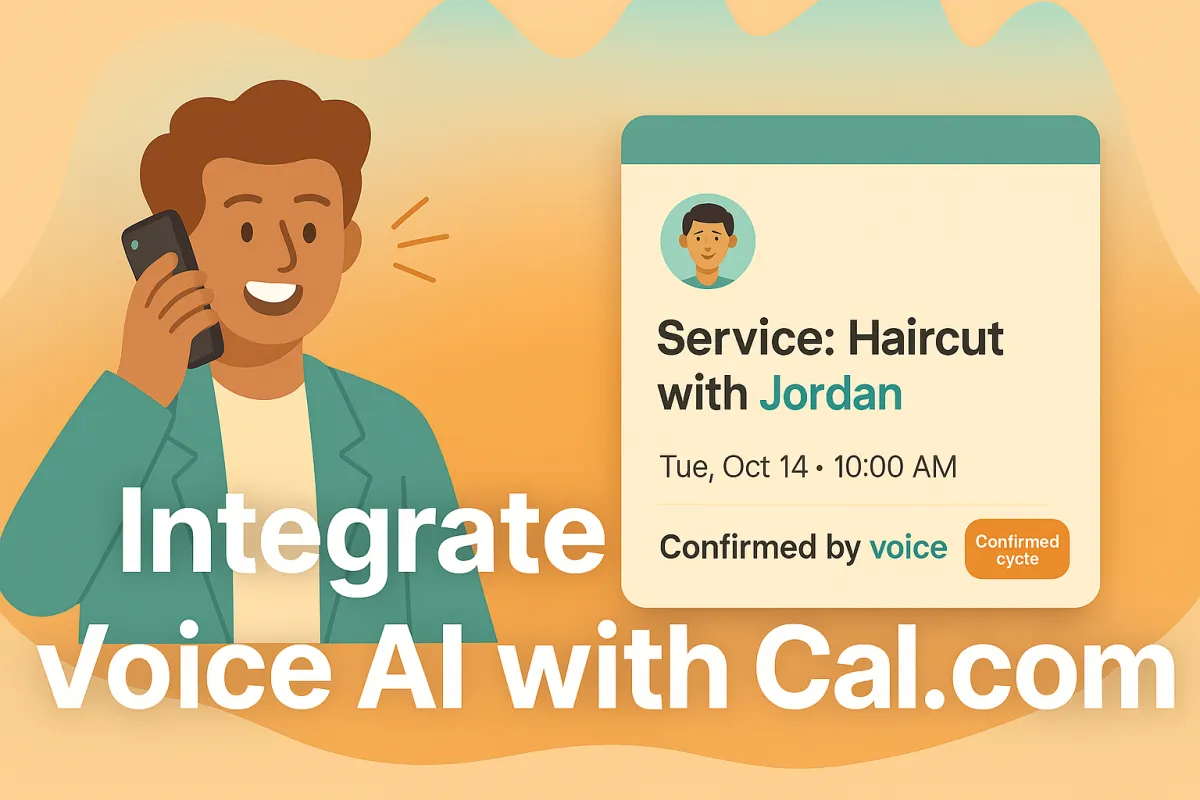
How to Integrate a Voice AI Receptionist with Cal.com for Healthcare, Recruiting, Sales, SaaS/Marketplaces, Education & Barbers/Salons
TL;DR / QUICK SUMMARY (outline)
Integrate voice AI with Cal.com to automate scheduling, cut no-shows, and raise CSAT. Start with Cal.ai’s strong native voice for fast pilots and compliance; move to third-party TTS/LLM only when persona, prosody, or cross-scheduler orchestration materially change outcomes. CTA: Discovery Call + Download ROI.

Note for small-business owners: If you’re short on time or feel stuck, many small businesses accelerate results by engaging a focused AI partner to handle voice persona design, A/B testing, and the integration, security, and compliance details — so you can stay focused on customers.
Peak Demand observation: integrating human nuance is the real adoption blocker
Most voice systems don’t fail because the technology is bad — they fail because callers feel like they’re talking to a robot. In plain terms: if the voice sounds flat, talks over people, or uses one generic tone for every situation, customers stop trusting it. Fixing those small, “human” things is the fastest way to get people to actually use the system.
Common humanization problems (with simple explanations)
Flat prosody: the voice sounds monotone and unemotional — callers don’t feel heard.
Poor turn-taking: the system pauses too long or interrupts — the conversation feels awkward and takes longer.
Generic persona: the voice uses the same bland wording for every caller — it feels impersonal and unhelpful.
What we recommend (easy action): run short A/B tests — play two versions side-by-side (Cal.ai’s native voice vs a third-party voice) on your highest-value calls (confirmations, triage, reschedules). Measure simple business results: customer satisfaction, completion rate, and call length. Use these routing rules in plain language: if confidence is high (>0.8) let the system handle it; if it’s medium (0.65–0.8) bring a human in gently; if low (<0.65) transfer immediately. If you’re pressed for time, consider bringing in a focused AI partner to design the voice and run the tests so you can keep running the business.
Why integrate voice AI with Cal.com now (and why human nuance matters)
Integrating voice AI with Cal.com gives small teams immediate, practical benefits: 24/7 availability for callers, fewer missed appointments, faster issue triage, and less time spent on simple admin tasks. When the voice sounds natural — the right tone, timing, and wording — callers convert more often and report higher satisfaction. Start with a quick Cal.ai-native pilot to get results fast and keep booking logic tightly integrated; move to a third-party voice only when the spoken experience itself needs to drive outcomes.
Three measurable owner outcomes to track
Reduced AHT (average handle time): shorter, focused calls mean staff spend less time per customer.
Faster triage → faster outcomes: quicker path from call to booking or escalation (use confidence bands: >0.8 auto, 0.65–0.8 soft handoff, <0.65 immediate transfer).
Fewer no-shows / SLA breaches: better confirmations and reminders reduce missed appointments and service delays.
Quick sector examples
Healthcare: appointment confirmations + reminder calls that cut no-shows.
Recruiting: candidate pre-screens that automatically schedule interviews.
Sales: demo qualification calls that book meetings with reps.
SaaS / Marketplaces: embedded callbacks that create bookings via API.
Education / Coaching: enrollment confirmations and class reminders.
Barbers & Salons: quick booking, stylist selection, and rebooking nudges.

Recommendation (owner-friendly): pilot Cal.ai-native for core booking flows, but evaluate third-party TTS/LLM for high-impact, persona-driven experiences. If you’re short on time, many small businesses accelerate results by bringing in a focused AI partner to run persona design, A/B tests, and secure integration.
Integration options for integrating a voice agent with Cal.com (native, third-party, hybrid)
Owners have three practical ways to add voice to Cal.com — choose the one that matches your time, budget, and how important the spoken experience is.
Native (Cal.ai) — fastest, simplest
Pros: Quick to turn on, tightly tied to Cal.com booking flows, fewer moving parts for compliance. Great for pilots and everyday booking tasks.
Cons: Less control over fine voice tone, multi-voice casting, or bespoke audio branding.
Third-party TTS / LLM — highest voice quality and control
Pros: Full control of voice persona, prosody (how something sounds emotionally), and multi-voice setups. Can also orchestrate bookings across multiple schedulers and perform surgical API updates when you need precise behavior.
Cons: Longer setup, extra middleware, and more vendor management — but worth it if the voice itself is a revenue or brand driver.
Hybrid — best of both worlds
Use Cal.ai for transactional work (confirmations, simple reschedules) and route high-value, customer-facing dialogs to a third-party stack for empathy/branding.
Middleware (what it does, in plain terms):
PII minimization: send IDs instead of raw personal data.
Avoid double-bookings: use idempotency (simple “don’t repeat this” keys).
Retries & throttling: safely retry failed calls and handle limits.
Secure logs & audits: keep records for compliance without exposing sensitive data.
Telephony/licensing note:
Cal.ai supports buying or importing phone numbers. Voice calls often use credits or per-minute billing — include PSTN and provider costs in your budget.
If this feels large or unfamiliar, many small businesses find value in partnering with a focused AI agency to guide the approach and run pilot tests.
Preparing Cal.com & its booking datastore (Cal.com event-store-like) for integrating voice AI
Before you launch voice calls, do a short prep sweep so your bookings behave predictably and you avoid surprises. Below are six owner-friendly steps — written in plain language — that unblock pilots and make ongoing operations smoother. (Technical how-to belongs in the gated developer appendix; these are the owner actions.)
Review API keys / OAuth clients and role permissions
Make sure only the right people and systems can access your Cal.com account. API keys and “OAuth clients” are just secure logins for apps — rotate them regularly and give the voice integration only the permissions it needs (read/create bookings, manage webhooks).Enable and subscribe to webhooks (BOOKING_CREATED, BOOKING_RESCHEDULED, BOOKING_CANCELLED)
Webhooks are instant notices Cal.com sends when a booking changes. Turn on the key ones and test delivery so your voice system sees new bookings and updates in real time.Canonicalize contacts and phone numbers; dedupe records
Clean up contacts first: normalize phone numbers to international E.164 format (+1...), remove duplicates, and merge split customer records. Clean data means fewer failed lookups and fewer duplicate bookings.Confirm timezone, availability and buffer policy settings
Verify organizer and customer timezones, lead times and buffer rules so calls don’t book outside working hours or create conflicts.Decide on phone number provisioning (buy vs import / port)
You can buy numbers inside Cal.com (fast) or bring/port existing numbers. Pick who will own the number and who pays PSTN/minute costs; test a number early.Establish PII minimization & consent scripts
Draft a short consent script for recorded calls and avoid sending raw personal or health data to external voice vendors. Prefer sending a booking ID and letting secure systems fetch the details when needed.
Practical note: using Cal.ai-native voice often keeps more data inside Cal.com and simplifies compliance. If you plan cross-scheduler orchestration, expect a little extra setup. If this feels like a lot, many small businesses speed things up by working with a focused AI partner to run the prep and tests.
How to integrate third-party voice AI quality with Cal.com (why third-party often sounds more human)
Third-party voice stacks give you finer control over how the system sounds and behaves — which matters when voice itself affects bookings or brand perception. Below is a plain-language run-through you can give to your team or a partner.
Humanization dimensions (what to tune and why)
Prosody (tone & rhythm): small changes in pitch and pacing make a voice sound more caring or more confident. Example: a warmer, slightly slower cadence reduces anxiety for healthcare callers.
Latency / turn-taking: fast responses with sensible pauses avoid interruptions; long pauses make callers hang on and hang up. Good systems promise quick replies and respect the caller’s turns.
Contextual grounding: the voice should reference real info (“I see your 10am haircut is with Alex”) instead of generic lines. That makes calls feel accurate and safe.
Persona tuning: choose a persona (friendly, professional, upbeat) and keep language consistent so callers know who they’re speaking with.
Multilingual support: offer locale-appropriate phrasing and accents so non-English speakers don’t feel lost.
Owner-level architecture (simple diagram)

PSTN (caller phone) → Telephony provider (e.g., Twilio) → Third-party LLM/TTS (voice + dialogue) → Middleware (privacy, rules, dedupe) → Cal.com API & Webhooks (booking system).
(You don’t need the technical details — this shows which piece talks to which.)

Sample humanized script excerpt (text only) — use for A/B tests
“Hi Sam — this is Aurora calling to confirm your haircut with Alex on Tuesday at 10:00 AM. If you’d like to keep it, say ‘Yes’. To reschedule, say ‘Change’. If you prefer a text, say ‘Text me’.”
A/B test idea (easy to run)

Play Cal.ai-native vs third-party voice on a slice of confirmation calls. Track CSAT, completion rate (did the booking happen), average call time, and handoff frequency using the confidence bands: >0.8 auto, 0.65–0.8 soft handoff, <0.65 immediate transfer.
Cross-scheduler orchestration (why middleware matters — in plain terms)
Third-party middleware can coordinate bookings across multiple calendars: only create or update a booking when needed (“conditional upsert”), change just one field (a quick PATCH), and detect duplicates so customers aren’t double-booked. Think of middleware as an honest broker that checks each calendar before making a move.
Secure datastore-call patterns & PII minimization (practical rules)
Send a booking ID or user ID to the voice system — don’t embed full names, numbers, or health info in speech prompts.
Let middleware fetch sensitive fields behind secure, short-lived tokens.
Use simple “do not repeat” keys (idempotency) to avoid duplicate bookings and retries with backoff for failures.
Capture consent at the call start (“This call may be recorded…”). Store recordings/transcripts with a clear retention policy.
How to integrate Cal.ai native voice options (when Cal.ai-native is the right choice)
Cal.ai-native is the quickest, lowest-friction way to add voice calls to your Cal.com bookings. It’s built into the Cal platform, ties directly to your booking flows, and removes many of the extra steps that come with third-party stacks — which is why it’s the best place to start for most small businesses.
What Cal.ai-native gives you (plain language):

Fast setup tied to your existing Cal.com bookings — no separate calendar wiring.
Built-in actions like “create booking,” “confirm,” and “reschedule” so voice can act on appointments directly.
Simple phone number management: buy a number inside the platform or import/port an existing one.
Test calls you can run before you flip the switch so you hear what customers will hear.
Usage monitoring so you can watch call credits and costs.
Owner actions to enable Cal.ai (easy checklist):
Buy or import a phone number in Cal.com.
Configure short prompt templates (how the call opens, confirmation language, transfer wording).
Map voice actions to booking behaviors (which calls create or change bookings).
Run test web calls and listen to sample recordings.
Monitor credits, PSTN usage, and call logs so you don’t get surprise bills.
When Cal.ai-native is the right choice:
Quick pilots, routine confirmations and reminders, and compliance-sensitive flows (healthcare, clinics, small offices) where keeping data inside one platform helps audits.
When to consider third-party instead:
You need multi-voice casting, very specific prosody or branded audio, or orchestration across multiple schedulers.
Licensing & credits note:
Voice calls typically use call credits or per-minute PSTN billing. Budget for test calls and a small pilot (monitor credits closely).
Practical tip: If setup feels heavy, consider a short engagement with a focused AI partner to configure prompts, run an A/B test, and hand off a working playbook.
How the voice AI handles core workflows when integrating with Cal.com (real-world examples by vertical)
Below are plain-language maps of how voice can be used in everyday workflows for six common small-business verticals. Each flow shows what callers hear, what the system does, and how to safely hand off to a human when needed. Start with Cal.ai-native for core booking actions and test a third-party voice where personality or persuasion matters. Always A/B test before rolling out.
Healthcare — appointment confirmation → secure ID verify → reminders/reschedule

Caller hears a friendly confirmation (time, provider). System asks a short verification question (last 4 digits or appointment code). If verified, it confirms the appointment and offers to send a text/email reminder or reschedule. If confidence is low (<0.65) or the caller asks sensitive questions, transfer immediately to a human clinician or front-desk. Use auto ( >0.8 ) for straight confirms; soft handoff (0.65–0.8) when clarifying info is needed.
Recruiting — candidate pre-screen → schedule interview → send prep links
A short screening script asks availability and a couple of yes/no qualifying questions. If candidate passes, the system offers interview slots and books directly. After booking, it emails prep materials. If the bot is unsure about answers or detects hesitancy (confidence <0.65), escalate to a recruiter for a quick live touch.
Sales — demo qualification call → schedule demo → route to AE

The agent asks a couple of qualification questions (use simple language). Qualified leads get immediate demo slots booked; an AE is notified with the lead notes. If the voice detects high buying intent but low confidence in the answers, it performs a soft handoff so a rep can join the call or follow up immediately.
SaaS / Marketplaces — embedded callback → create booking via API → post-booking webhook

Caller requests a callback through an in-product widget. Voice confirms the callback time, creates the booking in Cal.com, and triggers a webhook so downstream systems (CRM, billing) update. If cross-scheduler conflicts appear, the system prompts to hold or try another time and escalates to an agent if unresolved.
Education / Coaching — registration confirmation → class reminders → waitlist handling

Voice confirms registration, offers class reminders, and manages waitlist opt-ins. If the caller wants to change multiple sessions or the system is unsure, use a soft handoff to a program coordinator.
Barbers & Salons — appointment booking → stylist selection → reminders + rebooking offers

Caller books an appointment, chooses a stylist or service, and hears a confirmation with a rebooking incentive. If the chosen slot is unavailable or the caller asks for complex combo services, transfer to the front desk.
Transfer & UX rules (plain terms)

Auto (confidence >0.8): let the system complete the task.
Soft handoff (0.65–0.8): offer a quick human assist (warm transfer or queue with context).
Immediate transfer (<0.65): move the caller to a live agent.
Fail-safe UX: always play an audible transfer prompt (“I’m connecting you to a team member…”), read back the booking for confirmation, and send a post-call email/text with the booking link and next steps.
If this feels big, consider partnering with a focused AI agency to design scripts, run A/B tests (Cal.ai vs third-party), and set safe handoff rules.
Security, compliance & data residency when integrating voice AI with Cal.com
Keeping customer data safe is an owner’s job — and a major reason to plan security before you launch voice calls. Below are six practical actions you should take (plain language), plus why Cal.ai-native often simplifies exposure and when to get legal involved.
Draft a short consent script for recorded calls.
Example (simple): “This call may be recorded for quality and scheduling. Say ‘Yes’ to continue.” Put this at the start of any automated call.Minimize PII in spoken prompts.
Don’t read full personal or health details aloud. Prefer sending a booking_id or attendee_id to the voice flow and have secure systems fetch sensitive fields when needed.Define recording and transcript retention.
Decide how long you keep call audio and transcripts (e.g., 30/90/365 days), who can access them, and how they are purged. Put this policy in writing and share it with vendors.Request vendor audit logs and SLA commitments.
Ask voice vendors and telephony providers for audit log access, uptime SLAs, incident response times, and data-handling commitments before signing contracts.Map data residency and encryption needs.
Document where audio and transcripts will be stored (which country/region) and require encryption at rest and in transit. This matters especially for healthcare and public-sector customers.Confirm legal/privacy review for regulated verticals.
If you handle PHI or public-sector data, get legal sign-off before sending any data to third-party voice vendors.
Practical note: using Cal.ai-native for early pilots often keeps more actions inside your Cal.com tenant and reduces third-party exposure — a simpler path for compliance. If this feels complex, consider partnering with a focused AI agency to run the security checklist, vendor reviews, and legal coordination.
Measuring success: KPIs to track after integrating voice AI with Cal.com
Track a small set of clear KPIs so you know if voice is helping your business — not just sounding nice. Focus on these six:
Calls handled (volume automated vs human)
Bookings created (bookings that result from voice calls)
SLA compliance (on-time responses / agreements met)
First-contact resolution (FCR) (issue solved or booked on first call)
AHT (average handle time) — minutes per call
CSAT / NPS (overall satisfaction and promoter score)
Humanization metrics to add: A/B CSAT (compare Cal.ai-native vs third-party) and transcript sentiment (simple positive/neutral/negative scoring).
Baseline → target examples (owner-friendly)
Healthcare: No-shows from 12% → target 6%; AHT 8m → 5m.
Recruiting: Interview attendance 70% → 85%; bookings created +30% month-over-month.
Sales: Demo conversion rate 20% → 30%; FCR 60% → 75%.
SaaS/Marketplaces: Callback completion 60% → 80%.
Education: Registration completion 65% → 85%.
Barbers/Salons: Rebooking rate 10% → 18%.
Reporting cadence (practical)
Pilot: daily checks (call failures, credit burn, CSAT samples).
Roll-out: weekly trends and A/B results.
Steady state: monthly KPIs and quarterly strategic review.
Common pitfalls when integrating voice AI with Cal.com — and how to avoid them
Voice + bookings can save time — until one simple error costs customers trust. Below are the common traps owners hit, plain-language fixes, and a short escalation plan so your team can act fast.
Top pitfalls & fixes
Mis-mapped booking fields: If the wrong field gets filled (e.g., “service” goes into “notes”), bookings look wrong. Fix: map and test each field once, then spot-check 20 live bookings before scaling.
Duplicate records / double-bookings: Two systems can both create the same appointment. Fix: enforce a simple “don’t repeat” rule (idempotency) in your workflow and dedupe contacts before launch.
Timezone mismatches: Calls that book at the wrong local time frustrate customers. Fix: standardize on timezones (show local time in confirmations) and test across regions.
PSTN / credit surprises: Call minutes and telephony credits can add up. Fix: run a small, time-boxed pilot and monitor credit burn daily. Set an automatic spend limit.
Skipping humanization tests: If you skip A/B audio tests you may deploy a robotic-sounding experience. Fix: run short A/B tests (Cal.ai vs third-party) on 10–20% of calls and compare CSAT and completion rates.
Escalation guideline (who does what)
Pause automation if error rate >5% for bookings or customer complaints spike.
Revert to human routing (fallback IVR or direct transfer) immediately if confidence <0.65 or data mismatches occur.
Sign-off: Ops lead + business owner must approve re-enable after fixes and a 48–72 hour monitoring window.
Short case anecdote: A small salon saw double bookings on launch day; customers got refunds and bad reviews. The team paused the voice flow, ran a 24-hour dedupe script, added simple “don’t repeat” checks, and relaunched with a soft-handoff — bookings and CSAT recovered within a week.
Budgeting & procurement: what to expect to pay for integrating voice AI with Cal.com
Here’s a simple, owner-friendly cost view so you can plan a pilot and compare options. All figures are illustrative — get quotes for exact pricing.
3 budget scenarios (example lines)
Pilot (low-risk, 4–8 weeks): $1k–$5k one-time setup + $200–$1,000/month. Lines: Cal.ai credits (small test volume), 1–2 phone numbers, basic middleware hosting, short agency setup (persona + A/B). Where Cal.ai saves: fewer vendors and less middleware work.
Production (regular operations): $5k–$20k initial + $1k–$5k/month. Lines: higher Cal.ai or TTS runtime, PSTN minutes, middleware (reliability/monitoring), ongoing agency support, analytics/dashboarding.
Enterprise (scale / multi-site / SLAs): $20k+ init + $5k–$20k+/month. Lines: enterprise Cal.com/Cal.ai plans, multiple PSTN numbers, third-party TTS/LLM runtime, dedicated middleware, compliance/legal review, 24/7 support.
Procurement tips (plain language)
Negotiate a voice-quality SLA (response latency, uptime) and ask for trial credits to pilot without big spend.
Confirm data residency (where audio/transcripts are stored) and require encryption at rest/in transit.
Ask about overage caps or alerts for PSTN/minute use so bills don’t surprise you.
Prefer bundled pricing for voice credits + phone numbers to simplify billing.
If this feels complex, consider a short engagement with a focused AI partner to get a firm, line-item quote and manage procurement.
Developer checklist — what your team needs to integrate Cal.com with voice AI
Auth & credentials — choose API key or OAuth, grant least-privilege scopes, enforce scheduled rotation, and store secrets securely.
Webhooks — subscribe to BOOKING_CREATED, BOOKING_RESCHEDULED, BOOKING_CANCELLED. Verify signatures, test delivery, and confirm retry behaviour.
Payload handling — expect booking_id and attendee_id in webhook payloads; fetch sensitive fields on demand using short-lived tokens rather than embedding PII in voice prompts.
Middleware patterns — implement idempotency keys to avoid duplicate bookings, conditional upserts/PATCH for field-level updates, retry/backoff logic, and dedupe/reconciliation for multi-calendar orchestration.
Telephony & streaming — select a provider (e.g., Twilio/MediaStream), secure media transport (WebSocket/HTTPS), and limit media retention and intermediary logs.
Cal.ai operations — buy/import numbers, create prompt templates, run test web calls, and monitor call credits and PSTN usage.
Security & privacy — capture caller consent at call start, minimize PII in audio/prompts, require encryption in transit and at rest, and keep audit logs for incidents.
Testing & rollout — smoke tests for end-to-end flows, small A/B audio pilot (native vs third-party), confidence-score logging, and a documented rollback procedure (pause flows, revert to human routing).
Monitoring & alerts — log call_id, booking_id, confidence_score, error rates, and credit burn. Alert on mapping errors, duplicate bookings, abnormal spend, and webhook failures.
Runbooks & handoff — document how ops pause flows, triage failures, run basic remediation (dedupe scripts, replay webhooks), and escalate to engineers/legal.
Next steps: 30–60 day rollout plan for integrating voice AI with Cal.com (owner roadmap)
A simple, six-step plan you can follow with your team. Assign an owner for each step (Owner / Ops / IT / Support / Legal) and treat A/B voice tests as a formal checkpoint before wider roll-out.
Week 1 — Prep & access
Tasks: grant API/webhook access, create pilot API keys, draft consent script, clean top customer/contact records.
Stakeholders: Owner (sign-off), IT (keys/webhooks), Ops (contacts), Legal (consent text).
Week 2 — Core flow build
Tasks: build core booking flows (create/cancel/reschedule) and middleware stubs for idempotency and PII minimization.
Stakeholders: Dev/Integrator, Ops, Product.
Week 3 — PSTN testing & A/B voice tests
Tasks: connect phone number(s), run end-to-end PSTN test calls, run A/B audio tests (Cal.ai-native vs third-party) on a small % of calls.
Stakeholders: Ops, Support, AI Partner (if used).
Week 4 — Soft launch
Tasks: open to a limited geography or small customer segment; monitor key metrics and customer feedback closely.
Stakeholders: Support, Ops, Owner.
Weeks 5–8 — Monitor, iterate, expand
Tasks: tune prompts, adjust handoff rules, expand coverage gradually, continue A/B tuning. Review weekly and promote to full roll-out when stable.
Stakeholders: All teams.
Success criteria
Day 30: Confidence: stable A/B results (CSAT lift or equal), error rate <2%, no significant credit overuse.
Day 60: Booking creation via voice ≥ target %, AHT improved vs baseline, sustained CSAT/NPS gain.
Rollback criteria & sign-offs
Pause automation if booking error rate >5%, duplicate bookings occur, or credit spend exceeds agreed limit.
Revert to human routing immediately if average confidence <0.65 for >24 hours.
Re-enable only after Ops + Dev + Owner sign-off and a 48–72 hour observation window.
Conclusion / schedule a discovery call CTA
We humanize voice agents for Cal.com — faster bookings, better CSAT. Ready to see what this looks like for your business? Book a short discovery call with our team to discuss your goals and hear live Cal.ai-native vs third-party audio samples.
Book a Discovery Call: peakdemand.ca/discovery
Custom HTML/CSS/JAVASCRIPT
Learn more about the technology we employ.

Customers, owners and staff expect real human nuance from anyone — or anything — answering the phone. If your voice agent sounds flat or robotic, callers lose trust and your team pays for it in transfers, repeat calls, and lower satisfaction. Peak Demand builds humanized, enterprise-grade AI receptionists that plug into Cal.com (including Cal.ai’s native voice) and can connect via Twilio to best-in-class LLMs and TTS when you need richer persona, prosody, or multilingual support. We’ll help you choose native vs third-party, run a short pilot, and tune the voice, scripts, and handoffs so the agent actually sounds human. Book a free Cal.com voice audit or request a side-by-side demo today.


Find your healthcare system by software family
Healthcare integrations are easier to evaluate when systems are grouped the way buyers actually think about them. Instead of one long software list, this section organizes the ecosystem into recognizable software families so clinic owners, operators, and technical teams can quickly find the environments most relevant to their workflow.
Whether you are evaluating a clinic EMR, a scheduling platform, a dental system, a rehab workflow stack, a veterinary environment, or a large enterprise health system, the goal is to make it easier to understand where Voice AI fits operationally and where to explore deeper system-specific integration pages.
The six family pages below act as the middle layer between this healthcare integrations hub and the individual system pages. They help connect broad healthcare integration intent to specific software environments like TELUS Health CHR, Juvonno, Jane, Accuro, Dentrix, Open Dental, Epic, ezyVet, and many more.

Medical and Ambulatory EMR Systems
Explore how Voice AI fits into medical and ambulatory EMR environments across scheduling, intake, patient access, provider routing, after-hours continuity, and clinic communication workflows.

Allied Health, Rehab, and Wellness Systems
Explore how Voice AI supports allied-health and rehab workflows across recurring appointments, intake, provider matching, follow-up continuity, and front-desk communication support.

Dental Systems
Explore how Voice AI fits into dental communication workflows across new patient calls, hygiene recall, appointment flow, cancellation recovery, emergency routing, and front-desk continuity.

Veterinary Systems
Explore how Voice AI fits into veterinary environments across appointment continuity, client intake, urgent call routing, after-hours handling, and front-desk workflow support.

Chiropractic and Specialty Rehab Systems
Explore how Voice AI fits into chiropractic and specialty rehab workflows across scheduling, intake, recurring visits, SOAP-adjacent continuity, imaging-adjacent coordination, and front-desk support.

Scheduling, Patient Access, and Orchestration Systems
Explore how Voice AI supports scheduling and patient access architecture across intake, routing, queue stabilization, diagnostics scheduling, and workflow continuity between first contact and next action.
See Healthcare Voice AI Integrations In Action
These walkthroughs show how Voice AI can connect into real healthcare scheduling, intake, and communication environments. Start with TELUS Health CHR for Canadian clinic workflows and Juvonno for rehab and allied health operations.
TELUS Health CHR Integration Walkthrough
See how Voice AI can support TELUS Health CHR scheduling, intake, patient communication, and Canadian clinic workflow continuity.
Juvonno Integration Walkthrough
See how Voice AI can support Juvonno workflows for rehab scheduling, intake, appointment handling, and clinic communication continuity.
Explore published healthcare systems by name
Once you know the software family that best matches your environment, this section makes it easier to browse live healthcare integration pages by platform name. Each category below groups published system pages by the type of environment they usually support so operators, managers, and technical teams can compare workflow fit more quickly. A fuller alphabetical directory appears farther down the page.
Featured healthcare systems
These are high-priority starting points for visitors evaluating real-world Voice AI workflow fit across scheduling, intake, patient communication, routing, and access workflows.
Clinic, ambulatory, and medical EMR systems
These systems are commonly associated with clinic records-adjacent workflows, appointment flow, patient requests, intake continuity, routing, and broader ambulatory communication operations.
Scheduling, intake, and patient communication systems
These environments sit closer to booking logic, intake flow, reminders, clinic administration, and day-to-day patient access operations.
Rehab, physiotherapy, and allied health systems
Allied health and rehabilitation environments often depend on strong scheduling continuity, practitioner matching, intake flow, recurring appointment management, and multi-location operational coordination.
Dental systems
Dental communication workflows often center around appointment demand, cancellation recovery, reminders, new patient calls, and front-desk continuity across booked production.
Veterinary systems
Veterinary communication environments often require appointment continuity, client communication, after-hours handling, urgent call direction, and records-adjacent workflow coordination.
Healthcare organizations rarely evaluate integrations in a vacuum. Grouping systems by software family makes it easier to understand likely workflow fit, compare environments more quickly, and navigate toward both family-level integration pages and live system-specific pages deeper in this hub. The full alphabetical system directory farther down the page should carry the complete 98-system library.
Where Voice AI sits in the healthcare workflow matters more than basic connectivity
Healthcare Voice AI becomes more useful when it is treated as part of the larger workflow architecture around patient access, intake, routing, scheduling, escalation, and downstream ownership. The question is not only whether a system connects. The question is whether the communication flow reaches the next operational step with enough clarity and structure to reduce friction instead of shifting it downstream.
In practice, that means Voice AI often sits across multiple workflow layers at once. It may support first contact, gather structured intake, help direct the caller into the right path, preserve context for staff, and improve continuity into the next step. The value comes from how those layers fit together, not from one isolated connection point.
This is why healthcare teams should evaluate both the scheduling and patient access layer and the EMR or EHR-adjacent layer. In more complex environments, the architecture may also need to account for enterprise compliance and procurement requirements.
Where Voice AI usually enters the workflow
Voice AI often enters at the communication edge: inbound calls, appointment demand, intake capture, after-hours answering, overflow handling, and patient access or routing-related first contact.
Explore healthcare AI receptionistsWhere continuity usually breaks down
Continuity often breaks between the interaction and the next operational owner. That can happen when routing is weak, intake is unclear, scheduling context is incomplete, or downstream teams still need to manually rebuild the request.
Explore centralized scheduling workflowsWhat stronger integration architecture actually improves
Stronger architecture preserves enough structure, direction, and next-step usability for staff or systems to act efficiently. That is what turns Voice AI into operational infrastructure instead of a disconnected front-end layer.
Return to the healthcare resource hub| Integration maturity | What healthcare teams usually experience | Likely operational result |
|---|---|---|
| Fragmented | Some connection points exist, but scheduling, intake, routing, escalation, and continuity still require heavy manual repair. | Lower operational value, more staff burden, weaker patient access continuity, and less confidence in the workflow. |
| Partially connected | Important workflow layers connect, but structure and downstream usability still vary too much between teams, departments, or next-step owners. | Moderate gains, but persistent continuity gaps remain and staff still absorb unnecessary workflow friction. |
| Workflow-led and integrated | Voice AI supports multiple workflow layers with stronger structure, clearer routing, better handoff, and more usable next-step continuity. | Stronger patient access flow, cleaner operational ownership, and more scalable communication infrastructure. |
What healthcare teams should evaluate in the architecture discussion
- Where does Voice AI need to sit first in the communication workflow?
- Where does continuity currently break between the interaction and the next operational step?
- Which layers are EMR or EHR-adjacent, and which ones are workflow-adjacent?
- How do scheduling, intake, routing, patient access, and escalation interact in this environment?
- Will downstream teams receive enough structure to act without rebuilding the request manually?
- Is the integration design workflow-led or just feature-led?
- Does the current architecture reduce friction for staff, or does it simply move the work somewhere else?
Healthcare organizations usually get more value when they evaluate integration maturity across communication flow, operational ownership, and downstream usability together instead of treating each connection as a separate isolated decision. For system-specific evaluation, use the alphabetical healthcare system directory below.
Evaluating software families?
Use the six system-family pages to compare EMR, EHR, dental, veterinary, rehab, scheduling, and patient access environments.
Browse Software FamiliesEvaluating specific systems?
Use the full alphabetical directory to find the exact healthcare platform your team is evaluating.
Open System DirectoryEvaluating enterprise readiness?
Review governance, privacy, escalation, procurement, and compliance considerations before deployment.
Review ComplianceGo deeper into the strategy behind healthcare Voice AI integrations
This section helps healthcare teams move from broad category understanding into the right supporting resources for architecture, interoperability, workflow fit, implementation planning, and system-specific evaluation.
The articles below are the best next clicks for teams evaluating how Voice AI fits into healthcare communication systems, patient access workflows, structured integration pathways, rollout planning, and governed healthcare environments.
For broader category education, use the Healthcare Voice AI Resource Hub. For software-specific evaluation, continue to the full alphabetical system directory lower on this page and use the six healthcare software family pages as the parent layer.
Need system-family pages?
Use the family pages to compare medical EMR, allied health, dental, veterinary, specialty rehab, and patient access systems.
Browse Software FamiliesNeed a specific platform?
Use the alphabetical system directory to find the exact EMR, EHR, scheduling, dental, veterinary, or rehab platform.
Open System DirectoryNeed compliance context?
Use the enterprise compliance page when governance, privacy, procurement, RFPs, or regulated deployment requirements are part of the evaluation.
Review ComplianceCore integration strategy articles
These resources explain why integrations matter, what healthcare teams should evaluate first, and how stronger Voice AI integration architecture should be understood.
Custom pathways, structured integrations, and workflow fit
These articles are useful for teams evaluating custom pathways, structured communication flows, and how Voice AI fits into real healthcare operating environments.
Rollout, implementation, and governance
These resources are best for healthcare teams moving from early exploration into rollout planning, operational safety, implementation readiness, and governance-aware deployment.
Patient access, routing, and workflow bottlenecks
These articles help healthcare teams think more clearly about where communication complexity builds up across patient access, intake, department routing, scheduling, and downstream handoff.
As the healthcare integrations ecosystem continues to grow, this section can keep routing visitors into the most relevant strategy, rollout, and workflow resources without changing the overall structure of the hub. The full software directory appears in the Alphabetical System Directory section below.
Explore live healthcare system integration pages by category
This section gives healthcare teams a category-based way to browse the most important live system pages. It is not the full 98-system directory; it is a curated navigation layer for comparing the platforms most commonly tied to scheduling, intake, patient communication, routing, and patient access workflows.
Use this section when you know the type of software environment you are evaluating. Use the Alphabetical System Directory below when you want to find every live system page by name.
Need the family layer?
Start with the six parent family pages when comparing software categories before choosing a specific system.
Browse Software FamiliesNeed every system?
Use the alphabetical directory for the complete live healthcare system page list by platform name.
Open Alphabetical DirectoryNeed workflow context?
Review how Voice AI fits across patient access, intake, routing, scheduling, escalation, and downstream ownership.
Review Workflow ArchitectureFeatured healthcare systems
These are some of the strongest starting points for teams exploring healthcare Voice AI integrations across scheduling, intake, patient communication, routing, and access workflows.
Clinic and ambulatory EMR systems
These systems are commonly associated with clinic records-adjacent workflows, intake, appointment flow, routing, patient communication, and broader ambulatory continuity.
Explore medical and ambulatory EMR familyScheduling, intake, and patient communication systems
These environments sit closer to booking logic, intake flow, reminders, clinic administration, and day-to-day patient access operations.
Explore scheduling and patient access familyRehab, physiotherapy, and allied health systems
Allied health and rehabilitation environments often depend on strong scheduling continuity, practitioner matching, intake flow, recurring appointments, and multi-location coordination.
Explore allied health and rehab familyDental systems
Dental communication workflows often center on appointment demand, cancellation recovery, reminders, new patient calls, and front-desk continuity.
Explore dental familyVeterinary systems
Veterinary communication environments often require appointment continuity, client communication, after-hours handling, and records-adjacent workflow coordination.
Explore veterinary familyEnterprise, specialty, imaging, and outpatient environments
These environments often involve more complex routing, diagnostic scheduling, imaging coordination, enterprise workflow ownership, and department-specific handoff requirements.
Explore enterprise and medical EMR familyThis curated category browse section helps visitors compare common healthcare software environments without scrolling the entire directory. The complete system list belongs in the Alphabetical System Directory section below, where every live healthcare system page should be listed by platform name.
Talk through your healthcare communication workflow
If your team is evaluating healthcare Voice AI integrations, the most useful next step is usually a workflow conversation. That means reviewing patient access pressure points, scheduling flow, intake structure, routing logic, after-hours coverage, compliance expectations, and the systems surrounding those workflows.
Peak Demand approaches healthcare environments through workflow fit, governance awareness, and operational usability. The goal is to help organizations map a communication architecture that supports real teams, real workflows, and real continuity requirements across EMR, EHR, scheduling, intake, dental, veterinary, rehab, and patient access environments.
Need software families?
Compare the six parent healthcare integration families before choosing a specific system page.
Browse software familiesNeed workflow context?
Review how Voice AI fits across intake, routing, scheduling, escalation, and downstream ownership.
Review workflow architectureNeed compliance review?
Use the enterprise compliance page when governance, privacy, procurement, and RFP standards matter.
Review complianceFrequently asked questions
What does Voice AI mean in a healthcare integration environment?
Can Voice AI work with EMR, EHR, scheduling, intake, and routing workflows?
Are healthcare Voice AI integrations always direct?
Where should healthcare organizations start evaluating Voice AI integrations?
How should compliance and governance fit into the evaluation?
What is the role of this integrations hub?
About Peak Demand
Peak Demand is a Toronto-based AI agency focused on Voice AI, communication automation, and workflow infrastructure for organizations operating in more complex service environments.
In healthcare, the focus is not just on call handling. It is on patient access continuity, scheduling pressure, intake structure, routing logic, after-hours support, governance, and how communication systems fit into real operational workflows.
- Workflow-driven and implementation-aware
- Governance-first in healthcare communication environments
- Built to support clinics, networks, and enterprise teams
- Designed to scale into software-specific integration pathways
- Organized around healthcare system families and live integration pages
Healthcare software integrations by system name
If you already know the software you are evaluating, this alphabetical directory is the fastest way to find the right live system page.
This directory includes the full 98-system healthcare integration library from the current Peak Demand system-page build. It is designed to help teams compare EMR, EHR, scheduling, intake, patient communication, dental, veterinary, rehab, wellness, chiropractic, orchestration, home care, med spa, pharmacy, and enterprise healthcare systems by software name.
For category-level browsing, use the software family section. For workflow context, use the workflow architecture section. This section is the full alphabetical browse layer.
Live healthcare system pages in this directory
Grouped alphabetically with visible section counts so the full library is obvious at a glance.
A–C
34 systemsABELMed through Curve Dental.
D–H
20 systemsDentrix through Helios Software.
I–M
15 systemsIDEXX Cornerstone through MRX Solutions.
N–O
11 systemsNextech through Owl Practice.
P–R
8 systemsPabau through RXNT.
Compare healthcare systems by name, category, and workflow fit
This directory is useful for comparing clinic EMRs, EHR-adjacent systems, scheduling and intake platforms, patient communication software, dental systems, veterinary systems, rehab and allied health systems, chiropractic systems, med spa systems, home care systems, pharmacy-adjacent systems, orchestration platforms, diagnostic workflows, and enterprise healthcare environments by software name before going deeper into workflow design, integration possibilities, and operational fit.
Explore your own AI use case on a discovery call.
