
Voice AI Receptionists & AI SEO Automation Agency Toronto 24/7 Conversions by Peak Demand
Peak Demand is an AI-first agency specializing in custom Voice AI receptionists, AI answering systems, and AI SEO (GEO/AEO) strategies designed to convert discovery into revenue. Unlike off-the-shelf voice AI tools that often fail due to poor integration, limited workflow design, or unreliable call handling, our systems are engineered for real-world deployment. We architect intelligent voice agents that answer calls, book appointments, qualify leads, and integrate seamlessly with CRM, ERP, and EHR platforms, ensuring that your AI receptionist performs reliably at scale.
What Is a Voice AI Receptionist?
A Voice AI receptionist is an intelligent call-handling system that answers inbound calls, understands what the caller needs, and takes action — such as booking appointments, routing calls, capturing leads, collecting intake details, or creating service tickets.
In real operations, the “AI voice” is only one layer. A reliable receptionist requires workflow design, systems integration, data validation, escalation logic, safe fallbacks, and performance monitoring. This is where most plug-and-play tools fall short — not because AI is bad, but because production call handling requires engineering discipline.
Answers, Routes, and Resolves
Handles new callers, repeat callers, overflow, and after-hours calls using structured routing aligned to your team, policies, and workflows.
Books Appointments
Connects to scheduling rules, collects required details, confirms next steps, and helps turn calls into booked opportunities.
Captures Leads with Context
Captures caller intent, urgency, contact details, and service needs — then pushes structured records into your CRM or workflow.
Integrates with Your Systems
Connects to CRMs, calendars, EHRs, ERPs, ticketing tools, and APIs so your AI receptionist can actually complete the job.
What Makes a Voice AI Receptionist Production-Grade?
Voice AI Receptionist FAQs
What can a Voice AI receptionist do on a real business phone line?
Why do businesses abandon off-the-shelf Voice AI tools?
How do you reduce hallucinations or incorrect actions?
Can a Voice AI receptionist book appointments and send confirmations?
Does Voice AI replace my staff?
How is pricing determined?
Custom Voice AI Receptionists Built for Real-World Deployment
Most businesses don’t abandon Voice AI because “AI doesn’t work” — they abandon it because the deployment is missing the operational layers required for production: integrations, workflow logic, validation, escalation rules, and monitoring. A voice model alone is not a receptionist. A receptionist is a system.
Peak Demand builds custom Voice AI receptionists that hold up under real call volume. We map intents and business rules, connect the AI to your systems of record, and implement safeguards so callers always reach an outcome: booking, routing, intake completion, or a human handoff.
Where Off-the-Shelf Voice AI Tools Fail
- No real actions: talks well, but can’t reliably book, route, open tickets, or update the CRM.
- Weak edge-case handling: interruptions, accents, noisy environments, and unusual caller requests break the flow.
- Bad handoffs: transfers without context frustrate both callers and staff.
- Messy data: missing fields and poor validation create unusable notes and broken follow-up.
- Shallow integrations: “connected” but unable to enforce rules or complete workflows.
- No safeguards: lacks confidence thresholds, confirmations, and policy-based routing.
- No monitoring: failures repeat because outcomes are not tracked.
These are implementation gaps — not “AI capability” limits.
Peak Demand Build Standard
When Custom Voice AI Is the Right Move
What Clients Track
- Booking rate: calls turned into scheduled appointments.
- Lead capture rate: qualified contacts created.
- Abandonment reduction: less voicemail loss and fewer missed opportunities.
- Transfer quality: handoffs with useful context.
- CRM / EMR completeness: required fields captured correctly.
- Time-to-follow-up: tasks, SMS, and email confirmations created faster.
- Containment rate: calls resolved without human involvement when appropriate.
The goal is simple: turn calls into measurable pipeline and make sure your receptionist performs at scale.
Voice AI Receptionists That Convert Calls Into Revenue
Missed calls are lost revenue. Voicemail is lost revenue. Slow intake is lost revenue. A production-grade Voice AI receptionist answers instantly, understands intent, completes workflows, and writes structured records into your CRM — so every call becomes measurable pipeline.
Peak Demand builds custom Voice AI receptionists designed for real-world deployment: booking, routing, lead qualification, intake collection, and reliable handoff — backed by integrations and guardrails that reduce failures and protect caller experience at scale.
What You Get
Not a demo. A deployment built for real callers.
- Call flows built around your operations
- Integrations to CRM, calendar, and ticketing
- Escalation to humans with context
- Reporting on bookings, leads, and drop-offs
Fast Fit Check
If you say yes to any of these, you will likely see ROI.
Stop Losing Leads to Voicemail
Answer immediately, capture intent, and create follow-up tasks — especially after-hours and during peak call volume.
- Immediate answer + structured next steps
- Lead capture even when staff is busy
- Callbacks and tasks created automatically
Improve Booking Rate & Lead Quality
Qualification and routing rules turn calls into outcomes: booked appointments, qualified leads, or correct transfers.
- Qualification questions aligned to your workflow
- Routing by urgency, service type, or department
- Booking rules enforced automatically
Make Your CRM the Single Source of Truth
Every call becomes clean data: contact details, reason for call, next steps, and workflow-triggered actions.
- Records created and attached to the right contact
- Notes and summaries stored for staff context
- Pipelines updated and tasks triggered
Operate at Scale Without Degrading Experience
Call spikes, overflow, and after-hours coverage stay consistent through escalation paths and safe fallbacks.
- Overflow protection without long hold times
- Human-first escalation when needed
- Continuous improvement from call outcomes
AI Call Center Solutions for 24/7 Customer Service, Support & Government Services
An AI call center solution, also called an AI contact center, uses voice AI agents to answer calls, understand caller intent, complete workflows, and escalate to humans when needed. Built correctly, it reduces hold times, improves resolution, and turns calls into structured records for CRM, ticketing, analytics, and follow-up.
Peak Demand builds enterprise-ready voice AI systems with workflow logic, integrations, guardrails, and security controls designed for regulated and high-volume environments.
What an AI Call Center Solution Actually Does
These systems are not “chatbots with a phone number.” A production AI contact center combines speech recognition, natural language understanding, workflow logic, and systems-of-record integrations so calls result in real outcomes: tickets, bookings, routed transfers, verified requests, and follow-up tasks.
Autonomous Call Handling
Answer, triage, resolve, or route calls based on intent, policy, and operational rules.
Queue-Aware Escalation
Escalate to humans with summarized context when confidence is low or requests are sensitive.
Systems-of-Record Updates
Write tickets, cases, leads, appointments, and notes into CRM, ITSM, case tools, or EMRs.
Peak Volume Coverage
Handle overflow, after-hours, and seasonal spikes while preserving escalation paths.
Verification Flows
Use structured identity and verification steps where permitted by policy and regulation.
QA & Reporting
Track containment, resolution, transfers, repeat contacts, SLA impact, and satisfaction.
Security, Privacy & Regulatory Readiness
Voice AI in a contact center must be designed for data minimization, controlled actions, and auditability. Peak Demand designs workflows around the privacy, compliance, and governance expectations that matter in regulated environments.
Regulatory Frameworks We Design Around
- HIPAA: PHI safeguards, minimum necessary data collection, access controls, audit trails, and vendor accountability.
- PIPEDA: consent-aware collection, purpose limitation, safeguards, retention, and breach response planning.
- PHIPA: Ontario health information privacy controls, logging, auditability, and access boundaries.
- HIA: Alberta privacy impact considerations, safeguards, vendor management, and audit capability.
- PCI concepts: tokenized routing to processors and avoiding card data in transcripts or logs.
Enterprise Control Stack
- Data minimization: collect only what is needed to complete the workflow.
- Consent-aware flows: disclosures, consent prompts, and clear boundaries.
- Role-based access: least-privilege controls for logs, recordings, and admin tools.
- Retention controls: configurable windows for transcripts, recordings, and metadata.
- Audit logs: intents, actions, record writes, transfers, and escalations.
- Incident readiness: monitoring, alerts, and operational runbooks.
How Peak Demand reduces risk from hallucinations, wrong actions, or sensitive disclosures
- Constrained actions: the AI can only perform approved workflow steps.
- Validation and confirmations: required fields and confirmations before critical updates.
- Confidence thresholds: low confidence triggers clarification or human escalation.
- Knowledge boundaries: policy-safe scripting and verified knowledge sources.
- Monitored launch: QA scenarios, controlled rollout, and real-world tuning.
Industries We Deploy In
Industry-specific design is what makes enterprise voice AI reliable. Each deployment needs different call flows, compliance boundaries, escalation rules, and system integrations.
Healthcare
Appointment booking, rescheduling, intake capture, triage routing, referral intake, and patient communication workflows.
Common systems: EHR, EMR, booking, referral intake, patient messaging.Utilities & Public Services
Outage intake, service requests, account routing, program guidance, emergency overflow, and escalation.
Common systems: CRM, outage management, case management, GIS-linked service requests.Manufacturing & Industrial
Order status, ETA updates, dealer routing, parts inquiries, support requests, and service ticket creation.
Common systems: ERP, CRM, ticketing, inventory, parts databases.Field Service
Dispatch routing, quote intake, scheduling windows, follow-ups, after-hours coverage, and CRM pipeline creation.
Common systems: CRM, scheduling, dispatch, invoicing, customer portals.Government
Program navigation, forms guidance, case intake, department routing, status inquiries, and seasonal peak handling.
Common needs: accessibility, multilingual service, strict escalation, audit-ready reporting.Enterprise Support
Tier-1 triage, identity checks, case creation, proactive callbacks, and human-first escalation.
Common systems: ITSM, CRM, knowledge base, customer success tooling.Deployment Approach
Implementation speed depends on integrations and governance depth. A typical deployment follows a repeatable sequence:
AI Call Center FAQs
What is an AI call center solution?
Is voice AI safe for regulated industries like healthcare?
Which regulations do you design around?
What industries benefit most from AI contact center automation?
How do you prevent wrong actions or sensitive disclosures?
How is pricing determined?
Managed AI Voice Receptionist Deliverables
Peak Demand is not a self-serve Voice AI tool. We are a fully managed implementation partner. That means we help design the call flows, configure the AI receptionist, manage the phone setup, build reporting, test real caller scenarios, connect integrations, monitor performance, and continuously improve the system after launch.
Clients do not need to become Voice AI technicians, prompt engineers, integration specialists, or QA operators. We handle the implementation work so your team can focus on running the business while Peak Demand manages the voice AI infrastructure behind the scenes.
What Peak Demand Handles
- Discovery and workflow mapping for your real call types, policies, and escalation paths.
- AI voice agent setup and customization including tone, language, brand fit, and caller experience.
- Dedicated phone number management for 24/7 call coverage, routing, testing, and launch readiness.
- Custom data extraction so caller intent, contact details, appointment needs, and next steps are captured cleanly.
- Post-call reporting with summaries, classifications, outcomes, and follow-up details.
- QA testing and scenario tuning before and after launch.
- Ongoing monitoring and optimization based on real caller behavior.
What Your Team Gets
- Fewer missed calls during after-hours, lunch breaks, overflow periods, and busy front desk windows.
- Cleaner call records with structured notes, caller details, and next-step summaries.
- Better caller routing so callers reach the right person, workflow, or follow-up path faster.
- More consistent intake with required questions, validation, and safe fallback logic.
- Less manual follow-up work through CRM, calendar, ticketing, or messaging automation.
- A system that improves over time instead of a tool your team has to babysit.
How We Deploy It
We usually start with a stable modular AI voice agent first, then add deeper integrations after the agent is reliable. This prevents unstable call behavior from pushing bad data into your systems of record.
Modular AI Voice Agent
We build the agent first: voice, tone, call flows, intake questions, escalation rules, post-call summaries, and reporting.
- AI voice agent configuration
- Caller intent mapping
- Data extraction fields
- Escalation and fallback logic
- Post-call summaries and classifications
QA, Testing & Real-World Tuning
We test the system against real caller scenarios before pushing it into deeper automation.
- Common caller scenarios
- Edge cases and interruptions
- Escalation testing
- Data quality checks
- Launch readiness review
Integrations & Automation
Once the agent is stable, we connect it to the systems your team actually uses.
- CRM integration
- Scheduling and calendar sync
- ERP, EHR, EMR, or ticketing connections
- Notifications and confirmations
- Workflow automation
Managed Monitoring & Optimization
After launch, Peak Demand continues monitoring outcomes and improving the system.
- Performance review
- Call outcome analysis
- Prompt and workflow tuning
- Reporting improvements
- Conversion and reliability optimization
Why Modular Stability Comes First
Integrating an unstable agent into your CRM, EMR, calendar, or ticketing system multiplies errors. Peak Demand stabilizes conversation handling, edge-case logic, caller experience, data extraction, and escalation behavior before connecting the agent to mission-critical infrastructure.
The Client Experience
You bring the business rules, workflows, and system access. Peak Demand handles the technical build, QA, integration coordination, launch support, reporting setup, and ongoing improvement. The result is a managed Voice AI receptionist that works inside your operation instead of another tool your team has to manage.
Managed Voice AI FAQs
Is Peak Demand a software tool or a managed service?
What does “fully managed” include?
What is a modular AI voice agent?
Why don’t you integrate immediately?
How is performance monitored?
How is pricing determined?
AI SEO That Helps ChatGPT, Google AI, and Answer Engines Recommend You
“SEO” now includes AI answer engines and LLM-powered discovery. Prospects are asking tools like ChatGPT, Google AI experiences, Perplexity, and other assistants who they should hire — and the businesses that show up there are the ones with clear positioning, structured content, authority signals, and machine-readable proof.
Peak Demand builds AI SEO, GEO, and AEO systems designed to make your business easier to retrieve, summarize, recommend, and convert. We do not just publish content. We build the entity structure, service pages, schema, internal links, authority signals, and conversion paths that help visibility become booked calls.
Proof: ChatGPT Recommending Peak Demand
The video shows the exact type of outcome GEO/AEO is designed to create: an AI assistant understanding the category, comparing providers, and recommending Peak Demand inside a ChatGPT conversation.
Entity Clarity
We make it unambiguous who you are, what you do, where you serve, and why you are credible.
- Service definitions and “who it’s for” language
- Industry and use-case coverage
- Consistent NAP and organization signals
- Clear differentiators and proof language
Technical SEO + Schema
We structure your site so search engines and AI assistants can understand your pages as services, FAQs, workflows, and entities.
- Service, FAQPage, HowTo, Organization, and LocalBusiness schema
- Internal linking and topic clusters
- Sitemap, canonical, and indexing hygiene
- Clean extraction-ready page structure
AEO-First Content
We build pages around the exact questions prospects ask before they buy, so your site can be surfaced as a useful answer.
- Pricing and implementation explainers
- Comparison content and “best provider” pages
- Industry-specific answer pages
- FAQ structures that AI systems can quote cleanly
Authority Signals
AI surfacing tends to follow clarity, consistency, and credibility. We help build the proof layer around your brand.
- Relevant backlinks and citations
- Reviews, mentions, and reputation signals
- Case studies and measurable outcomes
- Trust-building proof blocks across key pages
Search → AI Answer → Website → Call → CRM
Peak Demand designs the full path from AI discovery to conversion. The goal is not just to appear in search. The goal is to turn that visibility into real conversations, booked calls, and structured lead records.
Why AI SEO Works Best When It Is Connected to Voice AI
GEO/AEO creates the discovery moment. Voice AI captures the conversion moment. When someone finds your business through search or an AI recommendation, a Voice AI receptionist can answer instantly, qualify the caller, book the appointment, and write structured records into your CRM.
AI SEO, GEO & AEO FAQs
What is the difference between SEO and GEO/AEO?
Can ChatGPT actually recommend a business like Peak Demand?
Will schema markup help us show up in AI answers?
How do you choose what GEO/AEO content to create?
How do you measure success for AI SEO?
Can AI SEO connect directly to Voice AI conversions?
How is pricing determined for AI SEO?
GoHighLevel CRM Support Without GoHighLevel Voice Agents
Peak Demand can help clients access a discounted GoHighLevel account for CRM, websites, funnels, calendars, SMS/email automation, workflows, pipelines, and business reporting. GoHighLevel is a powerful automation and business management platform — and this website is built on GoHighLevel.
But we want to be clear: Peak Demand does not rely on GoHighLevel voice agents for our production Voice AI receptionist builds. For voice, we use enterprise-grade voice AI engines selected around the client’s workflow, reliability needs, latency requirements, integration depth, compliance constraints, and caller experience.
We Like GoHighLevel — Just Not for Production Voice Agents
Many businesses come to us after testing basic platform-native voice agents and feeling disappointed. That does not mean Voice AI cannot work. It usually means the voice layer was not engineered for real-world call handling, integrations, guardrails, and reliability.
Our approach is different: we use GoHighLevel where it is strong — CRM, funnels, automation, messaging, calendars, websites, and reporting — while using dedicated enterprise voice engines for the actual AI receptionist experience.
What Peak Demand Uses GoHighLevel For
- CRM and pipeline management for captured leads, call outcomes, and sales follow-up.
- Websites and landing pages for AI SEO, GEO, AEO, paid traffic, and service-page expansion.
- Funnels and forms that route prospects into the right sales or intake process.
- Email and SMS automation for confirmations, reminders, reactivation, nurture, and follow-up.
- Calendars and booking workflows for discovery calls, consults, sales processes, and service scheduling.
- Workflow automation for routing, notifications, pipeline movement, task creation, and reporting.
- Dashboards and visibility so calls, leads, bookings, and campaigns can be tracked in one place.
What Peak Demand Does Not Use GoHighLevel For
- We do not use GoHighLevel as our default production Voice AI engine.
- We do not force clients into platform-native voice agents when they need stronger reliability.
- We do not treat voice AI as a simple CRM feature. It is a specialized call-handling system.
- We do not use one voice engine for every use case. We choose the stack based on the job.
- We do not deploy generic agents without workflow design, QA, monitoring, and escalation logic.
Why We Still Recommend GoHighLevel for Many Clients
A Voice AI receptionist can answer calls, but long-term growth depends on what happens after the call. Every captured lead should become a structured record, trigger follow-up workflows, update pipelines, and generate measurable outcomes.
Sales Funnels
Convert website, paid traffic, AI SEO, and GEO/AEO visibility into booked calls through structured funnels and qualification flows.
Websites & Landing Pages
Build service pages designed for SEO, GEO, and AEO visibility across search engines and AI answer platforms.
CRM & Pipeline Management
Store structured lead records, update stages automatically, and track conversion from call to closed outcome.
Email & SMS Automation
Trigger confirmations, reminders, reactivation sequences, and nurture workflows based on captured intent.
Calendars & Booking
Support scheduling workflows, buffers, availability, reminders, and booking visibility across teams.
Workflow Automation
Build conditional logic that routes leads, escalates cases, assigns tasks, and automates operational follow-up.
Integrations & API Connectivity
Connect CRM records, forms, databases, ticketing platforms, payment processors, and internal tools.
Data Visibility & Reporting
Track booking rates, response time, lead source, pipeline velocity, campaign performance, and follow-up quality.
How the Stack Works Together
GoHighLevel, CRM & Voice AI FAQs
Does Peak Demand use GoHighLevel voice agents?
Why do you still recommend GoHighLevel?
What if we tried GoHighLevel voice agents and did not like them?
Do I need GoHighLevel to deploy Voice AI with Peak Demand?
Can we use our existing CRM like HubSpot, Salesforce, or Dynamics?
Can Peak Demand provide a discounted GoHighLevel account?
Is GoHighLevel secure and compliant?
Can automation trigger workflows after a Voice AI call?

AI Tools That Show You
Exactly What's Happening
Custom AI analytics dashboards, data intelligence tools, and bespoke AI chatbots built around your exact operation. Not generic software. Tools that surface insights, automate reporting, and give your team AI-powered visibility into what actually drives your business.
Schedule a Discovery Call →Real-time dashboards built around your KPIs, revenue drivers, and operational metrics.
AI assistants trained on your data that answer operational questions and surface insights.
Continuously monitors your data and surfaces anomalies, trends, and opportunities.
Connect CRM, ERP, and spreadsheets into a unified AI-readable layer that powers automation.
AI models that forecast demand, flag risk, and give your team a forward-looking edge.
Lightweight AI-powered tools built around your intake, approvals, and workflow edge cases.
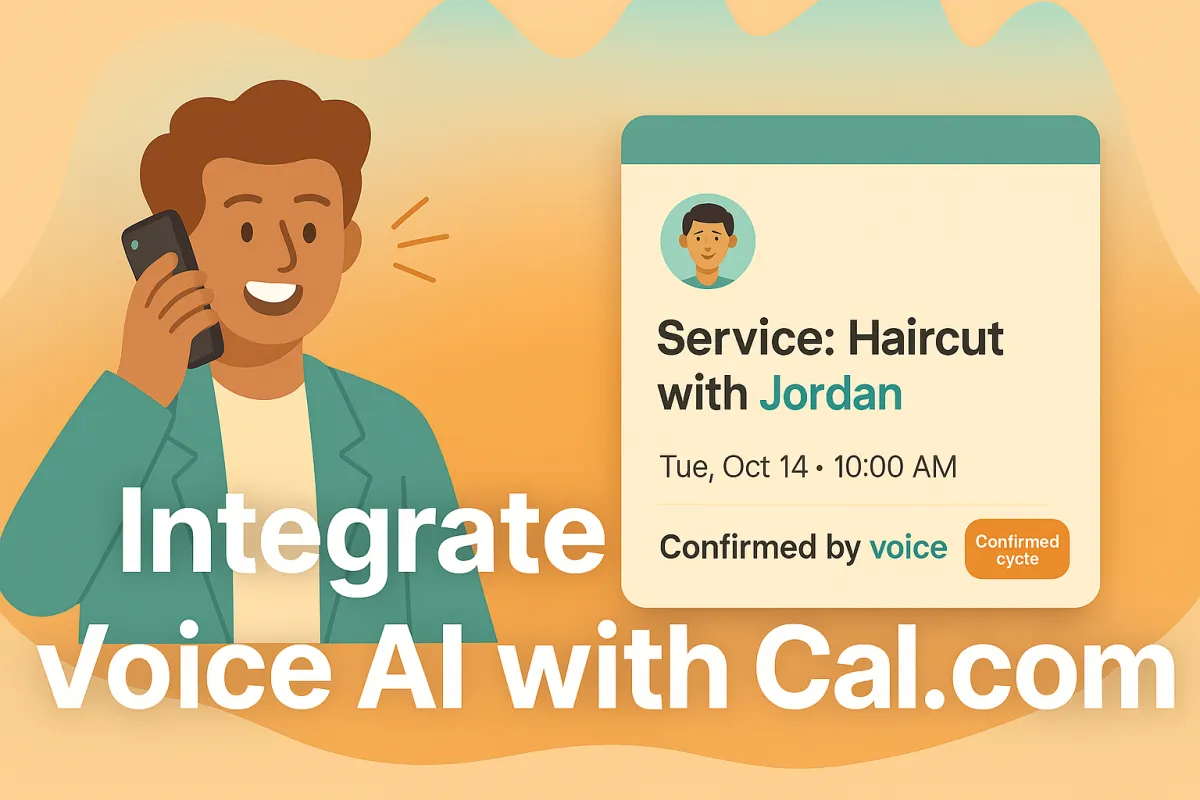
How to Integrate a Voice AI Receptionist with Cal.com for Healthcare, Recruiting, Sales, SaaS/Marketplaces, Education & Barbers/Salons
TL;DR / QUICK SUMMARY (outline)
Integrate voice AI with Cal.com to automate scheduling, cut no-shows, and raise CSAT. Start with Cal.ai’s strong native voice for fast pilots and compliance; move to third-party TTS/LLM only when persona, prosody, or cross-scheduler orchestration materially change outcomes. CTA: Discovery Call + Download ROI.

Note for small-business owners: If you’re short on time or feel stuck, many small businesses accelerate results by engaging a focused AI partner to handle voice persona design, A/B testing, and the integration, security, and compliance details — so you can stay focused on customers.
Peak Demand observation: integrating human nuance is the real adoption blocker
Most voice systems don’t fail because the technology is bad — they fail because callers feel like they’re talking to a robot. In plain terms: if the voice sounds flat, talks over people, or uses one generic tone for every situation, customers stop trusting it. Fixing those small, “human” things is the fastest way to get people to actually use the system.
Common humanization problems (with simple explanations)
Flat prosody: the voice sounds monotone and unemotional — callers don’t feel heard.
Poor turn-taking: the system pauses too long or interrupts — the conversation feels awkward and takes longer.
Generic persona: the voice uses the same bland wording for every caller — it feels impersonal and unhelpful.
What we recommend (easy action): run short A/B tests — play two versions side-by-side (Cal.ai’s native voice vs a third-party voice) on your highest-value calls (confirmations, triage, reschedules). Measure simple business results: customer satisfaction, completion rate, and call length. Use these routing rules in plain language: if confidence is high (>0.8) let the system handle it; if it’s medium (0.65–0.8) bring a human in gently; if low (<0.65) transfer immediately. If you’re pressed for time, consider bringing in a focused AI partner to design the voice and run the tests so you can keep running the business.
Why integrate voice AI with Cal.com now (and why human nuance matters)
Integrating voice AI with Cal.com gives small teams immediate, practical benefits: 24/7 availability for callers, fewer missed appointments, faster issue triage, and less time spent on simple admin tasks. When the voice sounds natural — the right tone, timing, and wording — callers convert more often and report higher satisfaction. Start with a quick Cal.ai-native pilot to get results fast and keep booking logic tightly integrated; move to a third-party voice only when the spoken experience itself needs to drive outcomes.
Three measurable owner outcomes to track
Reduced AHT (average handle time): shorter, focused calls mean staff spend less time per customer.
Faster triage → faster outcomes: quicker path from call to booking or escalation (use confidence bands: >0.8 auto, 0.65–0.8 soft handoff, <0.65 immediate transfer).
Fewer no-shows / SLA breaches: better confirmations and reminders reduce missed appointments and service delays.
Quick sector examples
Healthcare: appointment confirmations + reminder calls that cut no-shows.
Recruiting: candidate pre-screens that automatically schedule interviews.
Sales: demo qualification calls that book meetings with reps.
SaaS / Marketplaces: embedded callbacks that create bookings via API.
Education / Coaching: enrollment confirmations and class reminders.
Barbers & Salons: quick booking, stylist selection, and rebooking nudges.

Recommendation (owner-friendly): pilot Cal.ai-native for core booking flows, but evaluate third-party TTS/LLM for high-impact, persona-driven experiences. If you’re short on time, many small businesses accelerate results by bringing in a focused AI partner to run persona design, A/B tests, and secure integration.
Integration options for integrating a voice agent with Cal.com (native, third-party, hybrid)
Owners have three practical ways to add voice to Cal.com — choose the one that matches your time, budget, and how important the spoken experience is.
Native (Cal.ai) — fastest, simplest
Pros: Quick to turn on, tightly tied to Cal.com booking flows, fewer moving parts for compliance. Great for pilots and everyday booking tasks.
Cons: Less control over fine voice tone, multi-voice casting, or bespoke audio branding.
Third-party TTS / LLM — highest voice quality and control
Pros: Full control of voice persona, prosody (how something sounds emotionally), and multi-voice setups. Can also orchestrate bookings across multiple schedulers and perform surgical API updates when you need precise behavior.
Cons: Longer setup, extra middleware, and more vendor management — but worth it if the voice itself is a revenue or brand driver.
Hybrid — best of both worlds
Use Cal.ai for transactional work (confirmations, simple reschedules) and route high-value, customer-facing dialogs to a third-party stack for empathy/branding.
Middleware (what it does, in plain terms):
PII minimization: send IDs instead of raw personal data.
Avoid double-bookings: use idempotency (simple “don’t repeat this” keys).
Retries & throttling: safely retry failed calls and handle limits.
Secure logs & audits: keep records for compliance without exposing sensitive data.
Telephony/licensing note:
Cal.ai supports buying or importing phone numbers. Voice calls often use credits or per-minute billing — include PSTN and provider costs in your budget.
If this feels large or unfamiliar, many small businesses find value in partnering with a focused AI agency to guide the approach and run pilot tests.
Preparing Cal.com & its booking datastore (Cal.com event-store-like) for integrating voice AI
Before you launch voice calls, do a short prep sweep so your bookings behave predictably and you avoid surprises. Below are six owner-friendly steps — written in plain language — that unblock pilots and make ongoing operations smoother. (Technical how-to belongs in the gated developer appendix; these are the owner actions.)
Review API keys / OAuth clients and role permissions
Make sure only the right people and systems can access your Cal.com account. API keys and “OAuth clients” are just secure logins for apps — rotate them regularly and give the voice integration only the permissions it needs (read/create bookings, manage webhooks).Enable and subscribe to webhooks (BOOKING_CREATED, BOOKING_RESCHEDULED, BOOKING_CANCELLED)
Webhooks are instant notices Cal.com sends when a booking changes. Turn on the key ones and test delivery so your voice system sees new bookings and updates in real time.Canonicalize contacts and phone numbers; dedupe records
Clean up contacts first: normalize phone numbers to international E.164 format (+1...), remove duplicates, and merge split customer records. Clean data means fewer failed lookups and fewer duplicate bookings.Confirm timezone, availability and buffer policy settings
Verify organizer and customer timezones, lead times and buffer rules so calls don’t book outside working hours or create conflicts.Decide on phone number provisioning (buy vs import / port)
You can buy numbers inside Cal.com (fast) or bring/port existing numbers. Pick who will own the number and who pays PSTN/minute costs; test a number early.Establish PII minimization & consent scripts
Draft a short consent script for recorded calls and avoid sending raw personal or health data to external voice vendors. Prefer sending a booking ID and letting secure systems fetch the details when needed.
Practical note: using Cal.ai-native voice often keeps more data inside Cal.com and simplifies compliance. If you plan cross-scheduler orchestration, expect a little extra setup. If this feels like a lot, many small businesses speed things up by working with a focused AI partner to run the prep and tests.
How to integrate third-party voice AI quality with Cal.com (why third-party often sounds more human)
Third-party voice stacks give you finer control over how the system sounds and behaves — which matters when voice itself affects bookings or brand perception. Below is a plain-language run-through you can give to your team or a partner.
Humanization dimensions (what to tune and why)
Prosody (tone & rhythm): small changes in pitch and pacing make a voice sound more caring or more confident. Example: a warmer, slightly slower cadence reduces anxiety for healthcare callers.
Latency / turn-taking: fast responses with sensible pauses avoid interruptions; long pauses make callers hang on and hang up. Good systems promise quick replies and respect the caller’s turns.
Contextual grounding: the voice should reference real info (“I see your 10am haircut is with Alex”) instead of generic lines. That makes calls feel accurate and safe.
Persona tuning: choose a persona (friendly, professional, upbeat) and keep language consistent so callers know who they’re speaking with.
Multilingual support: offer locale-appropriate phrasing and accents so non-English speakers don’t feel lost.
Owner-level architecture (simple diagram)

PSTN (caller phone) → Telephony provider (e.g., Twilio) → Third-party LLM/TTS (voice + dialogue) → Middleware (privacy, rules, dedupe) → Cal.com API & Webhooks (booking system).
(You don’t need the technical details — this shows which piece talks to which.)

Sample humanized script excerpt (text only) — use for A/B tests
“Hi Sam — this is Aurora calling to confirm your haircut with Alex on Tuesday at 10:00 AM. If you’d like to keep it, say ‘Yes’. To reschedule, say ‘Change’. If you prefer a text, say ‘Text me’.”
A/B test idea (easy to run)

Play Cal.ai-native vs third-party voice on a slice of confirmation calls. Track CSAT, completion rate (did the booking happen), average call time, and handoff frequency using the confidence bands: >0.8 auto, 0.65–0.8 soft handoff, <0.65 immediate transfer.
Cross-scheduler orchestration (why middleware matters — in plain terms)
Third-party middleware can coordinate bookings across multiple calendars: only create or update a booking when needed (“conditional upsert”), change just one field (a quick PATCH), and detect duplicates so customers aren’t double-booked. Think of middleware as an honest broker that checks each calendar before making a move.
Secure datastore-call patterns & PII minimization (practical rules)
Send a booking ID or user ID to the voice system — don’t embed full names, numbers, or health info in speech prompts.
Let middleware fetch sensitive fields behind secure, short-lived tokens.
Use simple “do not repeat” keys (idempotency) to avoid duplicate bookings and retries with backoff for failures.
Capture consent at the call start (“This call may be recorded…”). Store recordings/transcripts with a clear retention policy.
How to integrate Cal.ai native voice options (when Cal.ai-native is the right choice)
Cal.ai-native is the quickest, lowest-friction way to add voice calls to your Cal.com bookings. It’s built into the Cal platform, ties directly to your booking flows, and removes many of the extra steps that come with third-party stacks — which is why it’s the best place to start for most small businesses.
What Cal.ai-native gives you (plain language):

Fast setup tied to your existing Cal.com bookings — no separate calendar wiring.
Built-in actions like “create booking,” “confirm,” and “reschedule” so voice can act on appointments directly.
Simple phone number management: buy a number inside the platform or import/port an existing one.
Test calls you can run before you flip the switch so you hear what customers will hear.
Usage monitoring so you can watch call credits and costs.
Owner actions to enable Cal.ai (easy checklist):
Buy or import a phone number in Cal.com.
Configure short prompt templates (how the call opens, confirmation language, transfer wording).
Map voice actions to booking behaviors (which calls create or change bookings).
Run test web calls and listen to sample recordings.
Monitor credits, PSTN usage, and call logs so you don’t get surprise bills.
When Cal.ai-native is the right choice:
Quick pilots, routine confirmations and reminders, and compliance-sensitive flows (healthcare, clinics, small offices) where keeping data inside one platform helps audits.
When to consider third-party instead:
You need multi-voice casting, very specific prosody or branded audio, or orchestration across multiple schedulers.
Licensing & credits note:
Voice calls typically use call credits or per-minute PSTN billing. Budget for test calls and a small pilot (monitor credits closely).
Practical tip: If setup feels heavy, consider a short engagement with a focused AI partner to configure prompts, run an A/B test, and hand off a working playbook.
How the voice AI handles core workflows when integrating with Cal.com (real-world examples by vertical)
Below are plain-language maps of how voice can be used in everyday workflows for six common small-business verticals. Each flow shows what callers hear, what the system does, and how to safely hand off to a human when needed. Start with Cal.ai-native for core booking actions and test a third-party voice where personality or persuasion matters. Always A/B test before rolling out.
Healthcare — appointment confirmation → secure ID verify → reminders/reschedule

Caller hears a friendly confirmation (time, provider). System asks a short verification question (last 4 digits or appointment code). If verified, it confirms the appointment and offers to send a text/email reminder or reschedule. If confidence is low (<0.65) or the caller asks sensitive questions, transfer immediately to a human clinician or front-desk. Use auto ( >0.8 ) for straight confirms; soft handoff (0.65–0.8) when clarifying info is needed.
Recruiting — candidate pre-screen → schedule interview → send prep links
A short screening script asks availability and a couple of yes/no qualifying questions. If candidate passes, the system offers interview slots and books directly. After booking, it emails prep materials. If the bot is unsure about answers or detects hesitancy (confidence <0.65), escalate to a recruiter for a quick live touch.
Sales — demo qualification call → schedule demo → route to AE

The agent asks a couple of qualification questions (use simple language). Qualified leads get immediate demo slots booked; an AE is notified with the lead notes. If the voice detects high buying intent but low confidence in the answers, it performs a soft handoff so a rep can join the call or follow up immediately.
SaaS / Marketplaces — embedded callback → create booking via API → post-booking webhook

Caller requests a callback through an in-product widget. Voice confirms the callback time, creates the booking in Cal.com, and triggers a webhook so downstream systems (CRM, billing) update. If cross-scheduler conflicts appear, the system prompts to hold or try another time and escalates to an agent if unresolved.
Education / Coaching — registration confirmation → class reminders → waitlist handling

Voice confirms registration, offers class reminders, and manages waitlist opt-ins. If the caller wants to change multiple sessions or the system is unsure, use a soft handoff to a program coordinator.
Barbers & Salons — appointment booking → stylist selection → reminders + rebooking offers

Caller books an appointment, chooses a stylist or service, and hears a confirmation with a rebooking incentive. If the chosen slot is unavailable or the caller asks for complex combo services, transfer to the front desk.
Transfer & UX rules (plain terms)

Auto (confidence >0.8): let the system complete the task.
Soft handoff (0.65–0.8): offer a quick human assist (warm transfer or queue with context).
Immediate transfer (<0.65): move the caller to a live agent.
Fail-safe UX: always play an audible transfer prompt (“I’m connecting you to a team member…”), read back the booking for confirmation, and send a post-call email/text with the booking link and next steps.
If this feels big, consider partnering with a focused AI agency to design scripts, run A/B tests (Cal.ai vs third-party), and set safe handoff rules.
Security, compliance & data residency when integrating voice AI with Cal.com
Keeping customer data safe is an owner’s job — and a major reason to plan security before you launch voice calls. Below are six practical actions you should take (plain language), plus why Cal.ai-native often simplifies exposure and when to get legal involved.
Draft a short consent script for recorded calls.
Example (simple): “This call may be recorded for quality and scheduling. Say ‘Yes’ to continue.” Put this at the start of any automated call.Minimize PII in spoken prompts.
Don’t read full personal or health details aloud. Prefer sending a booking_id or attendee_id to the voice flow and have secure systems fetch sensitive fields when needed.Define recording and transcript retention.
Decide how long you keep call audio and transcripts (e.g., 30/90/365 days), who can access them, and how they are purged. Put this policy in writing and share it with vendors.Request vendor audit logs and SLA commitments.
Ask voice vendors and telephony providers for audit log access, uptime SLAs, incident response times, and data-handling commitments before signing contracts.Map data residency and encryption needs.
Document where audio and transcripts will be stored (which country/region) and require encryption at rest and in transit. This matters especially for healthcare and public-sector customers.Confirm legal/privacy review for regulated verticals.
If you handle PHI or public-sector data, get legal sign-off before sending any data to third-party voice vendors.
Practical note: using Cal.ai-native for early pilots often keeps more actions inside your Cal.com tenant and reduces third-party exposure — a simpler path for compliance. If this feels complex, consider partnering with a focused AI agency to run the security checklist, vendor reviews, and legal coordination.
Measuring success: KPIs to track after integrating voice AI with Cal.com
Track a small set of clear KPIs so you know if voice is helping your business — not just sounding nice. Focus on these six:
Calls handled (volume automated vs human)
Bookings created (bookings that result from voice calls)
SLA compliance (on-time responses / agreements met)
First-contact resolution (FCR) (issue solved or booked on first call)
AHT (average handle time) — minutes per call
CSAT / NPS (overall satisfaction and promoter score)
Humanization metrics to add: A/B CSAT (compare Cal.ai-native vs third-party) and transcript sentiment (simple positive/neutral/negative scoring).
Baseline → target examples (owner-friendly)
Healthcare: No-shows from 12% → target 6%; AHT 8m → 5m.
Recruiting: Interview attendance 70% → 85%; bookings created +30% month-over-month.
Sales: Demo conversion rate 20% → 30%; FCR 60% → 75%.
SaaS/Marketplaces: Callback completion 60% → 80%.
Education: Registration completion 65% → 85%.
Barbers/Salons: Rebooking rate 10% → 18%.
Reporting cadence (practical)
Pilot: daily checks (call failures, credit burn, CSAT samples).
Roll-out: weekly trends and A/B results.
Steady state: monthly KPIs and quarterly strategic review.
Common pitfalls when integrating voice AI with Cal.com — and how to avoid them
Voice + bookings can save time — until one simple error costs customers trust. Below are the common traps owners hit, plain-language fixes, and a short escalation plan so your team can act fast.
Top pitfalls & fixes
Mis-mapped booking fields: If the wrong field gets filled (e.g., “service” goes into “notes”), bookings look wrong. Fix: map and test each field once, then spot-check 20 live bookings before scaling.
Duplicate records / double-bookings: Two systems can both create the same appointment. Fix: enforce a simple “don’t repeat” rule (idempotency) in your workflow and dedupe contacts before launch.
Timezone mismatches: Calls that book at the wrong local time frustrate customers. Fix: standardize on timezones (show local time in confirmations) and test across regions.
PSTN / credit surprises: Call minutes and telephony credits can add up. Fix: run a small, time-boxed pilot and monitor credit burn daily. Set an automatic spend limit.
Skipping humanization tests: If you skip A/B audio tests you may deploy a robotic-sounding experience. Fix: run short A/B tests (Cal.ai vs third-party) on 10–20% of calls and compare CSAT and completion rates.
Escalation guideline (who does what)
Pause automation if error rate >5% for bookings or customer complaints spike.
Revert to human routing (fallback IVR or direct transfer) immediately if confidence <0.65 or data mismatches occur.
Sign-off: Ops lead + business owner must approve re-enable after fixes and a 48–72 hour monitoring window.
Short case anecdote: A small salon saw double bookings on launch day; customers got refunds and bad reviews. The team paused the voice flow, ran a 24-hour dedupe script, added simple “don’t repeat” checks, and relaunched with a soft-handoff — bookings and CSAT recovered within a week.
Budgeting & procurement: what to expect to pay for integrating voice AI with Cal.com
Here’s a simple, owner-friendly cost view so you can plan a pilot and compare options. All figures are illustrative — get quotes for exact pricing.
3 budget scenarios (example lines)
Pilot (low-risk, 4–8 weeks): $1k–$5k one-time setup + $200–$1,000/month. Lines: Cal.ai credits (small test volume), 1–2 phone numbers, basic middleware hosting, short agency setup (persona + A/B). Where Cal.ai saves: fewer vendors and less middleware work.
Production (regular operations): $5k–$20k initial + $1k–$5k/month. Lines: higher Cal.ai or TTS runtime, PSTN minutes, middleware (reliability/monitoring), ongoing agency support, analytics/dashboarding.
Enterprise (scale / multi-site / SLAs): $20k+ init + $5k–$20k+/month. Lines: enterprise Cal.com/Cal.ai plans, multiple PSTN numbers, third-party TTS/LLM runtime, dedicated middleware, compliance/legal review, 24/7 support.
Procurement tips (plain language)
Negotiate a voice-quality SLA (response latency, uptime) and ask for trial credits to pilot without big spend.
Confirm data residency (where audio/transcripts are stored) and require encryption at rest/in transit.
Ask about overage caps or alerts for PSTN/minute use so bills don’t surprise you.
Prefer bundled pricing for voice credits + phone numbers to simplify billing.
If this feels complex, consider a short engagement with a focused AI partner to get a firm, line-item quote and manage procurement.
Developer checklist — what your team needs to integrate Cal.com with voice AI
Auth & credentials — choose API key or OAuth, grant least-privilege scopes, enforce scheduled rotation, and store secrets securely.
Webhooks — subscribe to BOOKING_CREATED, BOOKING_RESCHEDULED, BOOKING_CANCELLED. Verify signatures, test delivery, and confirm retry behaviour.
Payload handling — expect booking_id and attendee_id in webhook payloads; fetch sensitive fields on demand using short-lived tokens rather than embedding PII in voice prompts.
Middleware patterns — implement idempotency keys to avoid duplicate bookings, conditional upserts/PATCH for field-level updates, retry/backoff logic, and dedupe/reconciliation for multi-calendar orchestration.
Telephony & streaming — select a provider (e.g., Twilio/MediaStream), secure media transport (WebSocket/HTTPS), and limit media retention and intermediary logs.
Cal.ai operations — buy/import numbers, create prompt templates, run test web calls, and monitor call credits and PSTN usage.
Security & privacy — capture caller consent at call start, minimize PII in audio/prompts, require encryption in transit and at rest, and keep audit logs for incidents.
Testing & rollout — smoke tests for end-to-end flows, small A/B audio pilot (native vs third-party), confidence-score logging, and a documented rollback procedure (pause flows, revert to human routing).
Monitoring & alerts — log call_id, booking_id, confidence_score, error rates, and credit burn. Alert on mapping errors, duplicate bookings, abnormal spend, and webhook failures.
Runbooks & handoff — document how ops pause flows, triage failures, run basic remediation (dedupe scripts, replay webhooks), and escalate to engineers/legal.
Next steps: 30–60 day rollout plan for integrating voice AI with Cal.com (owner roadmap)
A simple, six-step plan you can follow with your team. Assign an owner for each step (Owner / Ops / IT / Support / Legal) and treat A/B voice tests as a formal checkpoint before wider roll-out.
Week 1 — Prep & access
Tasks: grant API/webhook access, create pilot API keys, draft consent script, clean top customer/contact records.
Stakeholders: Owner (sign-off), IT (keys/webhooks), Ops (contacts), Legal (consent text).
Week 2 — Core flow build
Tasks: build core booking flows (create/cancel/reschedule) and middleware stubs for idempotency and PII minimization.
Stakeholders: Dev/Integrator, Ops, Product.
Week 3 — PSTN testing & A/B voice tests
Tasks: connect phone number(s), run end-to-end PSTN test calls, run A/B audio tests (Cal.ai-native vs third-party) on a small % of calls.
Stakeholders: Ops, Support, AI Partner (if used).
Week 4 — Soft launch
Tasks: open to a limited geography or small customer segment; monitor key metrics and customer feedback closely.
Stakeholders: Support, Ops, Owner.
Weeks 5–8 — Monitor, iterate, expand
Tasks: tune prompts, adjust handoff rules, expand coverage gradually, continue A/B tuning. Review weekly and promote to full roll-out when stable.
Stakeholders: All teams.
Success criteria
Day 30: Confidence: stable A/B results (CSAT lift or equal), error rate <2%, no significant credit overuse.
Day 60: Booking creation via voice ≥ target %, AHT improved vs baseline, sustained CSAT/NPS gain.
Rollback criteria & sign-offs
Pause automation if booking error rate >5%, duplicate bookings occur, or credit spend exceeds agreed limit.
Revert to human routing immediately if average confidence <0.65 for >24 hours.
Re-enable only after Ops + Dev + Owner sign-off and a 48–72 hour observation window.
Conclusion / schedule a discovery call CTA
We humanize voice agents for Cal.com — faster bookings, better CSAT. Ready to see what this looks like for your business? Book a short discovery call with our team to discuss your goals and hear live Cal.ai-native vs third-party audio samples.
Book a Discovery Call: peakdemand.ca/discovery
Custom HTML/CSS/JAVASCRIPT
Learn more about the technology we employ.

Customers, owners and staff expect real human nuance from anyone — or anything — answering the phone. If your voice agent sounds flat or robotic, callers lose trust and your team pays for it in transfers, repeat calls, and lower satisfaction. Peak Demand builds humanized, enterprise-grade AI receptionists that plug into Cal.com (including Cal.ai’s native voice) and can connect via Twilio to best-in-class LLMs and TTS when you need richer persona, prosody, or multilingual support. We’ll help you choose native vs third-party, run a short pilot, and tune the voice, scripts, and handoffs so the agent actually sounds human. Book a free Cal.com voice audit or request a side-by-side demo today.