
Voice AI Receptionists & AI SEO Automation Agency Toronto 24/7 Conversions by Peak Demand
Peak Demand is an AI-first agency specializing in custom Voice AI receptionists, AI answering systems, and AI SEO (GEO/AEO) strategies designed to convert discovery into revenue. Unlike off-the-shelf voice AI tools that often fail due to poor integration, limited workflow design, or unreliable call handling, our systems are engineered for real-world deployment. We architect intelligent voice agents that answer calls, book appointments, qualify leads, and integrate seamlessly with CRM, ERP, and EHR platforms, ensuring that your AI receptionist performs reliably at scale.
What Is a Voice AI Receptionist?
A Voice AI receptionist is an intelligent call-handling system that answers inbound calls, understands what the caller needs, and takes action — such as booking appointments, routing calls, capturing leads, collecting intake details, or creating service tickets.
In real operations, the “AI voice” is only one layer. A reliable receptionist requires workflow design, systems integration, data validation, escalation logic, safe fallbacks, and performance monitoring. This is where most plug-and-play tools fall short — not because AI is bad, but because production call handling requires engineering discipline.
Answers, Routes, and Resolves
Handles new callers, repeat callers, overflow, and after-hours calls using structured routing aligned to your team, policies, and workflows.
Books Appointments
Connects to scheduling rules, collects required details, confirms next steps, and helps turn calls into booked opportunities.
Captures Leads with Context
Captures caller intent, urgency, contact details, and service needs — then pushes structured records into your CRM or workflow.
Integrates with Your Systems
Connects to CRMs, calendars, EHRs, ERPs, ticketing tools, and APIs so your AI receptionist can actually complete the job.
What Makes a Voice AI Receptionist Production-Grade?
Voice AI Receptionist FAQs
What can a Voice AI receptionist do on a real business phone line?
Why do businesses abandon off-the-shelf Voice AI tools?
How do you reduce hallucinations or incorrect actions?
Can a Voice AI receptionist book appointments and send confirmations?
Does Voice AI replace my staff?
How is pricing determined?
Custom Voice AI Receptionists Built for Real-World Deployment
Most businesses don’t abandon Voice AI because “AI doesn’t work” — they abandon it because the deployment is missing the operational layers required for production: integrations, workflow logic, validation, escalation rules, and monitoring. A voice model alone is not a receptionist. A receptionist is a system.
Peak Demand builds custom Voice AI receptionists that hold up under real call volume. We map intents and business rules, connect the AI to your systems of record, and implement safeguards so callers always reach an outcome: booking, routing, intake completion, or a human handoff.
Where Off-the-Shelf Voice AI Tools Fail
- No real actions: talks well, but can’t reliably book, route, open tickets, or update the CRM.
- Weak edge-case handling: interruptions, accents, noisy environments, and unusual caller requests break the flow.
- Bad handoffs: transfers without context frustrate both callers and staff.
- Messy data: missing fields and poor validation create unusable notes and broken follow-up.
- Shallow integrations: “connected” but unable to enforce rules or complete workflows.
- No safeguards: lacks confidence thresholds, confirmations, and policy-based routing.
- No monitoring: failures repeat because outcomes are not tracked.
These are implementation gaps — not “AI capability” limits.
Peak Demand Build Standard
When Custom Voice AI Is the Right Move
What Clients Track
- Booking rate: calls turned into scheduled appointments.
- Lead capture rate: qualified contacts created.
- Abandonment reduction: less voicemail loss and fewer missed opportunities.
- Transfer quality: handoffs with useful context.
- CRM / EMR completeness: required fields captured correctly.
- Time-to-follow-up: tasks, SMS, and email confirmations created faster.
- Containment rate: calls resolved without human involvement when appropriate.
The goal is simple: turn calls into measurable pipeline and make sure your receptionist performs at scale.
Voice AI Receptionists That Convert Calls Into Revenue
Missed calls are lost revenue. Voicemail is lost revenue. Slow intake is lost revenue. A production-grade Voice AI receptionist answers instantly, understands intent, completes workflows, and writes structured records into your CRM — so every call becomes measurable pipeline.
Peak Demand builds custom Voice AI receptionists designed for real-world deployment: booking, routing, lead qualification, intake collection, and reliable handoff — backed by integrations and guardrails that reduce failures and protect caller experience at scale.
What You Get
Not a demo. A deployment built for real callers.
- Call flows built around your operations
- Integrations to CRM, calendar, and ticketing
- Escalation to humans with context
- Reporting on bookings, leads, and drop-offs
Fast Fit Check
If you say yes to any of these, you will likely see ROI.
Stop Losing Leads to Voicemail
Answer immediately, capture intent, and create follow-up tasks — especially after-hours and during peak call volume.
- Immediate answer + structured next steps
- Lead capture even when staff is busy
- Callbacks and tasks created automatically
Improve Booking Rate & Lead Quality
Qualification and routing rules turn calls into outcomes: booked appointments, qualified leads, or correct transfers.
- Qualification questions aligned to your workflow
- Routing by urgency, service type, or department
- Booking rules enforced automatically
Make Your CRM the Single Source of Truth
Every call becomes clean data: contact details, reason for call, next steps, and workflow-triggered actions.
- Records created and attached to the right contact
- Notes and summaries stored for staff context
- Pipelines updated and tasks triggered
Operate at Scale Without Degrading Experience
Call spikes, overflow, and after-hours coverage stay consistent through escalation paths and safe fallbacks.
- Overflow protection without long hold times
- Human-first escalation when needed
- Continuous improvement from call outcomes
AI Call Center Solutions for 24/7 Customer Service, Support & Government Services
An AI call center solution, also called an AI contact center, uses voice AI agents to answer calls, understand caller intent, complete workflows, and escalate to humans when needed. Built correctly, it reduces hold times, improves resolution, and turns calls into structured records for CRM, ticketing, analytics, and follow-up.
Peak Demand builds enterprise-ready voice AI systems with workflow logic, integrations, guardrails, and security controls designed for regulated and high-volume environments.
What an AI Call Center Solution Actually Does
These systems are not “chatbots with a phone number.” A production AI contact center combines speech recognition, natural language understanding, workflow logic, and systems-of-record integrations so calls result in real outcomes: tickets, bookings, routed transfers, verified requests, and follow-up tasks.
Autonomous Call Handling
Answer, triage, resolve, or route calls based on intent, policy, and operational rules.
Queue-Aware Escalation
Escalate to humans with summarized context when confidence is low or requests are sensitive.
Systems-of-Record Updates
Write tickets, cases, leads, appointments, and notes into CRM, ITSM, case tools, or EMRs.
Peak Volume Coverage
Handle overflow, after-hours, and seasonal spikes while preserving escalation paths.
Verification Flows
Use structured identity and verification steps where permitted by policy and regulation.
QA & Reporting
Track containment, resolution, transfers, repeat contacts, SLA impact, and satisfaction.
Security, Privacy & Regulatory Readiness
Voice AI in a contact center must be designed for data minimization, controlled actions, and auditability. Peak Demand designs workflows around the privacy, compliance, and governance expectations that matter in regulated environments.
Regulatory Frameworks We Design Around
- HIPAA: PHI safeguards, minimum necessary data collection, access controls, audit trails, and vendor accountability.
- PIPEDA: consent-aware collection, purpose limitation, safeguards, retention, and breach response planning.
- PHIPA: Ontario health information privacy controls, logging, auditability, and access boundaries.
- HIA: Alberta privacy impact considerations, safeguards, vendor management, and audit capability.
- PCI concepts: tokenized routing to processors and avoiding card data in transcripts or logs.
Enterprise Control Stack
- Data minimization: collect only what is needed to complete the workflow.
- Consent-aware flows: disclosures, consent prompts, and clear boundaries.
- Role-based access: least-privilege controls for logs, recordings, and admin tools.
- Retention controls: configurable windows for transcripts, recordings, and metadata.
- Audit logs: intents, actions, record writes, transfers, and escalations.
- Incident readiness: monitoring, alerts, and operational runbooks.
How Peak Demand reduces risk from hallucinations, wrong actions, or sensitive disclosures
- Constrained actions: the AI can only perform approved workflow steps.
- Validation and confirmations: required fields and confirmations before critical updates.
- Confidence thresholds: low confidence triggers clarification or human escalation.
- Knowledge boundaries: policy-safe scripting and verified knowledge sources.
- Monitored launch: QA scenarios, controlled rollout, and real-world tuning.
Industries We Deploy In
Industry-specific design is what makes enterprise voice AI reliable. Each deployment needs different call flows, compliance boundaries, escalation rules, and system integrations.
Healthcare
Appointment booking, rescheduling, intake capture, triage routing, referral intake, and patient communication workflows.
Common systems: EHR, EMR, booking, referral intake, patient messaging.Utilities & Public Services
Outage intake, service requests, account routing, program guidance, emergency overflow, and escalation.
Common systems: CRM, outage management, case management, GIS-linked service requests.Manufacturing & Industrial
Order status, ETA updates, dealer routing, parts inquiries, support requests, and service ticket creation.
Common systems: ERP, CRM, ticketing, inventory, parts databases.Field Service
Dispatch routing, quote intake, scheduling windows, follow-ups, after-hours coverage, and CRM pipeline creation.
Common systems: CRM, scheduling, dispatch, invoicing, customer portals.Government
Program navigation, forms guidance, case intake, department routing, status inquiries, and seasonal peak handling.
Common needs: accessibility, multilingual service, strict escalation, audit-ready reporting.Enterprise Support
Tier-1 triage, identity checks, case creation, proactive callbacks, and human-first escalation.
Common systems: ITSM, CRM, knowledge base, customer success tooling.Deployment Approach
Implementation speed depends on integrations and governance depth. A typical deployment follows a repeatable sequence:
AI Call Center FAQs
What is an AI call center solution?
Is voice AI safe for regulated industries like healthcare?
Which regulations do you design around?
What industries benefit most from AI contact center automation?
How do you prevent wrong actions or sensitive disclosures?
How is pricing determined?
Managed AI Voice Receptionist Deliverables
Peak Demand is not a self-serve Voice AI tool. We are a fully managed implementation partner. That means we help design the call flows, configure the AI receptionist, manage the phone setup, build reporting, test real caller scenarios, connect integrations, monitor performance, and continuously improve the system after launch.
Clients do not need to become Voice AI technicians, prompt engineers, integration specialists, or QA operators. We handle the implementation work so your team can focus on running the business while Peak Demand manages the voice AI infrastructure behind the scenes.
What Peak Demand Handles
- Discovery and workflow mapping for your real call types, policies, and escalation paths.
- AI voice agent setup and customization including tone, language, brand fit, and caller experience.
- Dedicated phone number management for 24/7 call coverage, routing, testing, and launch readiness.
- Custom data extraction so caller intent, contact details, appointment needs, and next steps are captured cleanly.
- Post-call reporting with summaries, classifications, outcomes, and follow-up details.
- QA testing and scenario tuning before and after launch.
- Ongoing monitoring and optimization based on real caller behavior.
What Your Team Gets
- Fewer missed calls during after-hours, lunch breaks, overflow periods, and busy front desk windows.
- Cleaner call records with structured notes, caller details, and next-step summaries.
- Better caller routing so callers reach the right person, workflow, or follow-up path faster.
- More consistent intake with required questions, validation, and safe fallback logic.
- Less manual follow-up work through CRM, calendar, ticketing, or messaging automation.
- A system that improves over time instead of a tool your team has to babysit.
How We Deploy It
We usually start with a stable modular AI voice agent first, then add deeper integrations after the agent is reliable. This prevents unstable call behavior from pushing bad data into your systems of record.
Modular AI Voice Agent
We build the agent first: voice, tone, call flows, intake questions, escalation rules, post-call summaries, and reporting.
- AI voice agent configuration
- Caller intent mapping
- Data extraction fields
- Escalation and fallback logic
- Post-call summaries and classifications
QA, Testing & Real-World Tuning
We test the system against real caller scenarios before pushing it into deeper automation.
- Common caller scenarios
- Edge cases and interruptions
- Escalation testing
- Data quality checks
- Launch readiness review
Integrations & Automation
Once the agent is stable, we connect it to the systems your team actually uses.
- CRM integration
- Scheduling and calendar sync
- ERP, EHR, EMR, or ticketing connections
- Notifications and confirmations
- Workflow automation
Managed Monitoring & Optimization
After launch, Peak Demand continues monitoring outcomes and improving the system.
- Performance review
- Call outcome analysis
- Prompt and workflow tuning
- Reporting improvements
- Conversion and reliability optimization
Why Modular Stability Comes First
Integrating an unstable agent into your CRM, EMR, calendar, or ticketing system multiplies errors. Peak Demand stabilizes conversation handling, edge-case logic, caller experience, data extraction, and escalation behavior before connecting the agent to mission-critical infrastructure.
The Client Experience
You bring the business rules, workflows, and system access. Peak Demand handles the technical build, QA, integration coordination, launch support, reporting setup, and ongoing improvement. The result is a managed Voice AI receptionist that works inside your operation instead of another tool your team has to manage.
Managed Voice AI FAQs
Is Peak Demand a software tool or a managed service?
What does “fully managed” include?
What is a modular AI voice agent?
Why don’t you integrate immediately?
How is performance monitored?
How is pricing determined?
AI SEO That Helps ChatGPT, Google AI, and Answer Engines Recommend You
“SEO” now includes AI answer engines and LLM-powered discovery. Prospects are asking tools like ChatGPT, Google AI experiences, Perplexity, and other assistants who they should hire — and the businesses that show up there are the ones with clear positioning, structured content, authority signals, and machine-readable proof.
Peak Demand builds AI SEO, GEO, and AEO systems designed to make your business easier to retrieve, summarize, recommend, and convert. We do not just publish content. We build the entity structure, service pages, schema, internal links, authority signals, and conversion paths that help visibility become booked calls.
Proof: ChatGPT Recommending Peak Demand
The video shows the exact type of outcome GEO/AEO is designed to create: an AI assistant understanding the category, comparing providers, and recommending Peak Demand inside a ChatGPT conversation.
Entity Clarity
We make it unambiguous who you are, what you do, where you serve, and why you are credible.
- Service definitions and “who it’s for” language
- Industry and use-case coverage
- Consistent NAP and organization signals
- Clear differentiators and proof language
Technical SEO + Schema
We structure your site so search engines and AI assistants can understand your pages as services, FAQs, workflows, and entities.
- Service, FAQPage, HowTo, Organization, and LocalBusiness schema
- Internal linking and topic clusters
- Sitemap, canonical, and indexing hygiene
- Clean extraction-ready page structure
AEO-First Content
We build pages around the exact questions prospects ask before they buy, so your site can be surfaced as a useful answer.
- Pricing and implementation explainers
- Comparison content and “best provider” pages
- Industry-specific answer pages
- FAQ structures that AI systems can quote cleanly
Authority Signals
AI surfacing tends to follow clarity, consistency, and credibility. We help build the proof layer around your brand.
- Relevant backlinks and citations
- Reviews, mentions, and reputation signals
- Case studies and measurable outcomes
- Trust-building proof blocks across key pages
Search → AI Answer → Website → Call → CRM
Peak Demand designs the full path from AI discovery to conversion. The goal is not just to appear in search. The goal is to turn that visibility into real conversations, booked calls, and structured lead records.
Why AI SEO Works Best When It Is Connected to Voice AI
GEO/AEO creates the discovery moment. Voice AI captures the conversion moment. When someone finds your business through search or an AI recommendation, a Voice AI receptionist can answer instantly, qualify the caller, book the appointment, and write structured records into your CRM.
AI SEO, GEO & AEO FAQs
What is the difference between SEO and GEO/AEO?
Can ChatGPT actually recommend a business like Peak Demand?
Will schema markup help us show up in AI answers?
How do you choose what GEO/AEO content to create?
How do you measure success for AI SEO?
Can AI SEO connect directly to Voice AI conversions?
How is pricing determined for AI SEO?
GoHighLevel CRM Support Without GoHighLevel Voice Agents
Peak Demand can help clients access a discounted GoHighLevel account for CRM, websites, funnels, calendars, SMS/email automation, workflows, pipelines, and business reporting. GoHighLevel is a powerful automation and business management platform — and this website is built on GoHighLevel.
But we want to be clear: Peak Demand does not rely on GoHighLevel voice agents for our production Voice AI receptionist builds. For voice, we use enterprise-grade voice AI engines selected around the client’s workflow, reliability needs, latency requirements, integration depth, compliance constraints, and caller experience.
We Like GoHighLevel — Just Not for Production Voice Agents
Many businesses come to us after testing basic platform-native voice agents and feeling disappointed. That does not mean Voice AI cannot work. It usually means the voice layer was not engineered for real-world call handling, integrations, guardrails, and reliability.
Our approach is different: we use GoHighLevel where it is strong — CRM, funnels, automation, messaging, calendars, websites, and reporting — while using dedicated enterprise voice engines for the actual AI receptionist experience.
What Peak Demand Uses GoHighLevel For
- CRM and pipeline management for captured leads, call outcomes, and sales follow-up.
- Websites and landing pages for AI SEO, GEO, AEO, paid traffic, and service-page expansion.
- Funnels and forms that route prospects into the right sales or intake process.
- Email and SMS automation for confirmations, reminders, reactivation, nurture, and follow-up.
- Calendars and booking workflows for discovery calls, consults, sales processes, and service scheduling.
- Workflow automation for routing, notifications, pipeline movement, task creation, and reporting.
- Dashboards and visibility so calls, leads, bookings, and campaigns can be tracked in one place.
What Peak Demand Does Not Use GoHighLevel For
- We do not use GoHighLevel as our default production Voice AI engine.
- We do not force clients into platform-native voice agents when they need stronger reliability.
- We do not treat voice AI as a simple CRM feature. It is a specialized call-handling system.
- We do not use one voice engine for every use case. We choose the stack based on the job.
- We do not deploy generic agents without workflow design, QA, monitoring, and escalation logic.
Why We Still Recommend GoHighLevel for Many Clients
A Voice AI receptionist can answer calls, but long-term growth depends on what happens after the call. Every captured lead should become a structured record, trigger follow-up workflows, update pipelines, and generate measurable outcomes.
Sales Funnels
Convert website, paid traffic, AI SEO, and GEO/AEO visibility into booked calls through structured funnels and qualification flows.
Websites & Landing Pages
Build service pages designed for SEO, GEO, and AEO visibility across search engines and AI answer platforms.
CRM & Pipeline Management
Store structured lead records, update stages automatically, and track conversion from call to closed outcome.
Email & SMS Automation
Trigger confirmations, reminders, reactivation sequences, and nurture workflows based on captured intent.
Calendars & Booking
Support scheduling workflows, buffers, availability, reminders, and booking visibility across teams.
Workflow Automation
Build conditional logic that routes leads, escalates cases, assigns tasks, and automates operational follow-up.
Integrations & API Connectivity
Connect CRM records, forms, databases, ticketing platforms, payment processors, and internal tools.
Data Visibility & Reporting
Track booking rates, response time, lead source, pipeline velocity, campaign performance, and follow-up quality.
How the Stack Works Together
GoHighLevel, CRM & Voice AI FAQs
Does Peak Demand use GoHighLevel voice agents?
Why do you still recommend GoHighLevel?
What if we tried GoHighLevel voice agents and did not like them?
Do I need GoHighLevel to deploy Voice AI with Peak Demand?
Can we use our existing CRM like HubSpot, Salesforce, or Dynamics?
Can Peak Demand provide a discounted GoHighLevel account?
Is GoHighLevel secure and compliant?
Can automation trigger workflows after a Voice AI call?

AI Tools That Show You
Exactly What's Happening
Custom AI analytics dashboards, data intelligence tools, and bespoke AI chatbots built around your exact operation. Not generic software. Tools that surface insights, automate reporting, and give your team AI-powered visibility into what actually drives your business.
Schedule a Discovery Call →Real-time dashboards built around your KPIs, revenue drivers, and operational metrics.
AI assistants trained on your data that answer operational questions and surface insights.
Continuously monitors your data and surfaces anomalies, trends, and opportunities.
Connect CRM, ERP, and spreadsheets into a unified AI-readable layer that powers automation.
AI models that forecast demand, flag risk, and give your team a forward-looking edge.
Lightweight AI-powered tools built around your intake, approvals, and workflow edge cases.
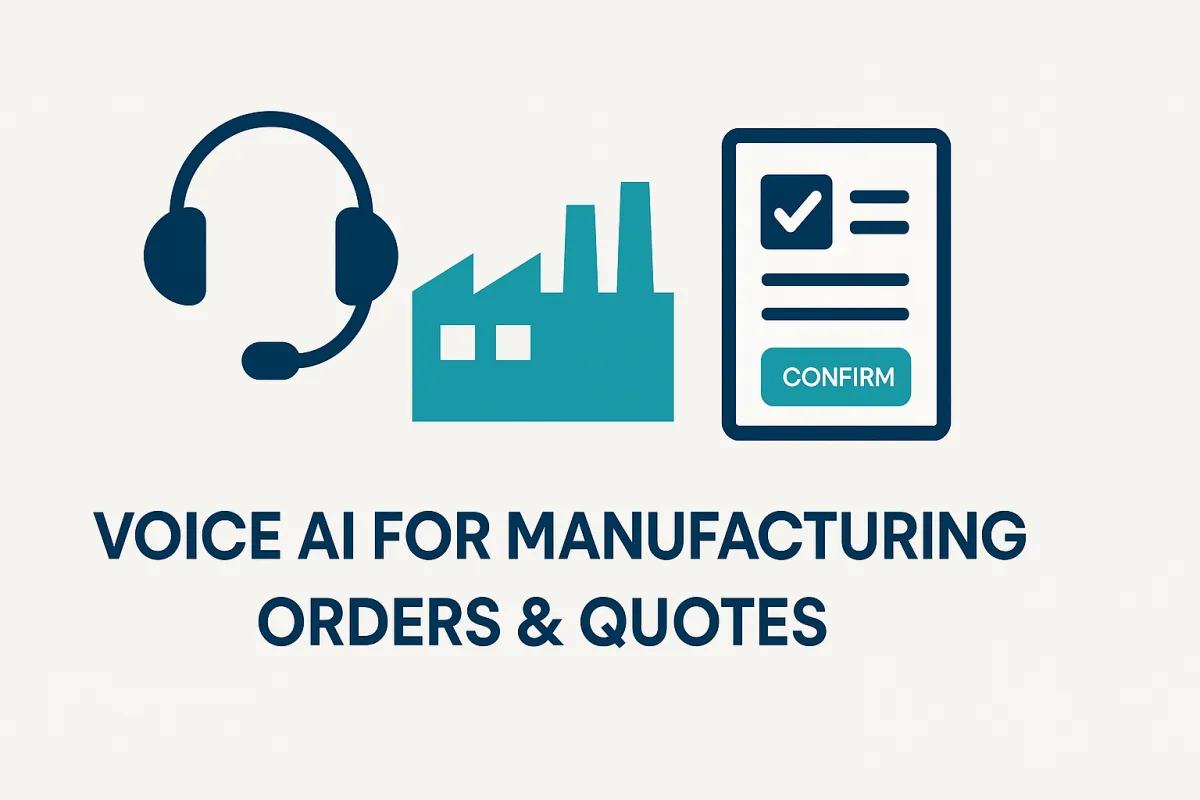
Voice AI for Manufacturing Orders & Quotes — 30 Practical Q&A on AI Receptionists & CPQ/ERP Integrations
TL;DR: Voice AI for manufacturing is already answering calls, building quotes, taking phone orders and talking to CPQ/ERP/WMS systems. Below are 30 focused questions about voice AI and AI receptionists for order-taking and quoting.

Will voice AI reliably build and confirm quotes during a phone call?
Short answer — Yes.
When integrated with your CPQ + ERP/WMS and wrapped by a lightweight middleware, a voice AI (AI receptionist) can perform live price checks, confirm lead times, lock short-term pricing and return a quote ID or PDF — all during the call.
What it does (quick):
Captures customer, part number(s) and quantity by voice.
Calls your CPQ for pricing/approval rules and ERP/WMS for availability/lead time.
Reads back a concise summary (price • lead time • expiry) and requires the caller to say “confirm” to lock the quote.
Generates a quote ID / PDF and logs transcript + correlation_id for audit.
Required integrations (must-have):
CPQ / pricing engine (price checks, approval API)
ERP order API (customer account, order create)
WMS inventory API (availability / soft holds)
Telephony (SIP/Twilio) and middleware for orchestration, idempotency, retries and secure auth

Quick enable checklist (do this now):
Export CPQ field requirements (part, qty, customer class, site).
Stand up a CPQ sandbox and validate price-check calls.
Build a tight voice flow: capture → price check → read back → require “confirm”.
Implement a price-lock TTL (10–30 mins) and supervisor approval path for exceptions.
Persist transcript + correlation_id and surface the quote ID/PDF to caller via email/SMS.
Risk controls (non-negotiable): explicit read-back + spoken confirm, approval routing for discounts, idempotency keys to avoid duplicate orders, and tokenized payments for revenue calls.
Success signs: quote-to-confirm time shrinks, fewer manual corrections, accurate pricing and lead-times in downstream systems, and measurable lift in first-call order capture.
Can an AI receptionist validate pricing, discount rules and approval tiers against our CPQ/ERP in real time?
Short answer — Yes.
An AI receptionist can validate price, apply discount logic and route approvals live during a call — provided it queries your CPQ (price engine) and ERP in real time and enforces approval gates in middleware.
What it does:
Looks up contract pricing, customer-specific discounts, and approval thresholds via CPQ/ERP APIs.
Applies business rules (volume tiers, promos, minimums) and computes the final price.
If an exception or override is needed, routes approval to a supervisor (voice/SMS) before finalizing.
Logs decision, confidence, and correlation_id for audit.
Required integrations (non-negotiable):
CPQ / pricing engine API (price check, approval endpoint)
ERP customer & pricing APIs (account class, credit hold)
Middleware to enforce rules, manage idempotency and route approvals
Telephony / voice agent for capture + read-back
Secure auth & audit (scoped service accounts, append-only logs)
Quick setup checklist (do this this week):
Export pricing rules and example CPQ API payloads.
Build middleware mapping: CPQ response → voice summary fields (price, expiry, approval-needed).
Create a short voice prompt: “Price is $X, expires in Y minutes — say ‘confirm’ to accept, or ‘escalate’ to request approval.”
Implement approval workflow: supervisor notification → one-tap approve → writeback to CPQ/ERP.
Log transcript, approval stamp and correlation_id.
Risk controls: enforce read-back + explicit confirm, require supervisor approval for discounts above thresholds, use idempotency to prevent duplicate writes, and surface audit trails for disputes.
Success signs: correct live pricing on first call, fewer manual price corrections, fast approval turnaround, and measurable reduction in quote-to-order time.
Can voice AI place a temporary parts hold (soft reservation) in our WMS while waiting for caller confirmation?

Short answer — Yes.
A voice AI can place a temporary parts hold (soft reservation) in your WMS/ERP during a call, return a short hold code to the caller, and release or convert the hold after confirmation — provided you wire the voice flow to a middleware that calls your WMS/ERP hold API with idempotency and TTL controls.
What it does (practical):
Captures part number(s) and quantity by voice (with read-back).
Calls middleware to normalize SKU → ERP/WMS master and attempt a soft hold via the inventory API.
Returns a hold token/code and ETA to the caller (SMS/email optional).

If the caller confirms within the TTL, middleware converts soft hold → hard reservation / creates order; if not confirmed, the hold expires automatically.
Required integrations & controls:
WMS/ERP inventory API (availability + hold/reserve endpoints)
Middleware to map SKUs, enforce idempotency keys, and manage hold TTLs
Voice agent with slot-capture + read-back + confirmation intents
Notification channel (SMS/email) for hold code & expiry notice
Auth, audit & logs (scoped service account, correlation_id, transcript attach)
Quick enable checklist (do this week):
Export canonical SKUs and test WMS hold API with sandbox creds.
Build middleware logic:
attemptHold(part, qty) → return holdCode + TTL.Add voice flow: capture → read back → place hold → speak holdCode + “confirm to commit”.
Send SMS with holdCode and TTL; require spoken “confirm” or web link to convert.
Auto-expire holds and surface expired-hold reports daily.
Risk controls: short TTL (e.g., 10–30 min), throttle holds per account to prevent hoarding, idempotency to avoid duplicate holds, and human review for large-volume holds.
Success signs: fewer failed first-time fulfillments, reduced trips for missing parts, visible holds in WMS tied to voice sessions, and higher order-conversion rates from phone quotes.
Can an AI receptionist generate and email a PDF quote from CPQ after voice confirmation?

Short answer — Yes.
An AI receptionist can trigger your CPQ to generate a PDF quote, attach the voice transcript, and email (or SMS a secure link) to the buyer — all during or immediately after the call.
What it does (fast):
Captures caller identity and explicit “confirm” on the quote.
Calls your CPQ to create the quote record and render the PDF (or returns structured quote data to middleware that creates the PDF).
Attaches the transcript + correlation_id to the quote for audit.
Sends an email with PDF (and optional SMS secure link) and writes the quote ID back to CRM/ERP.

Required integrations:
CPQ with quote-create and PDF render API.
Email/SMS provider (SendGrid/Twilio) or ERP notification API.
Middleware for orchestration, idempotency, mapping and PDF generation (if CPQ won’t render).
CRM/ERP writeback to link quote → account.
Secure storage for transcripts and signed URLs; scoped auth & audit logs.
Quick enable checklist (do this now):
Verify CPQ can render PDF via API or export structured quote.
Build middleware flow: voice confirm → CPQ create → PDF render → save transcript → send email/SMS.
Require explicit read-back + “confirm” before PDF is generated.
Return quote ID to caller and log the correlation_id.
Risk controls: enforce price-lock TTL, approval gating for discounts, use short-lived signed URLs for PDF access, and persist full audit trail.
Success signs: instant emailed quotes, fewer manual follow-ups, clear audit trail linking call → quote, and faster quote-to-order conversion.
Can voice AI take full phone orders and create sales orders in our ERP (SAP, Oracle, NetSuite) automatically?

Short answer — Yes.
When you connect a voice agent to your CPQ → ERP → WMS stack via a middleware layer, the system can capture a complete order by phone and create a validated sales order in your ERP in real time.
What it does (in plain ops terms):
Captures caller identity, billing account, part numbers, quantities, shipping instructions and PO number.
Validates pricing (CPQ), credit/holds (ERP), and stock/soft-hold (WMS).
Runs any business rules (discount approvals, export controls), then creates the sales order in ERP and returns the order ID and ETA to the caller (voice + email/SMS).
Persists transcript + correlation_id for audit and reconciliation.
Required integrations (must-have):
ERP order API (create/update, order lines, confirm)
CPQ / pricing engine (price & approval checks)
WMS / inventory API (availability & soft-holds)
Telephony (SIP/Twilio) + voice/NLU agent
Middleware to orchestrate calls, enforce idempotency, handle retries and secure auth
Optional: payment gateway, CRM writeback, and audit storage
Quick enable checklist (do this now):
Map ERP order schema (required fields, validation rules).
Stand up sandbox APIs for ERP/CPQ/WMS and test end-to-end payloads.
Build a short voice flow: capture → price & stock check → read-back → require spoken “confirm”.
Implement idempotency keys (session+order signature) and price-lock TTL (e.g., 10–30 min).
Add approval routing for discount/credit exceptions and a secure path for payments if required.
Run parallel tests: human operator vs voice agent to compare order accuracy.
Risk controls (non-negotiable): explicit read-back + spoken confirm, idempotency to prevent duplicate orders, approval gates for discounts or credit holds, PCI-safe handling for any payment steps, and full audit logs linking voice → order.
Success metrics to track: order-capture accuracy (%), time-to-confirm (avg secs), first-contact order conversion rate, exceptions per 100 orders, and reconciliation mismatch rate.
Can an AI receptionist check real-time inventory availability (WMS) before confirming an order by voice?
Short answer — Yes.
An AI receptionist can query your WMS (or ERP inventory) in real time and confirm availability before it locks a quote or creates an order — as long as you wire the voice flow to middleware that normalizes SKUs and enforces TTLs and idempotency.
What it does (fast):
Captures part number / SKU and quantity by voice, with an immediate read-back.
Calls middleware to normalize SKU aliases → master SKU and query the WMS API for real-time availability and location.
Returns a concise voice response: “Available X units at Site A — reserve now?” and offers a soft-hold token or converts to order after spoken confirmation.
Writes hold/order info back to WMS/ERP and logs the transcript + correlation_id.
Required integrations & controls:
WMS / ERP inventory API (availability, soft-hold, release)
Middleware for SKU normalization, idempotency keys and TTL-managed holds
Voice agent with slot-capture + read-back + confirm intent
Notification channel (SMS/email) for hold confirmation and hold-code delivery
Scoped auth & audit logs for traceability
Quick enable checklist (do this week):
Export canonical SKUs and test availability calls in sandbox.
Build middleware mapping (
alias → master SKU) andattemptHold(part, qty).Add voice flow: capture → read-back → call WMS → speak availability + “say confirm to reserve”.
Send SMS with hold code and auto-expire holds after TTL.
Risk controls: short TTLs (10–30 min), throttle holds per account, idempotency to prevent duplicates, and approval/manual review for high-value holds.
Success signs: accurate live availability readouts, visible WMS holds tied to calls, fewer failed shipments, and higher first-visit fulfillment rates.
Can voice AI apply contract-specific pricing, volume tiers and customer discounts during an order call?
Short answer — Yes.
A properly integrated voice AI / AI receptionist can evaluate contract pricing, tiered discounts and customer-specific rules live during a call — provided it queries your CPQ + ERP and enforces approval gates via middleware.
What it does (practical):
Looks up the customer’s contract terms and price lists in CPQ/ERP.
Applies volume tiers, promotional rules and customer discounts programmatically.
Calculates final price, shows expiry (price-lock TTL) and prompts the caller for an explicit “confirm.”
If an override is required, it routes an approval (push notification/one-tap approve) before committing.
Must-have integrations & controls:
CPQ / pricing engine (contract lookup, tier logic, approval API)
ERP (account class, credit holds) and WMS for availability impacts
Middleware that enforces business rules, idempotency keys, price-lock TTLs and audit logging
Approval workflow (supervisor notifications + single-click approve) and tokenized payment if revenue is taken
Quick enable checklist (do this week):
Export sample contract rules and map CPQ API fields.
Implement middleware mapping: CPQ → voice summary (price, expiry, approval-needed).
Build voice flow: compute → read price + expiry → require spoken confirm or escalate.
Log transcript, correlation_id and approval stamps.
Risk controls: explicit read-back, supervisor approval for overrides, idempotency to avoid duplicates, and short price-lock TTLs.
Success signs: correct live prices on first call, faster approvals, fewer pricing disputes and higher order-conversion rates.
Can an AI receptionist handle multi-line orders, partial shipments and backorder logic through API calls?

Short answer — Yes.
An AI receptionist can capture complex, multi-line orders by voice, evaluate each line for availability, create partial shipments, and kick off backorder workflows — as long as your middleware orchestrates CPQ/ERP/WMS calls and enforces idempotency and business rules.
What it does (plain ops):
Captures multiple line items (part, qty, ship-to, requested date) with read-back for each line.
Calls WMS for line-level availability, applies soft-holds when requested, and determines which lines ship now vs backorder.
Creates a single sales order in ERP with multiple order lines and shipment splits (ship-now lines + backorder lines), or creates separate fulfillment jobs per warehouse.
Notifies the caller of the split (e.g., “Line 1 ships today; Line 2 is backordered — ETA Aug 12”), returns order ID(s) and attaches the transcript.
Required integrations (must-have):
ERP order API (multi-line order + fulfillment instructions)
WMS inventory & hold APIs (availability, soft/hard holds, release)
CPQ / pricing for line-level pricing/discounts
Middleware for orchestration, idempotency keys, split/shipment logic and audit logs
Notification channels (email/SMS) for hold/ETA confirmations
Quick enable checklist (do this now):
Define voice schema for a line item (part → qty → ship site → date).
Build middleware rule:
for each line → check WMS → attemptHold() → decide ship/backorder.Voice flow: capture lines → read back per line → confirm overall order.
Create ERP order with shipment splits and push notifications for backorder ETAs.
Risk controls: enforce explicit read-back, use idempotency keys to avoid duplicate orders/holds, set short TTL on soft-holds, throttle large multi-line holds, and require supervisor approval for high-value splits.
Success signs: accurate multi-line orders in ERP, visible shipment splits in WMS, fewer fulfillment exceptions, and clearer customer communications (reduced follow-ups).
Can voice AI capture PO numbers, billing terms and ship-to instructions and write them to ERP correctly?
Short answer — Yes.
A properly designed AI receptionist can reliably capture PO numbers, billing terms, and shipping instructions by voice and write them into your ERP — but only if you enforce strict capture/validation flows, SKU/field normalization, and idempotent write patterns in middleware.
What it does (practical):
Prompts the caller for required fields: PO number, billing account, billing terms, ship-to address, contact phone — with read-back for confirmation.
Normalizes inputs (PO → numeric/string format; address → site code; billing terms → ERP term code) using middleware lookup tables.
Validates live against ERP (customer match, credit hold, allowed ship-to locations) before creating or updating the order.
Writes the fields to the ERP order payload with an idempotency key and returns the created/updated ERP order ID to the caller.
Must-have integrations & controls:
ERP order API (create/update + validation endpoints)
Middleware for input normalization, field mapping and idempotency
Voice agent with strict slot capture, confirmation and DTMF fallback for noisy floors
Auth & audit: scoped service account, correlation_id, transcript attachment
Quick enable checklist (do this now):
Define exact ERP field formats for PO, billing terms and ship-to codes.
Build middleware mapping and sandbox test (PO match, account validation).
Create voice flow: capture → normalize → ERP-validate → read-back → require “confirm”.
Use idempotency keys (session+PO) to avoid duplicate writes.
Log transcript + correlation_id and surface the ERP order ID by voice and email/SMS.
Risk controls: require read-back + explicit confirm, DTMF fallback for PO entry, reject ambiguous addresses for human follow-up, and block writes under credit holds until human approval.
Success signs: correct PO and ship-to fields in ERP, fewer manual corrections, lower order reconciliation errors, and faster order-to-fulfillment cycles.
Can an AI receptionist validate taxes, duties and export controls (HS codes) on international phone orders?
Short answer — Yes (with compliance guardrails).
An AI receptionist can perform real-time tax/duty lookups, HS-code validation and basic export-control screening during a call — provided it’s connected to a tax engine, customs/tariff data, and your trade-compliance middleware, and you enforce approval paths for flagged orders.
What it does (practical):
Captures order details (part/HS code, qty, ship-to country, Incoterm, EORI/VAT).
Calls a tax/tariff engine (Avalara/Vertex or internal service) for VAT/GST and duty estimates and a landed-cost calculator.
Looks up or normalizes HS codes against your master list (fallback: human review).
Runs basic export control & sanctions screening (denied-party lists, controlled-goods flags) via compliance API.
Replies by voice with tax/duty estimate, required docs, and any export restrictions, and routes exceptions to a human approver.
Required integrations & controls:
Tax/tariff engine (real-time rates + VAT logic)
Customs/HS code master (normalized SKU → HS)
Trade-compliance API (sanctions, EAR/ITAR flags, license checks)
ERP/CPQ (writeback of HS, duty, landed cost) and middleware for orchestration, idempotency and audit logs
Auth, logging & secure storage (transcript + decision stamp)
Quick enable checklist (do this now):
Export SKU → HS master mapping and sample payloads.
Hook a tax/tariff API and test landed-cost calls for top corridors.
Add an export-control check in middleware that returns: OK / needs-license / blocked.
Build voice prompts: capture HS or offer “lookup”, read estimate, require “confirm” or “escalate”.
Log audit trail: who approved, timestamp, transcript, correlation_id.
Risk controls (non-negotiable): require human approval for any “needs-license” or “blocked” results; maintain immutable audit logs; use short-lived price/duty locks; and consult legal on EAR/ITAR interpretations.
Success signs: accurate landed-costs shown on call, fewer customs surprises, seamless attachment of HS and duty data to ERP orders, and faster international order confirmations with clear audit trails.
Can voice AI issue secure, tokenized payment links or accept PCI-safe voice payments during a call?

Short answer — Yes, but only with strict PCI controls and a tokenization-first architecture.
The safest, fastest route is to send a one-time, tokenized payment link (or hosted payment page) during the call. Accepting card numbers spoken on the line is possible only via a certified, PCI-compliant IVR/DTMF passthrough or P2PE solution — never record raw PANs or store card data in your systems.
What it does (practical):
Voice flow captures caller intent and explicit payment consent (must be spoken).
System either:
Sends a secure, single-use payment link (short expiry, one-click) via SMS/email that the buyer uses to pay (recommended); or
Routes DTMF input through a PCI-certified IVR/PSP passthrough so card data goes straight to the payment vault (no PANs touch your servers).
Middleware records the payment token, transaction ID and correlation_id, then writes payment status into ERP/finance and attaches the audit trail (not the card).
Required integrations & controls (non-negotiable):
Payment Service Provider with tokenization + hosted payment pages (Stripe, Adyen, Braintree, or enterprise PSP with P2PE).
Secure link service (short-lived signed URLs) or PCI IVR passthrough.
Middleware that stores only tokens + correlation IDs, not card data.
Auth, logging, and consent capture (spoken consent logged; never store audio of card entry).
Compliance evidence: PCI DSS scope reduction strategy and attestation (SAQ A/A-EP or full as required).
Quick enable checklist (do this now):
Choose a PSP that supports hosted payment pages and tokenization, and confirm IVR/DTMF passthrough options.
Design voice flow to capture explicit consent and offer the secure-link or DTMF option.
Implement middleware to generate signed one-time links (TTL 5–15 min) and map token → ERP writeback.
If accepting in-call DTMF, use PSP’s PCI-certified IVR (no PANs in your stack) and verify P2PE/PA-DSS status.
Have Legal & Compliance sign off, update PCI scope, and run a pen test / PCI audit as required.
Risk controls:
Never record spoken card numbers; redact any audio transcripts that might contain sensitive snippets.
Use one-time tokens and short link expiry; throttle and monitor link usage.
Enforce audit logs (correlation_id, transaction ID, who confirmed).
Require supervisor approval for high-value transactions or unusual patterns; flag suspected fraud.
Success signs: faster cash collection, fewer abandoned phone orders (secure link conversion), reliable ERP payment reconciliation (token→txn ID), and zero card data exposure in your environment.
Can an AI receptionist trigger invoice creation or draft invoices in our finance/ERP system after order confirmation?
Short answer — Yes.
An AI receptionist can call your ERP/finance APIs (or send a structured payload to your invoicing service) to create invoice drafts or final invoices once a voice-confirmed order passes validation — provided you implement clear business rules, idempotency and accounting controls in middleware.
What it does (practical):
After the caller says “confirm”, middleware gathers order lines, tax/landing data, payment status (token/authorized), shipping terms and any discounts.
Middleware formats the payload to your ERP/finance invoice schema and either creates a draft (for AP/finance review) or posts a final invoice (if auto-invoicing policy allows).
The system attaches the transcript + correlation_id and returns the invoice ID / PDF link to caller/CRM.
Required integrations & controls:
ERP/Finance API for invoice create/draft, tax lines and payment posting.
Tax/tariff engine or finance rules for VAT/GST/duties.
Middleware for field mapping, idempotency keys, retries and audit logs.
Payment gateway token/status for auto-apply.
Approval workflow for drafts (human review) and scoped service accounts with append-only logs.
Quick enable checklist (do this week):
Map ERP invoice fields and required validations.
Build middleware transform + sandbox test (create draft → verify).
Add voice flow: confirm → validate (stock/price/credit) → create draft or post final per rules.
Persist transcript + correlation_id and notify finance (email/queue).
Reconcile a sample set of voice-generated invoices with finance team.
Risk controls: enforce read-back + confirm, require manual approval for high-value invoices, use idempotency to avoid duplicate invoices, and keep full audit trails (who confirmed, timestamps, transcript).
Success signs: fewer manual invoice entries, faster invoice issuance, clean ERP reconciliation (token → txn), and reduced dispute cycle time.
Can voice AI compute freight options, transit ETAs and present carrier choices by voice?

Short answer — Yes.
A voice AI can show live freight options, give transit ETA estimates and present carrier choices during the call — as long as it queries your rate engines / carrier APIs and a middleware layer enforces shipping rules and address validation.
What it does (practical):
Captures ship-from / ship-to, weight / dims (spoken or pulled from SKU/BOM) and desired service level.
Calls carrier/TMS/rate engines (UPS, FedEx, DHL, 3PL APIs or a rate aggregator) to get rates, transit times and pickup windows.
Applies business rules (preferred carriers, contract rates, pallet vs LTL) and reads 2–3 ranked options: price, ETA, and any constraints.
Offers “select X to book” or “send ETA by SMS/email” and writes the chosen option back to ERP/WMS and the order record.
Required integrations & controls:
Carrier APIs or rate-aggregator (Freightos, project44, Descartes)
TMS / ERP for shipment creation and contracted rates
Address validation & customs/Incoterm lookup for international shipments
Middleware for rules, idempotency, unit normalization and audit logs
Notification channel for SMS/email tracking numbers
Quick enable checklist (do this now):
Identify top 3 carriers and test rate APIs in sandbox.
Ensure SKU dims/weights are accessible (ERP/PLM).
Build middleware:
getRates(addr, dims, service)→ rank by rules.Add voice flow: capture → read options → require spoken “book” or “send”.
Write booking to TMS/ERP and return tracking/ETA.
Risk controls: validate addresses, enforce contracted rates, require explicit confirm, and log correlation_id for tracking.
Success signs: accurate ETAs on call, faster booking, fewer shipping exceptions, and clear carrier-tracking links in the order.
Can an AI receptionist book carrier shipments (UPS/FedEx/3PL) and return tracking numbers by voice or SMS?

Short answer — Yes.
An AI receptionist can book shipments, buy labels, and deliver tracking numbers on the call (or via SMS/Email) when integrated with your TMS / carrier APIs / ERP and mediated by robust middleware.
What it does (practical):
Captures shipment data by voice: ship-from / ship-to, weight, dims, service level, insurance and any special instructions.
Calls carrier/TMS APIs to rate, book and generate a label + tracking number.
Confirms the chosen option by voice, then speaks the tracking number and/or sends an SMS/email with the tracking link and PDF label.
Writes booking metadata (tracking, carrier, rate, correlation_id) back to ERP/WMS/order for reconciliation.
Required integrations & controls:
Carrier APIs or TMS (UPS, FedEx, DHL, 3PLs or aggregators)
ERP/WMS for order linkage and shipping metadata
Middleware for orchestration, idempotency keys, retries and label storage
Telephony + voice agent for capture & readback, and SMS/email provider for links
Address validation and customs docs (for international)
Scoped auth & append-only audit logs (who booked, when, transcript)
Quick enable checklist (do this now):
Pick primary carriers and test sandbox booking/label APIs.
Ensure SKU weights/dims live in ERP/PLM.
Build middleware:
quote → book → label → persist(tracking).Add voice flow: capture → read price & ETA → require “book” to confirm.
Send SMS with tracking + short-lived label link; writeback to ERP.
Risk controls: validate addresses, require explicit confirm, use idempotency to avoid double-booking, surface booking failures for immediate human takeover, and enforce contracted-rate logic.
Success signs: tracking numbers delivered in-call or via SMS, fewer manual shipment entries, faster dispatch, and improved traceability in ERP/WMS.
Can voice AI push order confirmations, invoices and tracking updates automatically via email/SMS?
Short answer — Yes.
A voice AI can automatically send order confirmations, invoice PDFs, and carrier tracking updates by email or SMS as soon as the voice flow completes or the backend posts the relevant event — provided you wire the voice agent to your middleware, ERP/finance, and notification service.
What it does (in plain ops terms):
After a caller confirms an order or the ERP posts an invoice/shipment, middleware composes a structured notification (order summary / invoice PDF link / tracking URL).
The system sends the message via email (SMTP/SendGrid) or SMS (Twilio) and logs the delivery.
Notifications include quote/order ID, PDF link (signed URL), tracking number, expected ETA, and the correlation_id for audits.
Customers get immediate, auditable receipts and the shop-floor/dispatch teams get synchronized updates.
Required integrations (must-have):
ERP/Finance (order → invoice events)
TMS / carrier APIs (tracking + status callbacks)
Middleware/orchestration to format messages, generate signed URLs, and manage retries
Email provider (SendGrid/Mailgun) and SMS provider (Twilio)
Secure storage for PDFs with short-lived signed URLs and append-only audit logs
Quick enable checklist (do this now):
Define message templates (order confirmation, invoice, tracking) and required fields.
Confirm ERP/TMS can emit or be polled for events (order-created, invoice-posted, shipment-booked).
Build middleware to generate signed PDF links, insert correlation_id, and call SendGrid/Twilio.
Add voice flow step: “We’ll email/SMS your confirmation — is this address/number correct?” (explicit confirmation).
Test end-to-end: voice confirm → ERP order → middleware → email/SMS delivered.
Risk controls: require explicit caller confirmation of email/phone, use short-lived signed URLs for PDFs, throttle notifications to avoid spam, and log delivery receipts for dispute resolution.
Success signs: immediate receipt delivery, fewer “where’s my order” calls, faster invoice-to-pay cycles, and clean audit trails linking voice → order → notification.
Can an AI receptionist accept order modifications, cancellations and updates without creating duplicate orders?
Short answer — Yes.
With idempotency, clear correlation IDs, and middleware that enforces version checks and confirmation flows, an AI receptionist can safely process order changes and cancellations without creating duplicates.
What it does:
Identifies the target order via order ID / PO / correlation_id captured on the call.
Runs a read → modify → confirm pattern: fetch current order state from ERP, present the delta to the caller, apply the change only after explicit spoken confirmation, then write back an updated order version.
Uses idempotency keys and optimistic locking (ETag/version) to prevent race conditions and duplicate creates.
Required integrations & controls:
ERP order read/update API with versioning/ETag support.
Middleware for idempotency keys, correlation_id handling, conflict detection and retries.
Voice agent with reliable slot-capture, read-back and DTMF fallback for noisy floors.
Auth & audit: scoped service accounts, append-only logs, transcript attachment for every change.
Quick enable checklist (do this now):
Require callers to provide order ID or PO at start (DTMF fallback).
Middleware:
GET order → compute diff → present read-back → require “confirm update”.Implement idempotency key =
session_id + order_id + action_signature.Use ERP optimistic locking (ETag); on conflict, read latest, surface change and ask caller to re-confirm.
Log transcript, correlation_id, ETag/version and resulting order ID.
Risk controls: enforce read-back + explicit confirm, supervisor approval for cancellations or high-value changes, idempotency to block retries, and human handoff on conflicts or low-confidence NLU.
Success signs: single canonical order record per incident, low duplicate-create rate, fast and auditable updates, and fewer manual reconciliations.
Can voice AI perform real-time credit checks and payment-term validation via finance APIs during a call?
Short answer — Yes.
A voice AI (AI receptionist) can call your finance systems in real time to check credit status, available credit, payment terms and aging before finalizing an order — if you wire the voice flow through middleware that enforces secure auth, idempotency and approval gates.
What it does (practical):
Captures customer identity (account number, PO, caller verification) and the order total.
Calls finance APIs to return credit limit, current balance, DSO/aging, hold flags, and payment terms.
Reads a short summary to the caller: “Account OK — credit available $X” or “On credit hold — require supervisor”, and then proceeds, routes to approval, or offers payment alternatives.
Logs the decision with correlation_id and attaches the transcript to the order for audit.
Required integrations & controls:
Finance/ERP credit APIs (credit limit, balances, holds, terms)
Middleware for secure OAuth/mTLS, idempotency keys, retries and decision rules
Voice agent with strong caller verification (SSO, PIN or account match)
Approval workflow (supervisor notification/one-tap approve) and append-only audit logs
Quick enable checklist (do this week):
Identify finance API endpoints and sample payloads.
Build middleware rule:
if credit_available → continue; if not → route approval or collect payment.Add voice prompt: read-back credit result + require spoken confirm to proceed.
Log transcript, decision, and correlation_id.
Risk controls: require explicit caller verification, do not expose financial details over insecure channels, enforce approval for changes to payment terms, and keep immutable audit trails.
Success signs: fewer failed shipments due to credit holds, faster decisioning on orders, lower order abandonment, and clean reconciliation between voice-captured orders and finance.
Can an AI receptionist create or update CRM opportunities (Salesforce / HubSpot) linked to phone orders and quotes?
Short answer — Yes.
An AI receptionist can create or update CRM opportunities in real time and link them to phone quotes or orders — provided you wire voice intake → middleware → CRM API with careful field mapping, idempotency and caller verification.
What it does (practical):
Captures caller, company, quote/order ID, product lines and deal value by voice (with read-back).
Middleware maps those slots to CRM fields and either creates a new Opportunity or updates an existing one (add note, attach quote PDF, tag stage).
Adds the transcript + correlation_id and notifies the assigned rep (email/push) with the opportunity link and next steps.
Required integrations & controls:
CRM API (Salesforce/HubSpot create/update, attachments, custom fields)
CPQ / ERP for quote/order IDs and validation
Middleware for field mapping, idempotency keys, duplicate-detection and webhooks
Auth: OAuth2 scoped service account + least-privilege permissions
Audit: append-only logs linking voice session → CRM record
Quick enable checklist (do this now):
Export CRM schema & required fields (stage, amount, account id).
Build middleware mapping:
voice slots → CRM payload.Implement idempotency =
session_id + quote_idto avoid duplicates.Attach quote PDF + transcript URL and push rep notification.
Test in CRM sandbox with sample calls and rejection/merge cases.
Risk controls: require caller verification, read-back before CRM write, supervisor approval for deals above threshold, and conflict handling (merge or surface duplicates).
Success signs: opportunities created/updated correctly, faster sales follow-up, accurate pipeline data, and clear audit trails linking voice → quote → CRM.
Can voice AI detect and surface upsell or cross-sell opportunities during order conversations?
Short answer — Yes.
A voice AI can identify upsell and cross-sell opportunities in real time by combining intent detection, SKU/transaction context, and simple recommendation rules (or a lightweight ML model) — then surface them to the caller or sales rep at the right moment.
What it does (practical):
Listens for purchase intent signals (phrases like “we also need…”, “do you have…”, or asking about related parts) and examines the current order context (SKUs, quantities, customer tier).
Runs quick business-rule checks (compatibility, lead time, margin, MOQ) or calls a recommendation API that returns 1–3 relevant SKUs or service add-ons.
Presents suggestions by voice as a concise offer — “We can include X for $Y — add to order?” — and requires an explicit “yes” to include the item.
Required integrations & controls:
ERP/CPQ/WMS (SKU data, lead times, price, stock)
Recommendation engine or ruleset (simple rules often suffice)
CRM to surface customer history and contract constraints
Middleware for orchestration, idempotency, and audit logging
Quick enable checklist (do this now):
Define top 20 complementary SKUs/services and simple rules (compatibility, margin).
Implement middleware endpoint:
recommend(orderContext) → top3.Add a brief voice prompt: “Add X for $Y — say ‘add’ to include.”
Require explicit confirm and read-back; attach transcript and correlation_id.
Risk controls: require explicit spoken consent, enforce approval for discounts, validate stock before finalizing, and log all suggestions for audit.
Success signs: increased attach-rate, higher average order value, minimal added handling errors, and clear tracking of recommendation → conversion in CRM.
Can an AI receptionist pre-fill complex quote forms (engineering/PLM inputs) and hand off to CPQ engineers?
Short answer — Yes.
An AI receptionist can capture the customer’s requirements by voice, pull relevant PLM/BOM/CAD metadata, pre-fill complex quote templates, and hand a clean, annotated package to CPQ engineers for final pricing or engineering review.
What it does (practical):
Captures the high-level ask by voice (part, rev, requested changes, quantities, target dates) with read-back.
Calls PLM/PLM-BOM APIs to fetch part metadata, drawings, revision history and current engineering change orders (ECOs).
Assembles a pre-filled quote payload (BOM lines, alternative parts, lead times, compliance flags) and sends it to CPQ or an engineering queue with attachments: CAD refs, transcript, correlation_id and confidence scores.
Notifies the assigned CPQ/engineering reviewer and includes a one-click link to accept, request clarification, or start an engineering quote workflow.
Required integrations & controls:
PLM/PLM-BOM APIs (Teamcenter, Windchill, etc.)
CPQ for quote templates and approval endpoints
Middleware for mapping PLM → CPQ fields, attachments, idempotency and versioning
Auth & audit: scoped service accounts, transcript + attachment logging
Quick enable checklist (do this week):
Identify 3 common engineering quote scenarios and required PLM fields.
Map PLM field → CPQ template (BOM line, rev, drawing link).
Build a voice flow: capture → confirm key fields → generate pre-fill package → notify engineer.
Include explicit read-back and DTMF fallback for critical identifiers (part numbers, rev codes).
Risk controls: require explicit read-back + confirm, surface ECOs/revision mismatches for human review, version attachments, and enforce approval gates for any engineering change.
Success signs: faster engineer turnaround, fewer missing BOM items in quotes, cleaner CPQ inputs, and measurable reduction in quote cycle time.
Can voice AI confirm serialized / lot-number availability and reserve specific lots before committing an order?
Short answer — Yes.
A voice AI can look up specific serials or lot numbers, confirm availability, and place a reservation against a chosen lot — provided it’s wired to your WMS/ERP lot/serial APIs and a middleware that enforces idempotency, TTLs and auditability.
What it does (practical):
Asks the caller for the part + serial/lot (or offers lookup by order/asset), then reads back the exact identifier for confirmation.
Queries WMS/ERP to show whether that lot/serial is available, quarantined, reserved, or allocated.
If available, the middleware places a soft reservation (hold token) on the specific lot; after spoken “confirm” the hold converts to a hard reservation or the order line is created.
All actions are logged with correlation_id, user/agent, timestamp and the audio transcript for traceability.
Required integrations & controls:
WMS/ERP lot & serial APIs (availability, reserve, release)
Middleware for SKU/lot normalization, idempotency keys, TTL-managed holds and retry logic
Voice agent with slot-capture + explicit read-back + DTMF/barcode fallback
Notification channel (SMS/email) to deliver hold token and expiry
Scoped auth & append-only audit logs for compliance/recall traceability
Quick enable checklist (do this now):
Export canonical lot/serial lookup API and test sample queries.
Build middleware function:
checkLot(part, lot) → status + reserve(soft) → holdCode.Add voice flow: capture/lookup → read back exact lot → place soft hold → require “confirm” to commit.
Send SMS/Email with holdCode + TTL; auto-release on TTL expiry.
Risk controls: short TTLs (e.g., 5–30 min), throttle holds per account, barcode/DTMF fallback to avoid mis-hears, require supervisor sign-off for high-value lots, and immutable logs for recall audits.
Success signs: accurate lot-level reservations, fewer shipment errors, traceable lot lineage in ERP/WMS, and reduced returns/recalls handling time.
Can an AI receptionist accept secure voice signatures or e-sign consent to finalize quotes and orders?
Short answer — Yes, but do it with a hybrid voice + e-signature approach and clear audit controls.
Voice can capture explicit consent (spoken acceptance) that’s admissible as evidence in many jurisdictions, but the safest operational model is voice-verified consent + a hosted e-signature (or one-click token link) so you get both immediacy and a strong audit trail.
What to implement:
Caller authentication (account match, caller ID + short PIN, SSO or OTP) before consent.
Explicit consent phrase captured and logged (timestamp, agent/voice id, correlation_id).
Send a short-lived e-signature link (DocuSign/HelloSign/PSP-hosted) or produce a signed PDF from CPQ and attach the voice transcript.
Persist immutable audit records: audio, transcript, who authenticated, IP/phone, timestamp and the signed document ID.
Quick enable checklist:
Choose an e-sign provider with API.
Build voice flow: authenticate → read key terms → capture explicit “I agree” → trigger e-sign link or finalize order.
Store audio + transcript + signed doc reference in ERP/CRM with correlation_id.
Legal sign-off on consent language and retention policy.
Risk controls: require explicit wording, human fallback for low confidence, short link TTLs, and legal review for regulated/export-controlled items.
Success signs: faster confirmations, reduced disputes, clean audit packets (audio + signed doc) for finance/compliance.
Can voice AI reconcile spoken part numbers and shop-floor aliases with ERP SKU masters reliably?
Short answer — Yes — reliably, if you pair a strong normalization layer with human-in-the-loop fallbacks and continuous sync to your ERP SKU master.
What it does: the voice agent captures the spoken identifier (part number, SKU, or shop-floor name), then middleware runs normalization → phonetic/fuzzy match → master lookup. If the confidence is high, it returns the canonical SKU; if low, it prompts for read-back, DTMF entry, barcode scan or routes the case to a human reviewer.
Required pieces (must-have):
ERP SKU master API (read/write, aliases field)
Alias/lexicon table (shop-floor names, vendor synonyms, common mis-speaks) kept in middleware and synced nightly
Custom NLU vocabulary + phonetic models (Metaphone/Double Metaphone or ML-based phoneme matching)
Confidence thresholds & human-in-loop queue for low-confidence matches
Audit logging (transcript + correlation_id + match score)
Quick enable checklist (do this week):
Export SKU master + common aliases from ERP/PLM.
Build a middleware alias table and upload a custom lexicon to your ASR/NLU.
Collect ~50–200 spoken samples for high-volume SKUs to train/validate.
Implement matching:
normalize(spoken) → phonetic match → exact SKUwith a confidence cutoff (e.g., 0.85).Add fallbacks: read-back, DTMF, barcode link, or human review for < cutoff.
Risk controls: require explicit read-back for critical SKUs, short TTL on automated reservations, throttle automated holds, and keep a supervised retraining cadence to reduce false matches.
How you’ll know it’s working: high match confidence on first pass, dramatically fewer manual SKU corrections in ERP, increased correct first-time picks, and shrinking human-review queue as the alias table and models improve.
Can an AI receptionist handle multi-currency pricing, conversions and record currency in the order?
Short answer — Yes.
An AI receptionist can present prices in the caller’s currency, perform live conversions, and persist the chosen currency on the sales order — provided you wire it to reliable FX/rate sources, your CPQ/ERP supports currency fields, and middleware enforces rounding, timestamps and approval rules.
What it does (practical):
Detects or asks the caller’s currency preference (account default, caller location, or explicit choice).
Queries a trusted FX/rate service (or your finance service) to compute converted price, shows “Price: €X (approx. $Y USD @ rate R at hh:mm)”, and requires spoken “confirm” to lock.
Records the order currency and the exchange-rate + timestamp in the ERP order payload for accounting and reconciliation.
Required integrations & controls:
CPQ/ERP with multi-currency support (currency code on order lines and totals)
FX/rate API (bank, treasury service, or commercial provider) with TTL and source ID
Middleware to apply rounding rules, compute landed cost in both currencies, store rate/timestamp and enforce idempotency
Payment gateway that accepts the chosen currency or maps tokens cross-currency
Audit logs storing rate source, timestamp, operator/caller confirmation and correlation_id
Quick enable checklist (do this now):
Confirm CPQ/ERP currency fields and rounding/precision rules.
Choose and test an FX source; define acceptable TTL (e.g., 5–30 min) and display text.
Build voice flow: detect currency → compute → read price + rate + expiry → require “confirm”.
Persist
order.currency,fx.rate,fx.timestamp, andquote_idto ERP/finance.Test payment flows for the target currencies in PSP sandbox.
Risk controls: lock price with short TTL, require supervisor approval for large FX-sensitive deals, surface both native and converted amounts, prevent storing raw card PANs, and keep immutable audit trails for finance.
Success signs: accurate multi-currency quotes on first call, clean ERP reconciliation using stored FX metadata, fewer cross-currency payment failures, and faster international order conversions.
Can voice AI ingest emailed POs or EDI orders, confirm them by phone, and create matching ERP orders?

Short answer — Yes.
With an EDI/email ingestion layer, an EDI/CSV/JSON parser and a voice-confirmation flow, an AI receptionist can accept incoming purchase orders (email or EDI), call the buyer to confirm key fields, and then create a matching sales order in your ERP — reliably and audibly traceable.
How it works (practical):
Ingest: middleware watches email/FTP/AS2/API for incoming POs (EDI 850, CSV, XML).
Normalize & map: an EDI translator or parser converts the payload into a canonical order schema and runs SKU/price/party validation against ERP/CPQ.
Phone confirm: the voice agent calls the buyer (or sales contact), reads back critical fields (PO#, lines, qty, price, ship-to, delivery date) and requires an explicit “confirm” (voice or DTMF).
Create/order: on confirmation the middleware posts a validated sales order to ERP and issues an EDI/ACK (997/999) or email acknowledgment to the sender.
Audit: transcript + correlation_id + original PO are attached to the ERP order.
Required integrations & controls:
Email/AS2/FTP ingestion + EDI translator (or managed EDI service)
Middleware for mapping, idempotency keys and business rules
ERP/CPQ/WMS APIs for validation + order create
Telephony (outbound voice + SMS) and NLU with read-back + DTMF fallback
Audit & ACKs (generate EDI 997/999 or structured email confirmations)
Quick enable checklist (do this week):
Enable ingestion channel (email/AS2) and test sample POs.
Build mapping rules for top PO formats and canonical fields.
Implement
attemptCreate(order)with idempotency check; if ambiguous, queue for voice confirm.Add voice flow: read PO summary → require spoken confirm → post to ERP and send ACK.
Log transcript, original PO, correlation_id and ERP order ID.
Risk controls: idempotency to avoid duplicate orders, strict SKU normalization, human review for low-confidence matches, explicit caller verification for phone confirms, and immutable audit trails.
Success signs: reduced manual PO-entry, faster order-to-fulfillment, fewer mismatched shipments, and clear EDI/voice-linked audit records for invoicing and disputes.
Can an AI receptionist generate RMAs / return authorizations and create return workflows in WMS via voice?
Short answer — Yes.
An AI receptionist can intake return requests by voice, create an RMA/return authorization, and kick off the WMS return workflow — provided you connect the voice flow to middleware that normalizes fields, enforces idempotency and calls your WMS/ERP return APIs.
What it does (practical):
Captures order ID / PO / part / qty / reason by voice with explicit read-back.
Validates the original order in the ERP, checks warranty/terms, and confirms return eligibility.
Creates an RMA record (RMA ID, disposition, return location) and pushes a return task into the WMS (put-away, quarantine, inspection).
Issues an RMA number to the caller (voice/SMS/email) and attaches the transcript + correlation_id to the RMA for audit.
Required integrations & controls:
ERP (order lookup, warranty/terms)
WMS (RMA create, return workflows, quarantine bins)
Middleware for SKU normalization, idempotency keys, business rules and audit logging
Telephony/voice agent with slot-capture + DTMF fallback
Notification channel (SMS/email) for RMA confirmation
Quick enable checklist (do this now):
Define minimal RMA fields your WMS needs (order_id, part, qty, reason, disposition).
Test ERP order-lookup and WMS RMA-create in sandbox.
Build voice flow: capture → read-back → validate eligibility → create RMA → return RMA code.
Send SMS/email with RMA code + instructions and log transcript.

Risk controls: require explicit read-back, use idempotency keys to prevent duplicate RMAs, route high-value or warranty-exception returns to human review, and retain full audit trails.
Success signs: fast RMA issuance on-call, accurate return tasks in WMS, fewer misrouted returns, and faster resolution of credits and repairs.
Can voice AI enforce complex discount rules (tiered, contract-based, volume) and route approvals when needed?
Short answer — Yes.
A well-integrated AI receptionist can evaluate and apply tiered, contract-based and volume discounts in real time — and automatically route exceptions for human approval — provided the voice flow queries your CPQ/price engine, checks ERP account terms, and enforces approval logic in middleware.
What it does (practical):
Pulls customer contract terms, tier thresholds and promotional rules from CPQ/ERP.
Applies volume / tier logic and computes the final line price (including expiration and conditional clauses).
If the computed discount exceeds an approval threshold, it routes a one-touch approval (push, SMS or quick voice approval) to the right supervisor before committing.
Writes the approved price back to CPQ/ERP, attaches the transcript + approval stamp, and returns an order/quote ID to the caller.
Required integrations & controls (must-have):
CPQ / pricing engine (contract lookup, approval API)
ERP for account class, credit/holds and order writeback
Middleware for rule enforcement, idempotency, routing approvals and audit trails
Notification/approval channel (mobile push, SMS, in-app, or voice)
Auth & audit: scoped service accounts, append-only logs, correlation_ids
Quick enable checklist (do this now):
Export contract rules and define approval thresholds.
Implement middleware mapping:
CPQ response → voice summary → approvalNeeded?Build voice prompt: “Price is $X (includes Y% discount) — say ‘confirm’ to accept or ‘escalate’ to request approval.”
Implement fast approval flow (one-tap approve) and record approval token in middleware/CPQ.
Persist transcript, approval ID and correlation_id for compliance.
Risk controls: always require explicit read-back + confirm for discounted amounts, gate overrides to named approvers, use idempotency to prevent duplicate writes, throttle sponsor-level discounts, and keep immutable logs for revenue audits.
Success signs: discounts applied correctly on first call, faster approval turnaround, fewer pricing disputes, improved margin visibility, and clearer audit trails tying every override to a person and timestamp.
Can an AI receptionist attach voice transcripts and audio to sales orders for audit and dispute resolution?
Short answer — Yes.
An AI receptionist can store call audio + transcript and attach them (or signed URLs) to the sales order in your ERP/CRM so every phone-confirmed quote or order has a verifiable audio trail.
What it does (practical):
Stores the raw audio (or compressed derivative) in secure object storage and generates a short-lived signed URL.
Produces a timestamped transcript with confidence scores, diarization (who said what) and a correlation_id that ties audio → transcript → order.
Writes the transcript and the attachment link (or pushes the file itself) into the ERP/CRM order record or an attachments table so finance, ops and legal can retrieve it for audits or disputes.
Required integrations & controls:
Object storage (S3/Azure Blob) with server-side encryption and signed URLs.
Transcription service (real-time or batch) that provides timestamps & confidence metadata.
ERP/CRM API for attachments or external-link fields.
Middleware to orchestrate storage, redact PII if needed, and write the attachment + metadata.
RBAC & audit logs to control who can play/download recordings.
Quick enable checklist (do this week):
Confirm ERP accepts attachments or external link fields.
Add a spoken consent prompt to flows and log consent.
Store audio encrypted; generate signed URL and attach to order with
correlation_id.Save transcript with timestamps, speaker labels and confidence scores.
Implement RBAC, short URL TTLs, and retention/erase policies.
Risk controls (must-have): redact or block storage of sensitive data (PAN/PII), never record card numbers, enforce retention & deletion policies (GDPR/PIPEDA), require explicit consent, and keep immutable audit trails.
Success signs: every disputed order has a retrievable audio+transcript link, faster dispute resolution, fewer billing disputes, and clearer evidence for finance/legal with minimal manual effort.
Can voice AI reconcile phone-captured orders with online/e-commerce orders to avoid duplicate fulfillment?
Short answer — Yes.
Voice AI can prevent duplicate fulfillment by reconciling phone-captured orders against your e-commerce/marketplace orders in real time — as long as you implement reliable correlation IDs, deterministic matching rules, and middleware that enforces idempotency and conflict-handling before any fulfillment actions occur.
What it does (practical):
When a call captures an order, middleware generates a correlation_id and searches the e-commerce/OMS/marketplace feeds for matching records (PO, customer email, order total, SKU lines, timestamps).
If a match is found, the system updates the existing order (attach transcript, update status) instead of creating a new sales order.
If no match is found, it creates a new order but tags it with the correlation_id and schedules a deferred reconciliation job to check for late-arriving online orders.
Low-confidence matches are flagged for human review (quick agent confirmation) before fulfillment is triggered.
Required integrations & controls:
Order feeds / APIs from e-commerce platforms, marketplaces, and your OMS/ERP (order list, status, line items).
Middleware for matching logic, idempotency table, reconciliation queue and audit logs.
Correlation strategy (order_id, PO, buyer email, phone, SKU fingerprints, amount + timestamp).
Voice agent that returns and records the correlation_id and key order identifiers on the call.
Notifications / human-in-loop UI for ambiguous matches and conflict resolution.
Quick enable checklist (do this now):
Choose a primary correlation key (prefer: PO or marketplace order id; fallback: hashed signature of buyer+lines+amount+timestamp).
Build middleware:
ingestVoiceOrder()→searchOnlineOrders(correlation_key, window)→ decide create / update / flag.Implement an idempotency table with TTL (24–72 hrs) to block duplicate creates.
Add a short voice flow: read back captured PO/order ID and confirm before writing.
Surface a lightweight review queue for <confidence_threshold> matches and log full transcript + correlation_id.
Risk controls:
Never auto-fulfill if match confidence < threshold — require human confirm.
Use idempotency keys to prevent double-create during retries.
Keep short reconciliation windows and automatic merge rules to avoid late duplicates.
Log every decision (who cleared a conflict, timestamps, correlation_id) for audit and chargeback defense.
Success signs: fewer duplicate shipments, lower invoice/order reconciliation errors, faster dispute resolution (audio + order linkage), and measurable drop in return/chargeback incidents.
Can an AI receptionist handle multi-language order-taking and switch languages mid-call for international customers?
Short answer — Yes.
Modern voice agents can support multiple languages, detect language automatically, and switch mid-call — but it requires a clear language strategy, custom NLU vocabularies for shop-floor jargon, and fallbacks for noisy environments.
What it does (practical):
Auto-detects language from the caller’s speech and switches TTS/ASR/NLU models.
Supports mid-call language switches when the caller says e.g., “switch to Spanish” or a detected confidence drop triggers a prompt: “Would you like to continue in Spanish?”
Maintains the same order context and correlation_id across language changes so quotes, holds and orders stay consistent.
Required integrations & capabilities:
Multi-language ASR/TTS/NLU (with custom lexicons for SKUs/part numbers).
Middleware to route requests to the correct language model and preserve session context.
Fallbacks: DTMF entry, SMS/web link, or human handoff.
Testing data for heavy accents and shop-floor terms.
Quick enable checklist (do this week):
Identify top 2–3 target languages for your sites/customers.
Upload SKU aliases & shop-floor terms to each language lexicon.
Build language-detect + confirm prompt and a mid-call “switch language” intent.
Add DTMF/barcode fallback for critical fields (part numbers).
Test with real accented samples and noisy-floor recordings.
Risk controls: require explicit read-back after a language switch, route low-confidence matches to a human, and keep transcripts labeled by language for audits.
Success signs: smooth mid-call language switches, high SKU recognition across accents, fewer misorders, and improved international conversion and customer satisfaction.
Ready to automate quotes & orders with voice AI?

If these questions hit home, book a 30-minute discovery call with Peak Demand. We’ll map the highest-impact voice AI order flows (quote → hold → order → payment → shipping), check which systems must integrate (CPQ, ERP, WMS, TMS/carrier APIs, payment gateway, EDI), and recommend a focused pilot you can deploy fast — engineered for manufacturing operations, not marketing slides.
On the call we’ll cover
Use-case fit & expected impact — which flows (quote capture, price-locks/holds, order creation, payments, ship booking) move revenue and reduce manual effort fastest.
Integration checklist — which APIs, credentials and sandboxes we need (CPQ, ERP order API, WMS inventory/hold, carrier/TMS, payment PSP, EDI/AS2, telephony/SIP).
Pilot scope & deliverables — a tight pilot (one product family or SKU set) with clear success criteria and rollout plan.

Practical risks & controls — idempotency, price-lock TTLs, approval gates, PCI/PCI-scope reduction, and auditability for disputes.
Estimated timeline & resourcing — what a rapid POC looks like (typical hookups, dev effort, and test plan).
Pilot success criteria we typically recommend (pick 2–3)
Order capture accuracy (%) — target first-pass correctness of order data.
Time-to-confirm — average seconds from call start to confirmed order/quote.
Containment / handoff rate — percent of calls completed without live agent escalation.
Order → invoice reconciliation rate — downstream match rate with ERP/finance.
First-contact order conversion / AOV uplift — business impact metric.
Have this ready (helpful, not required)
1 example order or quote payload (ERP/CPQ export or sample PO email).
List of core systems + versions: ERP, CPQ, WMS, TMS/carrier, payment gateway, telephony provider.
Top 20 SKUs or a product family to pilot (high volume / high value).
Sample pricing/discount rules and approval thresholds.
Any export control / compliance flags (HS codes, restricted items).
Sandbox API access or a test endpoint (if available) speeds feasibility checks.
What we deliver after the call
One-page pilot scope & integration checklist.
Target KPIs and measurement plan.
Recommended 6–8 week POC timeline and required artifacts.
Next steps and a draft Statement of Work (optional).
Quick email template to send Peak Demand AI Agency Team (paste & send)
Subject: Discovery call — Voice AI order & quote pilot for [Plant / Site name]
Body:
Hi Peak Demand team,

We’re a manufacturing site exploring voice AI to automate quote and phone order capture. We’d like a 30-minute discovery call to review integrations and scope a pilot.

Quick details:
- Site / plant: [name]
- ERP (vendor + version): [e.g., SAP ECC 6.0]
- CPQ: [vendor]
- WMS/Inventory: [vendor]
- Payment gateway: [vendor, if applicable]
- Telephony: [Twilio/Avaya/RingCentral/other]
- Top SKUs or product family for pilot: [list or attach]
- Best times: [2–3 options]

Please send available slots or book us directly at: https://your-site.com/book-discovery-call

Thanks,
[Your name / role / phone]
Learn more about the technology we employ.

Try Our AI Receptionist for Manufacturers. Increase efficiency and improve operations with 24/7 AI Quote Building for Manufacturers, AI Troubleshooting, and AI Maintenance Requests for Manufacturers.